Playback starts YouTube’s embedded player (privacy-enhanced mode).
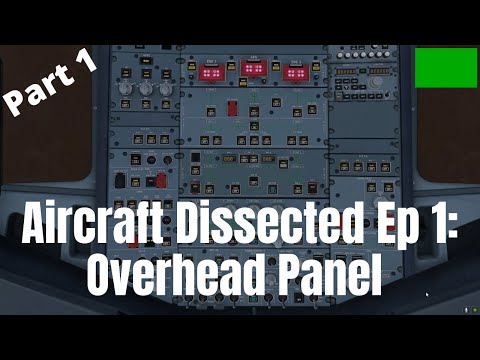
Aircraft Dissected Ep 1: The Overhead Panel I Airbus A320 I Detailed Tutorial (X-plane 11/MSFS 2020)
ChannelFlyBy SimulationsDescription from the creator
This is the first video in the second iteration of the popular 'Aircraft Dissected' Series on this channel, where we explore every single switch, knob and display in the flight deck of different aircraft and understand their functions. This iteration of the series aims to dissect the Airbus A320 family of aircraft, which includes the A318, A319, A320 and A321 - including their NEO or 'new engine option' variants. In this first video, we take a detailed look at the left-hand column of the lower overhead panel in the flight deck. We explore systems such as the ADIRS, the Emergency Electrical Control Panel, the Flight Control Panel and so on. The next episode will feature the central column of the lower overhead panel; which houses all of the major hydraulic, fuel, electrical and air conditioning systems within the aircraft.
Watch the full Aircraft Dissected (B737) Playlist: Watch the entire series in this playlist: youtu.be/_WaGQFHXS-0
Aircraft Dissected (A320) Playlist: youtube.com/playlist?list=PLstDeuw1VKqXBcS7PRqz…
Time Stamps:
Introduction: 0:00
Flight Deck Introduction: 3:07
ADIRS Panel [Green]: 4:36
Flight Control Panel [Red]: 8:14
Emergency Evacuation Panel [Red]: 10:29
Emergency Electrical Control Panel [Red]: 11:46
EGPWS Panel [Yellow]: 14:37
Recorder Panel [Yellow]: 16:55
Oxygen Panel [Red]: 18:37
Calls Panel [Green]: 20:14
Windshield Wiper Panel [Green]: 21:15
Conclusion: 22:21
Written E-text version (only for post-commentary portions) of full video: -
docs.google.com/document/d/1AcjG8c8PvXn9G4FzLCo…
Additional Research Material Used:
a320dp.com/A320_DP/menu.html
smartcockpit.com/docs/A320-Overhead_Panel.pdf
Simulators:
X-Plane 11 by Laminar Research
Get it here: x-plane.com/desktop/buy-it/
Microsoft Flight Simulator 2020 by Asobo Studios
Get it here: flightsimulator.com/
Editing Application:
Kdenlive
Get it here for free: kdenlive.org/en/download/
Machine Specs
Alienware Area 51m Gaming Laptop - Get it here - hidevolution.com/custom-built-alienware-area-51…
CPU- i7-9700K (undervolted and clocked to 4.5ghz)
GPU- RTX 2080 (undervolted and clocked to 1750mhz)
RAM - 32GB (16*2) at 2400mhz
Storage - 2TB SSD, 2TB HDD
Other Plugins Used:
ActiveSky XP (Payware)
AutoGate (Freeware)
AviTab (Freeware)
BetterPushback (Freeware)
FlyWithLua: Next Generation (Freeware)
Ground Handling Deluxe (Payware)
Live Traffic (Freeware)
projectFLY (Freeware)
SAM (Freeware)
Terrain Radar (Freeware)
xPilot (Freeware)
x-vision (Payware)
Music:
––––––––––––––––––––––––––––––
Track: Good Evening — Amine Maxwell [Audio Library Release]
Music provided by Audio Library Plus
Watch: youtu.be/2BEJUXf_U38
Free Download / Stream: alplus.io/good-evening
––––––––––––––––––––––––––––––
THANKS FOR WATCHING!
Watch the full Aircraft Dissected (B737) Playlist: Watch the entire series in this playlist: youtu.be/_WaGQFHXS-0
Aircraft Dissected (A320) Playlist: youtube.com/playlist?list=PLstDeuw1VKqXBcS7PRqz…
Time Stamps:
Introduction: 0:00
Flight Deck Introduction: 3:07
ADIRS Panel [Green]: 4:36
Flight Control Panel [Red]: 8:14
Emergency Evacuation Panel [Red]: 10:29
Emergency Electrical Control Panel [Red]: 11:46
EGPWS Panel [Yellow]: 14:37
Recorder Panel [Yellow]: 16:55
Oxygen Panel [Red]: 18:37
Calls Panel [Green]: 20:14
Windshield Wiper Panel [Green]: 21:15
Conclusion: 22:21
Written E-text version (only for post-commentary portions) of full video: -
docs.google.com/document/d/1AcjG8c8PvXn9G4FzLCo…
Additional Research Material Used:
a320dp.com/A320_DP/menu.html
smartcockpit.com/docs/A320-Overhead_Panel.pdf
Simulators:
X-Plane 11 by Laminar Research
Get it here: x-plane.com/desktop/buy-it/
Microsoft Flight Simulator 2020 by Asobo Studios
Get it here: flightsimulator.com/
Editing Application:
Kdenlive
Get it here for free: kdenlive.org/en/download/
Machine Specs
Alienware Area 51m Gaming Laptop - Get it here - hidevolution.com/custom-built-alienware-area-51…
CPU- i7-9700K (undervolted and clocked to 4.5ghz)
GPU- RTX 2080 (undervolted and clocked to 1750mhz)
RAM - 32GB (16*2) at 2400mhz
Storage - 2TB SSD, 2TB HDD
Other Plugins Used:
ActiveSky XP (Payware)
AutoGate (Freeware)
AviTab (Freeware)
BetterPushback (Freeware)
FlyWithLua: Next Generation (Freeware)
Ground Handling Deluxe (Payware)
Live Traffic (Freeware)
projectFLY (Freeware)
SAM (Freeware)
Terrain Radar (Freeware)
xPilot (Freeware)
x-vision (Payware)
Music:
––––––––––––––––––––––––––––––
Track: Good Evening — Amine Maxwell [Audio Library Release]
Music provided by Audio Library Plus
Watch: youtu.be/2BEJUXf_U38
Free Download / Stream: alplus.io/good-evening
––––––––––––––––––––––––––––––
THANKS FOR WATCHING!
About this tutorial
FlyBy Simulations published this 23:52 video tutorial on October 28, 2020. It has been watched 11,581 times on YouTube.
- Channel
- FlyBy Simulations
- Category
- Gaming
- Duration
- 23:52
- Published
- October 28, 2020
- Views
- 11,581
- Likes
- 386
Tags
Share
This tutorial in other languages
- FRAircraft Dissected Ep 1: Overhead Panel I I Airbus A320 détaillée Tutorial (X-plane 11 / MSFS 2020)
- ESAircraft disecado Ep 1: El Overhead Panel I Airbus A320 I tutorial detallado (X-plano 11 / MSFS 2020)
- PTAeronave dissecado Ep 1: A sobrecarga Painel I A320 I detalhada Tutorial (X-avião 11 / MSFS 2020)
- ITAircraft Dissected Ep 1: il sovraccarico Panel I Airbus A320 I dettagliata Tutorial (X-plane 11 / MSFS 2020)
- DEFlugzeug Dissected Ep 1: die Overhead-Panel I Airbus A320 I Detail Tutorial (X-Ebene 11 / MSFS 2020)
- NLAircraft ontleed Ep 1: De Overhead Panel I Airbus A320 I Gedetailleerde Tutorial (X-plane 11 / MSFS 2020)
- RUСамолет Вскрытого Ep 1: потолочная панель I Airbus A320 I Подробного руководство (X-самолет 11 / MSFS 2020)
- PLSamoloty Wypreparowane EP 1: napowietrznej Panel I Airbus A320 I Szczegółowy Podręcznik (X płaszczyzny 11 / MSFS 2020)
- JA航空機解剖、EP 1:オーバーヘッドパネルIエアバスA320 Iチュートリアル(X-平面11 / MSFS 2020)詳細
- ARطائرة تشريح الحلقة 1: النفقات العامة وحة I إيرباص A320 I مفصلة دروس (X-الطائرة 11 / أطباء بلا حدود 2020)
- HIविमान विच्छेदित एपि 1: ओवरहेड पैनल मैं एयरबस A320 मैं विस्तृत ट्यूटोरियल (एक्स-विमान 11 / MSFS 2020)
- IDPesawat membedah Ep 1: The Overhead Panel I Airbus A320 I Detil Tutorial (X-plane 11 / MSFS 2020)