Playback starts YouTube’s embedded player (privacy-enhanced mode).
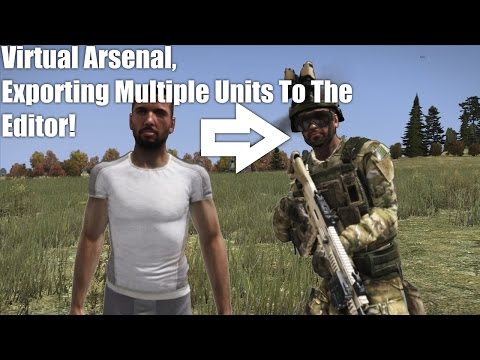
Arma 3 Tutorial, How To Export Multiple Virtual Arsenal Units Into The Editor!
ChannelCJP inHDDescription from the creator
Hows it going Beasts! CJP back with a sister tutorial to my original VA tutorial video, based around viewers questions in the comments section. This includes locating the VA, more indepth help with exporting a unit aswell as exporting multiple units into the editor. The Virtual Arsenal is 100% a game changer in the mission making world. It allows you to physically equip a unit with all items (Including Mods) whilst being able to see what your doing. I know, pretty nifty right? But how do you get those units into the Editor?
1. If your making a squad or multiple units, I suggest having Notepad open (All systems have this)
2. Hit export when your done, this acts as a copy and paste, when you hit it you are copying all the scripts for the items you've equipped your character with to a clipboard.
3. If it was one unit, then go ahead and go straight to the editor and copy it into a units ini field. If not? Go ahead and jump into note pad, give it a unit sub title i.e. Squad Lead. And copy it in, then move on to the next unit.
4. Do not hesitate to ask for help! I will answer any questions to do with the Editor.
5. Go ahead and leave this video a like if it helped you out! Or maybe subscribe to become a Beast!
About the Game
Experience true combat gameplay in a massive military sandbox. Deploying a wide variety of single- and multiplayer content, over 20 vehicles and 40 weapons, and limitless opportunities for content creation, the PC's premier military game series is back. Authentic, diverse, open - Arma 3 sends you to war.
Key Features in Arma 3
Altis & Stratis
Defeat your enemy on richly detailed battlefields -- stretching over 290 km² of Mediterranean island terrain.
Solo & Multiplayer
Experience military gameplay by completing the singleplayer showcase missions. Run through the competitive firing drills to hone your shooting and movement skills. Form a squad and team up to fight against your enemy in multiplayer scenarios.
Weapons & Vehicles
Master air, land, and sea with 20+ vehicles; choose your gear, pick from 40+ weapons, and customize your loadout.
Content Creation
Start creating your own experiences with the powerful scenario editor; develop mods for others to play; share and discover player-created content on the Arma 3 Steam Workshop; join our creative community.
Revamped Engine
Navigate the battlefield with fluid new animations; feel the devastating power of combat with the upgraded sound engine, new ragdoll simulation and PhysX™-supported vehicles.
Singleplayer Campaign
Follow the story of Ben Kerry, a soldier who gets caught up in a Mediterranean flashpoint, across three gameplay-driven episodes: Survive, Adapt, Win.
Arma 3 - arma3.com/
Music - soundcloud.com/ivaderz/fusion
1. If your making a squad or multiple units, I suggest having Notepad open (All systems have this)
2. Hit export when your done, this acts as a copy and paste, when you hit it you are copying all the scripts for the items you've equipped your character with to a clipboard.
3. If it was one unit, then go ahead and go straight to the editor and copy it into a units ini field. If not? Go ahead and jump into note pad, give it a unit sub title i.e. Squad Lead. And copy it in, then move on to the next unit.
4. Do not hesitate to ask for help! I will answer any questions to do with the Editor.
5. Go ahead and leave this video a like if it helped you out! Or maybe subscribe to become a Beast!
About the Game
Experience true combat gameplay in a massive military sandbox. Deploying a wide variety of single- and multiplayer content, over 20 vehicles and 40 weapons, and limitless opportunities for content creation, the PC's premier military game series is back. Authentic, diverse, open - Arma 3 sends you to war.
Key Features in Arma 3
Altis & Stratis
Defeat your enemy on richly detailed battlefields -- stretching over 290 km² of Mediterranean island terrain.
Solo & Multiplayer
Experience military gameplay by completing the singleplayer showcase missions. Run through the competitive firing drills to hone your shooting and movement skills. Form a squad and team up to fight against your enemy in multiplayer scenarios.
Weapons & Vehicles
Master air, land, and sea with 20+ vehicles; choose your gear, pick from 40+ weapons, and customize your loadout.
Content Creation
Start creating your own experiences with the powerful scenario editor; develop mods for others to play; share and discover player-created content on the Arma 3 Steam Workshop; join our creative community.
Revamped Engine
Navigate the battlefield with fluid new animations; feel the devastating power of combat with the upgraded sound engine, new ragdoll simulation and PhysX™-supported vehicles.
Singleplayer Campaign
Follow the story of Ben Kerry, a soldier who gets caught up in a Mediterranean flashpoint, across three gameplay-driven episodes: Survive, Adapt, Win.
Arma 3 - arma3.com/
Music - soundcloud.com/ivaderz/fusion
About this tutorial
CJP inHD published this 7:17 video tutorial on October 26, 2015. It has been watched 6,409 times on YouTube.
Tags
Share
This tutorial in other languages
- FRArma 3 Tutoriel, comment exporter plusieurs unités Arsenal virtuel dans l'éditeur!
- ESArma 3 Tutorial, Cómo exportar varias unidades virtual Arsenal en el editor!
- PTArma 3 Tutorial, como exportar Multiple Virtual Arsenal Unidades para o editor!
- ITArma 3 Tutorial, come esportare multipla virtuale Arsenal Unità nell'editor!
- DEArma 3 Tutorial, wie man Export Multiple Virtual Arsenal Einheiten in den Editor!
- NLArma 3 Tutorial, How To Export meerdere virtuele Arsenal Units in de editor!
- RUArma 3 Учебное пособие, как экспортировать Multiple Virtual Arsenal Units в редактор!
- PLArma 3 Tutorial, jak wyeksportować Multiple wirtualnej Arsenal Jednostki do edytora!
- JAアルマ3チュートリアル、どのようにするにエクスポート複数の仮想アーセナル単位にザ・エディタ!
- ARارما 3 دروس، كيفية تصدير متعددة الظاهري ارسنال وحدات إلى المحرر!
- HIअरमा 3 ट्यूटोरियल, कैसे करने के लिए निर्यात एकाधिक आभासी शस्त्रागार इकाइयों में संपादक!
- IDArma 3 Tutorial, Cara Ekspor Beberapa virtual Arsenal Unit Ke Editor!