Playback starts YouTube’s embedded player (privacy-enhanced mode).
DosBox Tutorial - Running DOS Programs On Windows 10, Vista, 7, 8 (W8), XP - Free Download Link
ChannelSchoolFreewareDescription from the creator
schoolfreeware.com
Update: This works with Windows 7 W7.
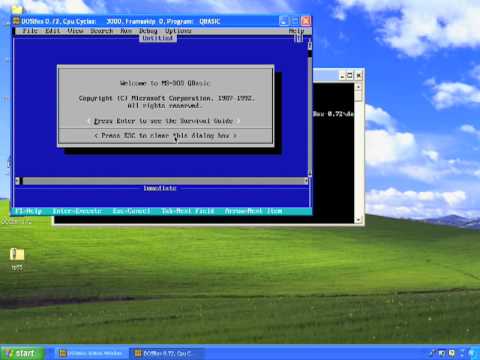
With Windows 7 and Vista 64, old DOS programs do not work. Also, Windows XP has problems running some DOS programs. There is a solution to this problem called DOSBox. DOSBox can run DOS programs in the Vista and XP environments. DOSBox can be downloaded for free at dosbox.com and there is a link to the program on the SchoolFreeware website. Schools and individuals can use DOSBox to run their old software and DOS games. This tutorial shows how to get, install and use DOSBox.
DosBox can be downloaded here: dosbox.com
The link to OldDos (install file containing QBasic) is found here:
download.microsoft.com/download/win95upg/tool_s…
Turbo Pascal 5.5 install files are found here:
edn.embarcadero.com/article/20803
Update: This works with Windows 7 W7.
With Windows 7 and Vista 64, old DOS programs do not work. Also, Windows XP has problems running some DOS programs. There is a solution to this problem called DOSBox. DOSBox can run DOS programs in the Vista and XP environments. DOSBox can be downloaded for free at dosbox.com and there is a link to the program on the SchoolFreeware website. Schools and individuals can use DOSBox to run their old software and DOS games. This tutorial shows how to get, install and use DOSBox.
DosBox can be downloaded here: dosbox.com
The link to OldDos (install file containing QBasic) is found here:
download.microsoft.com/download/win95upg/tool_s…
Turbo Pascal 5.5 install files are found here:
edn.embarcadero.com/article/20803
About this tutorial
SchoolFreeware published this 8:36 video tutorial on November 7, 2009. It has been watched 360,662 times on YouTube.
- Channel
- SchoolFreeware
- Category
- Gaming
- Duration
- 8:36
- Published
- November 7, 2009
- Views
- 360,662
- Likes
- 522
Share
This tutorial in other languages
- FRDOSBox Tutorial - Exécution de programmes DOS sous Windows 10, Vista, 7, 8 (W8), XP - Télécharger Gratuit lien
- ESDOSBox Tutorial - Ejecutar programas de DOS en Windows 10, Vista, 7, 8 (W8), XP - Descarga gratuita de Enlace
- PTDosBox Tutorial - Running DOS programas no Windows 10, Vista, 7, 8 (W8), XP - Download Link
- ITDosBox Tutorial - Running DOS programmi su Windows 10, Vista, 7, 8 (W8), XP - Free Download Link
- DEDOSBox Tutorial - Ausführen DOS-Programme auf 10 Windows Vista, 7, 8 (W8), XP - Free Download Link
- NLDosBox Tutorial - DOS-programma's in Windows 10, Vista, 7, 8 (W8), XP - Download Link
- RUDosBox Учебник - Запуск DOS программ В Windows 10, Vista, 7, 8 (W8), XP - Free Download Link
- PLDosBox Tutorial - Uruchamianie programów DOS na Windows 10, Windows Vista, 7, 8 (W8), XP - bezpłatny link do pobrania
- JADOSBoxをチュートリアル - 無料ダウンロードリンク - DOSプログラムにWindows 10では、Vista、7、8(W8)、XPを実行しています
- ARDosBox دروس - تشغيل DOS البرامج على ويندوز 10، ويندوز فيستا و 7 و 8 (W8)، XP - مجاني رابط التحميل
- HIDOSBox को ट्यूटोरियल - चल रहा है डॉस कार्यक्रमों पर Windows 10, विस्टा, 7, 8 (W8), XP - नि: शुल्क डाउनलोड लिंक
- IDDosBox Tutorial - Menjalankan DOS Program Pada Windows 10, Vista, 7, 8 (W8), XP - Gratis Download Link