Playback starts YouTube’s embedded player (privacy-enhanced mode).
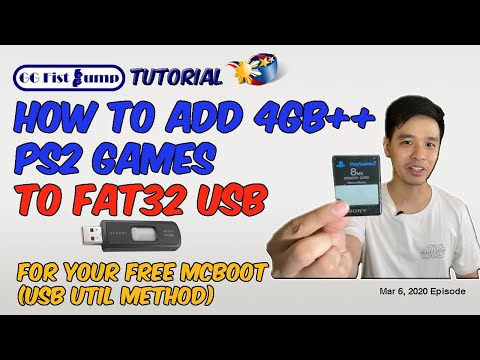
How to Add Large 4GB PS2 Games to FAT32 USB for Free Mcboot | USBUtil Tutorial
ChannelGG Fist BumpDescription from the creator
UPDATE: Complete USBUtil Guide is found in my newer video:
youtube.com/watch?v=bUhp6iwYTM0
This new video will tell how to put additional 4Gb games after converting a game once. We solve how to better manage the single ul.cfg file.
GG Fist Bump Tutorial : How to Add Large 4GB PS2 Games to FAT32 USB for Free Mcboot using USBUtil.
My PS2 Related Vlogs:
How to Play Games via USB on PS2 using Free Mcboot
youtube.com/watch?v=GV3ZFhuJpTQ&t=263s
How to Play PS2 Games on PC using PCSX2 Best PS2 Emulator
youtube.com/watch?v=6n8aR2yxuAM
Link to USBUtil : mediafire.com/file/ip2kcgfn6tcjet2/USBUTIL_v2.2…
Music:
8-Bit March by Twin Musicom is licensed under a Creative Commons Attribution license (creativecommons.org/licenses/by/4.0/)
Artist: twinmusicom.org/
"Wishful Thinking" by Dan Lebowitz
youtube.com/watch?v=DmscVCSzvds
youtube.com/watch?v=bUhp6iwYTM0
This new video will tell how to put additional 4Gb games after converting a game once. We solve how to better manage the single ul.cfg file.
GG Fist Bump Tutorial : How to Add Large 4GB PS2 Games to FAT32 USB for Free Mcboot using USBUtil.
My PS2 Related Vlogs:
How to Play Games via USB on PS2 using Free Mcboot
youtube.com/watch?v=GV3ZFhuJpTQ&t=263s
How to Play PS2 Games on PC using PCSX2 Best PS2 Emulator
youtube.com/watch?v=6n8aR2yxuAM
Link to USBUtil : mediafire.com/file/ip2kcgfn6tcjet2/USBUTIL_v2.2…
Music:
8-Bit March by Twin Musicom is licensed under a Creative Commons Attribution license (creativecommons.org/licenses/by/4.0/)
Artist: twinmusicom.org/
"Wishful Thinking" by Dan Lebowitz
youtube.com/watch?v=DmscVCSzvds
About this tutorial
GG Fist Bump published this 6:43 video tutorial on March 14, 2020. It has been watched 137,249 times on YouTube.
- Channel
- GG Fist Bump
- Category
- Gaming
- Duration
- 6:43
- Published
- March 14, 2020
- Views
- 137,249
- Likes
- 2,940
Share
This tutorial in other languages
- FRComment ajouter des 4 Go Jeux PS2 FAT32 USB gratuitement McBoot | USBUtil Tutorial
- ESCómo agregar grandes juegos de PS2 4GB en FAT32 USB para McBoot gratuito | USBUtil Tutorial
- PTComo adicionar grandes Jogos 4GB PS2 para FAT32 USB for Free McBoot | USBUtil Tutorial
- ITCome aggiungere Grandi Giochi PS2 4GB per FAT32 USB gratis McBoot | USBUtil Tutorial
- DEWie groß 4GB PS2 Spiele auf FAT32 USB kostenlos McBoot hinzufügen | USBUtil Tutorial
- NLHoe kan ik toevoegen Large 4GB PS2-games naar FAT32 USB gratis McBoot | USBUtil Tutorial
- RUКак добавить Большую 4 Гб PS2 игры в FAT32 USB Бесплатной Mcboot | USBUtil Учебное пособие
- PLJak dodać Duże gry PS2 do 4GB USB FAT32 dla Mcboot Darmowe | USBUtil Tutorial
- JA無料McbootためのFAT32 USBに大4ギガバイトPS2のゲームを追加する方法| USBUtilチュートリアル
- ARكيفية إضافة كبيرة ألعاب PS2 4GB إلى FAT32 USB لMcboot مجاني | USBUtil دروس
- HIकैसे के लिए नि: शुल्क Mcboot FAT32 यूएसबी के लिए बड़े 4GB PS2 खेल जोड़ें | USBUtil ट्यूटोरियल
- IDBagaimana Tambahkan besar 4GB PS2 Game untuk FAT32 USB untuk Bebas Mcboot | USBUtil Tutorial