Playback starts YouTube’s embedded player (privacy-enhanced mode).
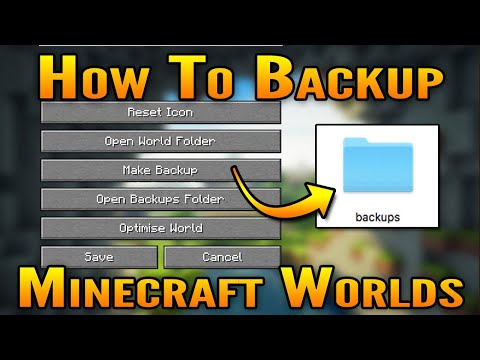
How To Backup (and Restore) Minecraft Worlds
ChannelShireenPlaysDescription from the creator
How to backup (and restore) your Minecraft Java worlds on Mac OS X and Windows.
You may want to backup your Minecraft world(s) before the Minecraft 1.16 Nether Update is released June 23rd; which is only in a couple of days!
It is always a good idea to backup your Minecraft worlds on a regular basis, especially as mojang have been adding more generation to Minecraft, like the Minecraft 1.16 Nether Update and Minecraft 1.17 Caves and Cliffs Update.
You can either manually backup your Minecraft worlds or you can let Minecraft Java do the heavy lifting for you!
You may also want to backup your Minecraft world if you are planning to reset the Nether in your Minecraft world before venturing into the new Minecraft 1.16 Nether Biomes.
Instructions:
* Open Minecraft
* Click on Singleplayer
* Select a Minecraft world and then Edit
* Select Make Backup
View Minecraft world backups:
* To view all of your Minecraft backups select Open Backups Folder
___
Connect & Follow with Me 💜
Subscribe - youtube.com/c/ShireenPlays
Help caption my videos - bit.ly/2HqVvh5
Follow Me On Twitter - twitter.com/ShireenPlays
___
You may want to backup your Minecraft world(s) before the Minecraft 1.16 Nether Update is released June 23rd; which is only in a couple of days!
It is always a good idea to backup your Minecraft worlds on a regular basis, especially as mojang have been adding more generation to Minecraft, like the Minecraft 1.16 Nether Update and Minecraft 1.17 Caves and Cliffs Update.
You can either manually backup your Minecraft worlds or you can let Minecraft Java do the heavy lifting for you!
You may also want to backup your Minecraft world if you are planning to reset the Nether in your Minecraft world before venturing into the new Minecraft 1.16 Nether Biomes.
Instructions:
* Open Minecraft
* Click on Singleplayer
* Select a Minecraft world and then Edit
* Select Make Backup
View Minecraft world backups:
* To view all of your Minecraft backups select Open Backups Folder
___
Connect & Follow with Me 💜
Subscribe - youtube.com/c/ShireenPlays
Help caption my videos - bit.ly/2HqVvh5
Follow Me On Twitter - twitter.com/ShireenPlays
___
About this tutorial
ShireenPlays published this 2:49 video tutorial on July 9, 2020. It has been watched 156,904 times on YouTube.
- Channel
- ShireenPlays
- Category
- Gaming
- Duration
- 2:49
- Published
- July 9, 2020
- Views
- 156,904
- Likes
- 1,908
Tags
Share
This tutorial in other languages
- FRComment sauvegarder (et restaurer) mondes Minecraft
- ESCómo hacer copia de seguridad (y restauración) Minecraft mundos
- PTComo fazer backup (e restauração) Minecraft Worlds
- ITCome fare il backup (e ripristino) Mondi Minecraft
- DEHow To Backup (und Wiederherstellen) Welten Minecraft
- NLHow To Back-up (en terugzetten) Minecraft Worlds
- RUКак сделать резервную копию (и восстановление) Minecraft миры
- PLJak do tworzenia kopii zapasowych (i przywracania) Worlds Minecraft
- JAどのようにバックアップ(および復元)のMinecraftの世界へ
- ARكيفية عمل نسخة احتياطية (واستعادة) عوالم ماين كرافت
- HIकैसे बैकअप करने के लिए (और पुनर्स्थापित) Minecraft दुनिया
- IDCara Backup (dan Restore) Minecraft Worlds