Playback starts YouTube’s embedded player (privacy-enhanced mode).
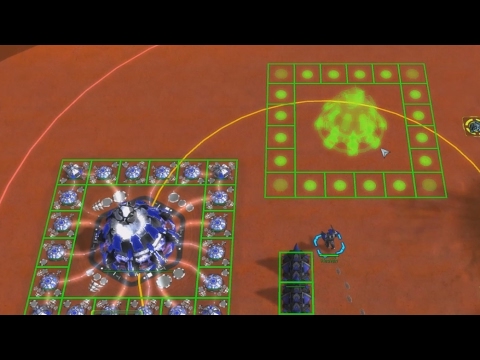
How to Create a Template - FAF Tutorial 15 - Supreme Commander Forged Alliance
ChannelHeavenChapters
Description from the creator
READ ME: This video teaches you how to create a build template in the Supreme Commander Forged Alliance user interface. Pay attention to the exact layout and order of the structures you include into the template. Make sure not to select extra structures by accident.
!!! Also note that templates can be faction-specific or cross-faction-generic depending on your settings in the game options. Press F10 and click "Options" to access the options tabs. !!!
00:00 Templates: why and how
02:03 Rename your templates
03:50 Change template icon for QuickTemplate
04:33 Order of templates in the quick selection cycle (spawn all layouts in a sandbox game and use trial and error until you get it right!)
06:13 Teaser: useful vs. useless templates
QuickTemplate video: upcoming!
Useful templates video: upcoming!
UI mods I use: youtube.com/watch?v=Q05UzURgqOk
Get FAF at faforever.com/
!!! Also note that templates can be faction-specific or cross-faction-generic depending on your settings in the game options. Press F10 and click "Options" to access the options tabs. !!!
00:00 Templates: why and how
02:03 Rename your templates
03:50 Change template icon for QuickTemplate
04:33 Order of templates in the quick selection cycle (spawn all layouts in a sandbox game and use trial and error until you get it right!)
06:13 Teaser: useful vs. useless templates
QuickTemplate video: upcoming!
Useful templates video: upcoming!
UI mods I use: youtube.com/watch?v=Q05UzURgqOk
Get FAF at faforever.com/
About this tutorial
Heaven published this 7:08 video tutorial on October 28, 2017. It has been watched 35,924 times on YouTube.
Tags
Share
This tutorial in other languages
- FRComment créer un modèle - 15 Tutoriel FAF - Forged Alliance Supreme Commander
- ESCómo crear una plantilla - FAF Tutorial 15 - Supreme Commander Forged Alliance
- PTComo criar um modelo - FAF Tutorial 15 - Supreme Commander Forged Alliance
- ITCome creare un modello - FAF Tutorial 15 - Supreme Commander Forged Alliance
- DEWie eine Vorlage erstellen - FAF Tutorial 15 - Supreme Commander Forged Alliance
- NLFAF Tutorial 15 - - Supreme Commander Forged Alliance Hoe maak je een sjabloon maken
- RUКак создать шаблон - FAF Tutorial 15 - Supreme Commander Forged Alliance
- PLJak utworzyć szablon - FAF Tutorial 15 - Supreme Commander obróbka plastyczna Alliance
- JAFAFのチュートリアル15 - - 最高司令官鍛造アライアンステンプレートを作成する方法
- ARكيفية إنشاء قالب - FAF دروس 15 - القائد الأعلى مزورة التحالف
- HIFAF ट्यूटोरियल 15 - - सुप्रीम कमांडर जाली एलायंस खाका बनाने के लिए कैसे
- IDCara Membuat Template - FAF Tutorial 15 - Panglima Tertinggi Forged Alliance