Playback starts YouTube’s embedded player (privacy-enhanced mode).
How To Get WiFi in Pokemon Games (Plus Secret Key!)
ChannelGekkouKitsuneDescription from the creator
In this video I show you how to access WiFi settings, search for Access Points, save them, go online, as well as obtain the Secret Key that you can use to unlock the alternate Rotom forms.
THAT'S NOT ALL!!
If you order now I'll ALSO show you how to enter the settings on your Nintendo DSi, as well as use the Web Browser!!
This video was requested a lot. It may not be what you're looking for, but this is the furthest I can help you.
As far as router settings go, or how to use your laptop's internal wireless connection, you should look elsewhere. I do not have the answers you are looking for.
Nintendo.com should be the place for that. Enter your error codes and/or information there, on their website and/or in the Tech Forums.
nintendo.com/
Tech Forums:
techforums.nintendo.com/
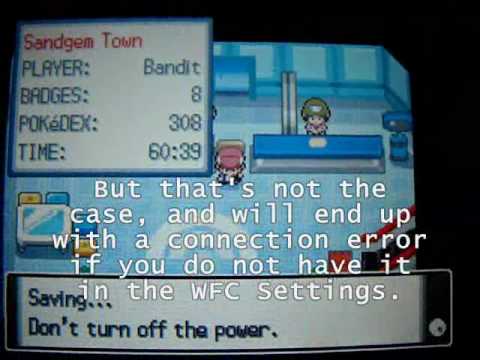
I think this video will help solve some of your problems though. Many people think you can just go in-game and try to connect and it automatically find the connection, but that's not how it works.
You must first enter Nintendo WFC Settings, search for it, accept it, test it, and save it, if it works. THEN you can go in-game and connect.
Caspice?
If you need help, check out the enclosed instruction book.
Also, if it concerns you, my connection is a LinkSys Wireless-G Router shared with my dial-up connection.
Music:
Battle Tower -- Pokemon Diamond, Pearl & Platinum
Oak's Radio Show -- Pokemon Gold, Silver & Crystal
Lake of Rage -- Pokemon GSC
Credits -- Pokemon Advanced Anime
THAT'S NOT ALL!!
If you order now I'll ALSO show you how to enter the settings on your Nintendo DSi, as well as use the Web Browser!!
This video was requested a lot. It may not be what you're looking for, but this is the furthest I can help you.
As far as router settings go, or how to use your laptop's internal wireless connection, you should look elsewhere. I do not have the answers you are looking for.
Nintendo.com should be the place for that. Enter your error codes and/or information there, on their website and/or in the Tech Forums.
nintendo.com/
Tech Forums:
techforums.nintendo.com/
I think this video will help solve some of your problems though. Many people think you can just go in-game and try to connect and it automatically find the connection, but that's not how it works.
You must first enter Nintendo WFC Settings, search for it, accept it, test it, and save it, if it works. THEN you can go in-game and connect.
Caspice?
If you need help, check out the enclosed instruction book.
Also, if it concerns you, my connection is a LinkSys Wireless-G Router shared with my dial-up connection.
Music:
Battle Tower -- Pokemon Diamond, Pearl & Platinum
Oak's Radio Show -- Pokemon Gold, Silver & Crystal
Lake of Rage -- Pokemon GSC
Credits -- Pokemon Advanced Anime
About this tutorial
GekkouKitsune published this 7:35 video tutorial on November 9, 2009. It has been watched 224,486 times on YouTube.
- Channel
- GekkouKitsune
- Category
- Gaming
- Duration
- 7:35
- Published
- November 9, 2009
- Views
- 224,486
- Likes
- 716
Tags
Share
This tutorial in other languages
- FRComment faire pour obtenir connexion Wi-Fi dans les jeux Pokemon (Plus clé secrète!)
- ESCómo conseguir WiFi en los juegos de Pokemon (Plus clave secreta!)
- PTComo obter WiFi em jogos Pokémon (mais Chave Secreta!)
- ITCome ottenere WiFi in Pokemon Games (più chiave segreta!)
- DEWie WiFi in Pokemon-Spiele erhalten (Plus-Secret Key!)
- NLHow To Get WiFi in Pokemon Games (Plus Secret Key!)
- RUКак получить Wi-Fi в Pokemon игр (плюс Secret Key!)
- PLJak uzyskać dostęp do WiFi w Pokemon Gry (plus tajny klucz!)
- JAポケモンのゲームでのWiFiを取得する方法(プラス秘密鍵!)
- ARكيفية الحصول على واي فاي في ألعاب بوكيمون (زائد سر مفتاح!)
- HIकैसे पोकीमॉन खेल में वाईफ़ाई प्राप्त करने के लिए (प्लस गोपनीय कुंजी!)
- IDCara Dapatkan WiFi di Pokemon Game (Plus Kunci Rahasia!)