Playback starts YouTube’s embedded player (privacy-enhanced mode).
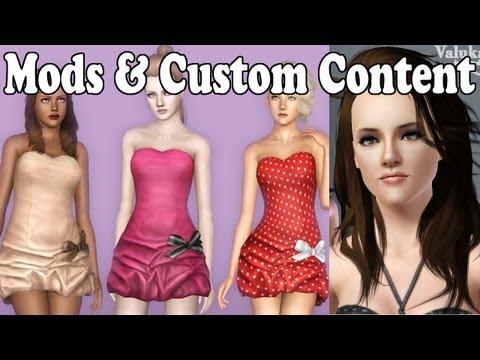
How to Install Mods & Custom Content into The Sims 3!
ChannelNicole K. gamesDescription from the creator
How to install mods, hair, clothing, objects, sims, houses, etc. into The Sims 3
If you're still having trouble after watching the video, please go through the extra information & instructions I have provided in the description.
With the recent update to Mod The Sims, the downloads will be located in the "Files" tab, not the "Downloads" one.
Don't use jZip, try Winrar • tinyurl.com/7p25c3o
There's a 40-day free trial, or you can buy it. You do not have to use this, any zip file extractor is perfectly fine.
Mods folder • tinyurl.com/3r89thk
It also shows where to put the file on Macs.
Formal Dress • tinyurl.com/ahz3f6e
Late Night Bar Mod • tinyurl.com/kleouqh
The one I used in the video has been deleted.
Foxface • tinyurl.com/aovbunz
Kristen Stewart • tinyurl.com/byecx49
• Package files go into Mods.
• Sims3pack files go into Downloads, they're the only ones that show up in the launcher.
• Sim files go into SavedSims. If you don't have a SavedSims folder, either download a sims3pack file that is a sim (like KStew). Or create your own sim and save it to your bin in CAS.
If it says "No Cookies Found," that is because you have to create an account & / or log in. If you're having trouble creating an account, Google & Yahoo Answers are the best places to go for help. As far as I know, this may or may not work with pirated versions of the game.
Unfortunately I cannot help with zip file problems, icons, error codes, or any other zip file issues. I suggest trying another one or uninstalling and then reinstalling it, and selecting all of the options for what it can open.
Follow this if you're having any game issues
• nic0leka.blogspot.com/2013/02/the-sims-3-errors…
If you're still having issues, PM me a screenshot with the main TS3 folder, the Mods folder, then the Packages & Overrides folder.
Here is how to take screenshots
• for Windows: wikihow.com/Take-a-Screenshot-in-Microsoft-Wind…
• for Mac: guides.macrumors.com/Taking_Screenshots_in_Mac_…
Upload them to a photo sharing site (like tinypic.com or another of your choice), then copy & paste the link in the PM.
How to Install Mods & Custom Content into The Sims 4
• youtube.com/watch?v=jaaMbx0ESn8
Other tutorials
• youtube.com/playlist?list=PL0266EC953A4E36FE&am…
Some custom content & mod sites
• mysims3blog.blogspot.com
• modthesims.info
• nraas.wikispaces.com
- - My Links - -
PC & Gaming FAQs • bit.ly/111z9kA
Mods & Downloads • bit.ly/15aNbXZ
If you're still having trouble after watching the video, please go through the extra information & instructions I have provided in the description.
With the recent update to Mod The Sims, the downloads will be located in the "Files" tab, not the "Downloads" one.
Don't use jZip, try Winrar • tinyurl.com/7p25c3o
There's a 40-day free trial, or you can buy it. You do not have to use this, any zip file extractor is perfectly fine.
Mods folder • tinyurl.com/3r89thk
It also shows where to put the file on Macs.
Formal Dress • tinyurl.com/ahz3f6e
Late Night Bar Mod • tinyurl.com/kleouqh
The one I used in the video has been deleted.
Foxface • tinyurl.com/aovbunz
Kristen Stewart • tinyurl.com/byecx49
• Package files go into Mods.
• Sims3pack files go into Downloads, they're the only ones that show up in the launcher.
• Sim files go into SavedSims. If you don't have a SavedSims folder, either download a sims3pack file that is a sim (like KStew). Or create your own sim and save it to your bin in CAS.
If it says "No Cookies Found," that is because you have to create an account & / or log in. If you're having trouble creating an account, Google & Yahoo Answers are the best places to go for help. As far as I know, this may or may not work with pirated versions of the game.
Unfortunately I cannot help with zip file problems, icons, error codes, or any other zip file issues. I suggest trying another one or uninstalling and then reinstalling it, and selecting all of the options for what it can open.
Follow this if you're having any game issues
• nic0leka.blogspot.com/2013/02/the-sims-3-errors…
If you're still having issues, PM me a screenshot with the main TS3 folder, the Mods folder, then the Packages & Overrides folder.
Here is how to take screenshots
• for Windows: wikihow.com/Take-a-Screenshot-in-Microsoft-Wind…
• for Mac: guides.macrumors.com/Taking_Screenshots_in_Mac_…
Upload them to a photo sharing site (like tinypic.com or another of your choice), then copy & paste the link in the PM.
How to Install Mods & Custom Content into The Sims 4
• youtube.com/watch?v=jaaMbx0ESn8
Other tutorials
• youtube.com/playlist?list=PL0266EC953A4E36FE&am…
Some custom content & mod sites
• mysims3blog.blogspot.com
• modthesims.info
• nraas.wikispaces.com
- - My Links - -
PC & Gaming FAQs • bit.ly/111z9kA
Mods & Downloads • bit.ly/15aNbXZ
About this tutorial
Nicole K. games published this 11:25 video tutorial on November 9, 2012. It has been watched 480,516 times on YouTube.
- Channel
- Nicole K. games
- Category
- Gaming
- Duration
- 11:25
- Published
- November 9, 2012
- Views
- 480,516
- Likes
- 4,768
Share
This tutorial in other languages
- FRComment faire pour installer le contenu Mods et personnalisé dans Les Sims 3!
- ESCómo instalar Mods y contenido personalizado en Los Sims 3!
- PTComo instalar Mods & Custom conteúdo em Os Sims 3!
- ITCome installare Mods & Custom contenuti in The Sims 3!
- DEWie Installieren von Mods und Custom Content in Die Sims 3!
- NLHoe te installeren Mods & Custom Content in De Sims 3!
- RUКак установить моды и пользовательского контента в The Sims 3!
- PLJak zainstalować Mods & niestandardowa zawartość do The Sims 3!
- JAシムズ3に改造&カスタムコンテンツをインストールする方法!
- ARكيفية تثبيت وزارة الدفاع وتفصيل المحتوى في لعبة The Sims 3!
- HIसिम्स 3 में मोड और कस्टम सामग्री स्थापित करने के लिए कैसे!
- IDCara Install Modifikasi & Konten Custom dalam The Sims 3!