Playback starts YouTube’s embedded player (privacy-enhanced mode).
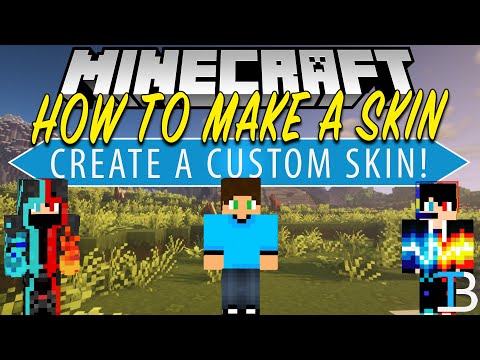
How to Make A Minecraft Skin (Create Your Own Skin in Minecraft!)
ChannelThe BreakdownDescription from the creator
If you want to know how to make a Minecraft skin that is completely custom, this is the video for you. We show you how to create a Minecraft skin using the Minecraft Skin Editor. This editor allows you to make a Minecraft skin with Photoshop or any fancy photo editing tools. It is all done via a simple website. It even shows show the different layers of Minecraft skins, and you can see the Minecraft skin you are creating live in real time in 3D!
Start your 24-hour DDOS-Protected Minecraft server with Apex Minecraft Hosting!
TheBreakdown.xyz/Apex
Minecraft Skin Editor: TheBreakdown.xyz/MCSkinEditor
---------------------------------------------
★ Minecraft Server IP: Play.BreakdownCraft.com ► Store: Store.BreakdownCraft.com/
★ Join BreakdownCraft on Discord!: BreakdownCraft.com/Discord
---------------------------------------------
► Subscribe!: TheBreakdown.xyz/YTSub
---------------------------------------------
Top 5 #Minecraft Servers!: youtu.be/6FVD2Wv4JRQ
Get CrazyCraft 4.0!: youtu.be/tkzEPGWtKQs
---------------------------------------------
**SOCIAL MEDIA**
Facebook: Facebook.com/BreakdownHowTo
Twitter: Twitter.com/BreakdownHowTo
---------------------------------------------
★ My Gear
Get your C920 Webcam: TheBreakdown.xyz/c920
Get your Blue Snowball: TheBreakdown.xyz/Snowball
About this video: In this video, I show you how to make your own Minecraft skin using the Minecraft Skin Editor. We go over all of the features of the skin editor and everything that you need to know in order to get your very own custom skin in Minecraft. We then show you how to add the skin to Minecraft in order to show off your custom skin in game. Thus, without any more delay, here is to how to create a Minecraft skin.
The first step of making a Minecraft skin is simply going to the skin editing website. You can find the link to the skin editor in the description above. One you are there, you can start creating your Minecraft skin. You have all kinds of different options when it comes to making your skin. From bucket fill tools to paint brushes to color pickers to really everything in between, you have all the must have tools for creating a Minecraft skin.
However, if you want to learn how to make a Minecraft skin in Photoshop, this video shows you how to do that do by downloading and editing the Skin Editor file in Photoshop. This will let you make a Minecraft Skin in Photoshop or GIMP. This tutorial though is designed to allow you to make a Minecraft skin without Photoshop and GIMP. The only thing you have to use in order to make a Minecraft skin though is the Minecraft Skin Editor website.
On the skin editor website make sure you are editing and changing the skin on both the outer layer and body layer on the skin. If you don’t, you will have weird black spacing everywhere that makes your skin look weird. After you have your skin finished, click the ‘Download’ button in the bottom right. This will download the skin.
To add your skin to Minecraft, just click the ‘Skins’ tab in the Minecraft launcher, click ‘New Skin’, name the skin, and click browser. Now, click on the skin file you downloaded. After that click ‘save and use’ in the bottom right. This will enable your skin. At this point, if you join into Minecraft your skin will be active! It is that simple to create and add a skin to Minecraft.
Congratulations! You now know how to to create a custom Minecraft skin. If you have any questions or issues about making a custom skin in Minecraft, let us know in the comment section below. If we did, however, show you how to make a custom Minecraft skin, be sure to give this video a thumbs up and subscribe to the channel if you haven’t already. It really helps us out, and it means a ton to me. Thank you very much in advance!
Note: Some of the above links are affiliate links. I may receive a commission at no additional cost to you if you go to these sites and make a purchase.
Start your 24-hour DDOS-Protected Minecraft server with Apex Minecraft Hosting!
TheBreakdown.xyz/Apex
Minecraft Skin Editor: TheBreakdown.xyz/MCSkinEditor
---------------------------------------------
★ Minecraft Server IP: Play.BreakdownCraft.com ► Store: Store.BreakdownCraft.com/
★ Join BreakdownCraft on Discord!: BreakdownCraft.com/Discord
---------------------------------------------
► Subscribe!: TheBreakdown.xyz/YTSub
---------------------------------------------
Top 5 #Minecraft Servers!: youtu.be/6FVD2Wv4JRQ
Get CrazyCraft 4.0!: youtu.be/tkzEPGWtKQs
---------------------------------------------
**SOCIAL MEDIA**
Facebook: Facebook.com/BreakdownHowTo
Twitter: Twitter.com/BreakdownHowTo
---------------------------------------------
★ My Gear
Get your C920 Webcam: TheBreakdown.xyz/c920
Get your Blue Snowball: TheBreakdown.xyz/Snowball
About this video: In this video, I show you how to make your own Minecraft skin using the Minecraft Skin Editor. We go over all of the features of the skin editor and everything that you need to know in order to get your very own custom skin in Minecraft. We then show you how to add the skin to Minecraft in order to show off your custom skin in game. Thus, without any more delay, here is to how to create a Minecraft skin.
The first step of making a Minecraft skin is simply going to the skin editing website. You can find the link to the skin editor in the description above. One you are there, you can start creating your Minecraft skin. You have all kinds of different options when it comes to making your skin. From bucket fill tools to paint brushes to color pickers to really everything in between, you have all the must have tools for creating a Minecraft skin.
However, if you want to learn how to make a Minecraft skin in Photoshop, this video shows you how to do that do by downloading and editing the Skin Editor file in Photoshop. This will let you make a Minecraft Skin in Photoshop or GIMP. This tutorial though is designed to allow you to make a Minecraft skin without Photoshop and GIMP. The only thing you have to use in order to make a Minecraft skin though is the Minecraft Skin Editor website.
On the skin editor website make sure you are editing and changing the skin on both the outer layer and body layer on the skin. If you don’t, you will have weird black spacing everywhere that makes your skin look weird. After you have your skin finished, click the ‘Download’ button in the bottom right. This will download the skin.
To add your skin to Minecraft, just click the ‘Skins’ tab in the Minecraft launcher, click ‘New Skin’, name the skin, and click browser. Now, click on the skin file you downloaded. After that click ‘save and use’ in the bottom right. This will enable your skin. At this point, if you join into Minecraft your skin will be active! It is that simple to create and add a skin to Minecraft.
Congratulations! You now know how to to create a custom Minecraft skin. If you have any questions or issues about making a custom skin in Minecraft, let us know in the comment section below. If we did, however, show you how to make a custom Minecraft skin, be sure to give this video a thumbs up and subscribe to the channel if you haven’t already. It really helps us out, and it means a ton to me. Thank you very much in advance!
Note: Some of the above links are affiliate links. I may receive a commission at no additional cost to you if you go to these sites and make a purchase.
About this tutorial
The Breakdown published this 11:57 video tutorial on May 26, 2020. It has been watched 1,196,942 times on YouTube.
- Channel
- The Breakdown
- Category
- Gaming
- Duration
- 11:57
- Published
- May 26, 2020
- Views
- 1,196,942
- Likes
- 18,950
Tags
Share
This tutorial in other languages
- FRComment faire une Minecraft peau (Créez votre propre peau dans Minecraft!)
- ESComo hacer un Minecraft Skin (Crear su propia piel en Minecraft!)
- PTComo fazer um Minecraft pele (Crie sua própria pele em Minecraft!)
- ITCome fare un Minecraft Skin (Crea la propria pelle in Minecraft!)
- DEWie man A Mine Haut Make (Erstellen Sie Ihre eigene Haut in Minecraft!)
- NLHow to Make A Minecraft Skin (Start je eigen huid in Minecraft!)
- RUКак сделать Minecraft Skin (создать свой собственный скин в Minecraft!)
- PLJak zrobić Minecraft skórne (stworzyć własną skórkę w Minecraft!)
- JAA Minecraftのスキンを作成する方法(Minecraftの中で独自のスキンを作成します!)
- ARكيفية جعل ماين كرافت الجلد (اصنع بنفسك الجلد في ماين كرافت!)
- HIएक Minecraft त्वचा बनाने के लिए कैसे (Minecraft में अपनी खुद की त्वचा बनाएँ!)
- IDCara Membuat A Minecraft Skin (Buat Kulit Sendiri di Minecraft!)