Playback starts YouTube’s embedded player (privacy-enhanced mode).
How to publish your Unity game online! (Official Unity Tutorial)
ChannelUnityDescription from the creator
So you have made a game in Unity, and now you want to share and publish it online for everyone to play? Let's take a look at how we can do that!
Wondering how to make a game for beginners using the Unity engine? Great! The Official Guide to Your First Day in Unity is a Unity beginner tutorial series that shows you all the basics — from the Unity download step to modding, playing, and sharing your playable game in as little as 30 minutes!
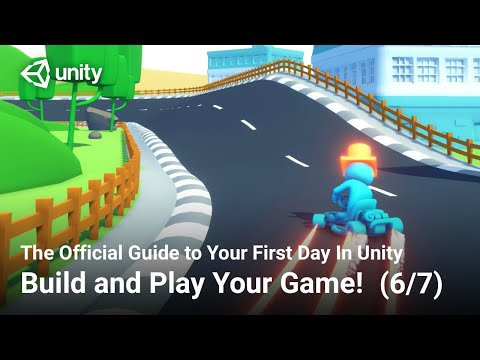
In this sixth Unity tutorial, we introduce you to the Build and Share tutorial. Doing the in-editor tutorials are the best way to learn Unity for total beginners! In this tutorial, you will use the Unity build settings to create a webGL build of your game and then upload it directly to your own personal game page online where you can play it and share it with friends.
Check out all of the videos from The Official Guide to Your First Day in Unity here: ole.unity.com/firstdayinunity
BONUS! Save the date for #YourFirstGameJam, our upcoming online Unity game jam for beginners, hosted by experts, and fun for all: ole.unity.com/LiveStream
P.S. If your screen doesn’t look exactly the same as what you see in the video, that’s OK, you can always view the latest text version of the Unity In-Editor Tutorials here: ole.unity.com/BeginnerWalkthroughs
Wondering how to make a game for beginners using the Unity engine? Great! The Official Guide to Your First Day in Unity is a Unity beginner tutorial series that shows you all the basics — from the Unity download step to modding, playing, and sharing your playable game in as little as 30 minutes!
In this sixth Unity tutorial, we introduce you to the Build and Share tutorial. Doing the in-editor tutorials are the best way to learn Unity for total beginners! In this tutorial, you will use the Unity build settings to create a webGL build of your game and then upload it directly to your own personal game page online where you can play it and share it with friends.
Check out all of the videos from The Official Guide to Your First Day in Unity here: ole.unity.com/firstdayinunity
BONUS! Save the date for #YourFirstGameJam, our upcoming online Unity game jam for beginners, hosted by experts, and fun for all: ole.unity.com/LiveStream
P.S. If your screen doesn’t look exactly the same as what you see in the video, that’s OK, you can always view the latest text version of the Unity In-Editor Tutorials here: ole.unity.com/BeginnerWalkthroughs
About this tutorial
Unity published this 5:43 video tutorial on May 9, 2020. It has been watched 186,060 times on YouTube.
Tags
Share
This tutorial in other languages
- FRComment publier votre jeu Unity en ligne! (Unité officiel Tutorial)
- ESCómo publicar su juego Unidad en línea! (Tutorial Oficial Unidad)
- PTComo publicar o seu jogo Unity online! (Tutorial Oficial Unity)
- ITCome pubblicare il tuo gioco Unity in linea! (Gazzetta Unità Tutorial)
- DEWie Sie Ihr Unity-Spiel online veröffentlichen! (Official Unity Tutorial)
- NLHoe kunt u uw Unity game online publiceren! (Official Unity zelfstudie)
- RUКак опубликовать свою игру Unity онлайн! (Учебное пособие Official Unity)
- PLJak opublikować swój Unity gry online! (Dziennik Unity samouczek)
- JAオンラインユニティゲームを公開する方法! (公式ユニティチュートリアル)
- ARكيفية نشر اللعبة الوحدة الخاصة بك على الانترنت! (الرسمية الوحدة التعليمي)
- HIकैसे अपने एकता खेल ऑनलाइन प्रकाशित करने के लिए! (आधिकारिक एकता ट्यूटोरियल)
- IDBagaimana untuk memublikasikan game Unity online! (Official Unity Tutorial)