Playback starts YouTube’s embedded player (privacy-enhanced mode).
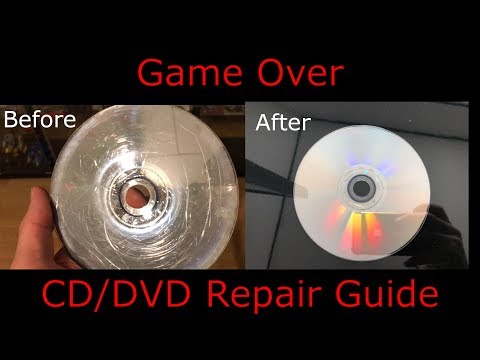
How to resurface a scratched DVD, CD, Game Disc - In 3 easy steps
ChannelGame OverChapters
Description from the creator
1.
IF YOU DONT BELIVE ME AND THINK THIS IS FAKE, PLEASE CHECK MY NEW VIDEO OUT:
''This CD Scratch Repair Do Work..! -- PROVED -- NOT FAKE''
www.youtube.com/watch?v=erKp0Hb_F04
2.
How to Repair a Blue-Ray: Game, Video, Disc:
www.youtube.com/watch?v=D31M0m7EU-8
UPDATE: Use a soft towel instead of news paper, because the metal clips can scratch the cd from the back and destroy the data
0:00 - Intro
0:55 - Step 1 inspect the CD
3:25 - Step 2 Remove / grind the scratches
7:00 - Step 3 Polish the CD
* this is the same method the machine: Jfj Easy Pro are using, we are just doing it manuel in the hand and not with the machine
This guide is a 3 step CD + DVD + Game repair guide for removing scratches:
1: check the scratchtes
2: Surface Smothing / grinding
3: Polishing
Make sure to polish it, so it shines and so its like a mirror. if its mat the lazer cannot read the data on the cd
Follow the guide in this video carefully and take care when working with the cd, by not damageing the data, then you can fix / repair a scratched CD, DVD or Game by your self.
IF YOU DONT BELIVE ME AND THINK THIS IS FAKE, PLEASE CHECK MY NEW VIDEO OUT:
''This CD Scratch Repair Do Work..! -- PROVED -- NOT FAKE''
www.youtube.com/watch?v=erKp0Hb_F04
2.
How to Repair a Blue-Ray: Game, Video, Disc:
www.youtube.com/watch?v=D31M0m7EU-8
UPDATE: Use a soft towel instead of news paper, because the metal clips can scratch the cd from the back and destroy the data
0:00 - Intro
0:55 - Step 1 inspect the CD
3:25 - Step 2 Remove / grind the scratches
7:00 - Step 3 Polish the CD
* this is the same method the machine: Jfj Easy Pro are using, we are just doing it manuel in the hand and not with the machine
This guide is a 3 step CD + DVD + Game repair guide for removing scratches:
1: check the scratchtes
2: Surface Smothing / grinding
3: Polishing
Make sure to polish it, so it shines and so its like a mirror. if its mat the lazer cannot read the data on the cd
Follow the guide in this video carefully and take care when working with the cd, by not damageing the data, then you can fix / repair a scratched CD, DVD or Game by your self.
About this tutorial
Game Over published this 14:50 video tutorial on October 27, 2019. It has been watched 3,185,965 times on YouTube.
Tags
Share
This tutorial in other languages
- FRComment refaire surface un DVD rayé, CD, disque de jeu - en 3 étapes faciles
- ESCómo resurgir un rayado DVD, CD, disco del juego - En 3 sencillos pasos
- PTComo ressurgir um riscado DVD, CD, Disco de Jogo - em 3 passos
- ITCome riemergere un DVD, CD, disco di gioco graffiato - in 3 semplici mosse
- DEIn 3 einfachen Schritten - Wie ein zerkratzte DVD, CD, Game Disc wieder auftauchen
- NLHoe op te duiken een bekraste DVD, CD, Game Disc - In 3 eenvoudige stappen
- RUКак возродиться поцарапанный DVD, CD, диск с игрой - в 3 простых шага
- PLJak resurface porysowanych DVD, CD, Game Disc - w 3 prostych krokach
- JA3つのステップで簡単に - 傷DVD、CD、ゲームディスクを再浮上する方法
- ARكيف لتطفو على السطح من خدش DVD، CD، لعبة القرص - في 3 خطوات سهلة
- HIसंगठित कैसे एक खरोंच डीवीडी, सीडी, खेल डिस्क - 3 आसान चरणों में
- IDCara melapisi sebuah tergores DVD, CD, permainan Disc - Dalam 3 langkah mudah