Playback starts YouTube’s embedded player (privacy-enhanced mode).
How To Trade Pokemon In GBA Emulator MyBoy Leaf Green and Fire Red Example
ChannelFLW VideosDescription from the creator
How To Trade Pokemon In GBA Emulator MyBoy Leaf Green and Fire Red Example
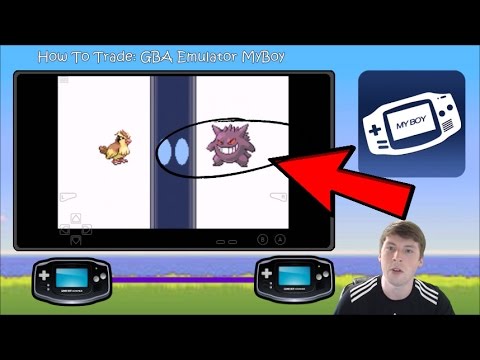
Hello everyone, in this video I cover the ever complicated tutorial of trading with yourself using the GBA emulator My Boy. This is a newer feature based on an update and it works quite nicely.
To set this up you will need to create a second game file to trade with. On your "mule account" you need to AT LEAST have two Pokemon to be able to trade. this means you need to go through the game a little while before you can catch a second Pokemon.
At that point the destination is going to be the Pokemon Center where on the second floor you can visit the trade center.
Switching back to the emulator, when you first start you want to initiate the "link local" option and load the second game.
Once you have down that, use the "switch" feature to switch between the two accounts.
It is known that there are multiple Pokemon that cannot evolve unless they are traded and this option is the ideal solution for that problem.
As always, let me know if you have any questions and I would be more than happy to help!
Hello everyone, in this video I cover the ever complicated tutorial of trading with yourself using the GBA emulator My Boy. This is a newer feature based on an update and it works quite nicely.
To set this up you will need to create a second game file to trade with. On your "mule account" you need to AT LEAST have two Pokemon to be able to trade. this means you need to go through the game a little while before you can catch a second Pokemon.
At that point the destination is going to be the Pokemon Center where on the second floor you can visit the trade center.
Switching back to the emulator, when you first start you want to initiate the "link local" option and load the second game.
Once you have down that, use the "switch" feature to switch between the two accounts.
It is known that there are multiple Pokemon that cannot evolve unless they are traded and this option is the ideal solution for that problem.
As always, let me know if you have any questions and I would be more than happy to help!
About this tutorial
FLW Videos published this 10:10 video tutorial on November 8, 2017. It has been watched 706,429 times on YouTube.
- Channel
- FLW Videos
- Category
- Gaming
- Duration
- 10:10
- Published
- November 8, 2017
- Views
- 706,429
- Likes
- 9,173
Share
This tutorial in other languages
- FRComment faire pour le commerce Pokémon GBA Emulator MyBoy Green Leaf et le feu rouge Exemple
- ESQué verde de la hoja con el comercio de Pokemon GBA emulador En MyBoy y Ejemplo Rojo Fuego
- PTComo Trade Pokemon Em GBA Emulator MyBoy Leaf Green e Exemplo Red Fire
- ITCome operare Pokemon In GBA Emulator MyBoy foglia verde e Rosso Fuoco Esempio
- DEWie man Handel Pokemon In GBA Emulator MyBoy Blatt-Grün und Fire Red Beispiel
- NLHow To Trade Pokemon In GBA Emulator MyBoy Leaf Green en Fire Red Voorbeeld
- RUКак торговать Покемон В GBA Emulator MyBoy Leaf Green и Огонь Красный Пример
- PLJak handlować Pokemon GBA Emulator MyBoy W Liść Zielony and Fire Red Przykład
- JAどのようにするには展覧会のポケモンでGBAエミュレータMyBoyリーフグリーンとファイヤーレッドの例
- ARكيفية تجارة بوكيمون في GBA المحاكي MyBoy الورقة الخضراء والنار الأحمر مثال
- HIकैसे करने के लिए व्यापार पोकीमॉन में GBA एम्यूलेटर MyBoy पत्ता ग्रीन और आग लाल उदाहरण
- IDCara Trade Pokemon Dalam GBA Emulator MyBoy Daun Hijau dan Api Contoh Merah