Playback starts YouTube’s embedded player (privacy-enhanced mode).
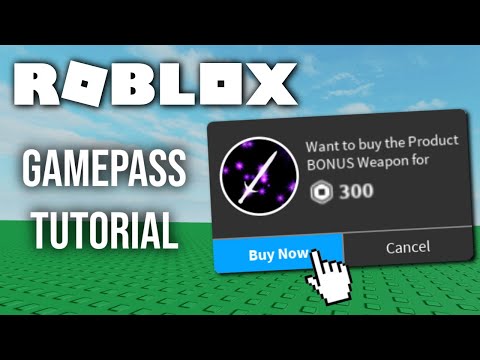
Roblox Tutorial - How to make and use Gamepasses
ChannelEppobotDescription from the creator
In this video I cover how to make a gamepass for your game, how to make a screengui that allows you to buy it, and how to make content for the gamepass by checking if the players owns it.
Make sure to Like, Subscribe and turn Post Notifications ON 🔔 Thanks! 🦋
------------------------------------------------------------------------------------------------------------------------------
First Script:
script.Parent.MouseButton1Click:Connect(function()
game:GetService("MarketplaceService"):PromptGamePassPurchase(game.Players.LocalPlayer,8222423)
end)
------------------------------------------------------------------------------------------------------------------------------
Second Script:
local player = game.Players.LocalPlayer
local ownsGamepass = game:GetService("MarketplaceService"):UserOwnsGamePassAsync(player.UserId,8222423)
if ownsGamepass then
local sword = game:GetService("ReplicatedStorage"):WaitForChild("Sword"):Clone()
sword.Parent = player.Backpack
end
------------------------------------------------------------------------------------------------------------------------------
▸ Twitter: twitter.com/eppobotdev
▸ Roblox: roblox.com/users/26716940/profile
#RobloxStudio #Roblox #Tutorial #Gamepass
Make sure to Like, Subscribe and turn Post Notifications ON 🔔 Thanks! 🦋
------------------------------------------------------------------------------------------------------------------------------
First Script:
script.Parent.MouseButton1Click:Connect(function()
game:GetService("MarketplaceService"):PromptGamePassPurchase(game.Players.LocalPlayer,8222423)
end)
------------------------------------------------------------------------------------------------------------------------------
Second Script:
local player = game.Players.LocalPlayer
local ownsGamepass = game:GetService("MarketplaceService"):UserOwnsGamePassAsync(player.UserId,8222423)
if ownsGamepass then
local sword = game:GetService("ReplicatedStorage"):WaitForChild("Sword"):Clone()
sword.Parent = player.Backpack
end
------------------------------------------------------------------------------------------------------------------------------
▸ Twitter: twitter.com/eppobotdev
▸ Roblox: roblox.com/users/26716940/profile
#RobloxStudio #Roblox #Tutorial #Gamepass
About this tutorial
Eppobot published this 3:02 video tutorial on February 28, 2020. It has been watched 452,756 times on YouTube.
Tags
Share
This tutorial in other languages
- FRRoblox Tutoriel - Comment faire et utiliser Gamepasses
- ESRoblox Tutorial - Cómo hacer y usar Gamepasses
- PTRoblox Tutorial - Como fazer e usar Gamepasses
- ITRoblox Tutorial - Come creare e utilizzare Gamepasses
- DERoblox Tutorial - Wie herzustellen und zu verwenden Gamepass
- NLRoblox Tutorial - Hoe te maken en te gebruiken Gamepasses
- RURoblox Учебник - Как сделать и использовать Gamepasses
- PLRoblox Tutorial - Jak tworzyć i wykorzystywać Gamepasses
- JAROBLOXチュートリアル - 作成し、使用する方法Gamepasses
- ARRoblox دروس - كيفية صنع واستخدام Gamepasses
- HIRoblox ट्यूटोरियल - बनाने के लिए और का उपयोग कैसे करें Gamepasses
- IDRoblox Tutorial - Cara membuat dan menggunakan Gamepasses