Playback starts YouTube’s embedded player (privacy-enhanced mode).
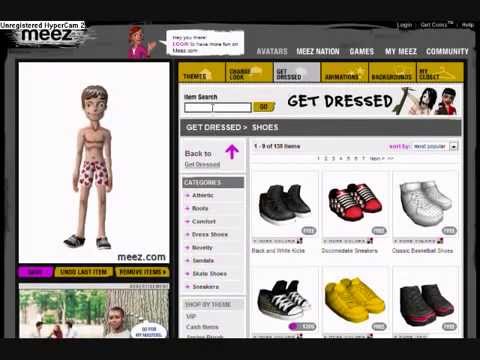
UPDATED Meez Crossdressing Tutorial
ChannelFobrox91Description from the creator
Okay well now that I have finally figured out how to use HyperCam I am going to be updating a lot of my videos. So yeah here are the instuctions: 1) Log out of your account. 2) Go to Create An Avatar. 3) Click on your opposite gender. 4) Find the item you want. 5) Open a new tab to Meez.com. 6) In the new tab, log in to your account. 7) When a box comes up, click on the one that says your name. 8) Now go to Avatars. 9) Now go back to your first tab. 10) Click on the item you want again. 11) Now go back to your second tab, and then back to your first. 12) Now click Save. TA DA! :D I hope I helped!
About this tutorial
Fobrox91 published this 2:16 video tutorial on November 11, 2009. It has been watched 8,032 times on YouTube.
Tags
Share
This tutorial in other languages
- FRMISE À JOUR Meez Crossdressing Tutorial
- ESACTUALIZADO Meez Travestismo Tutorial
- PTATUALIZADO Meez Crossdressing Tutorial
- ITAGGIORNATO Meez Crossdressing Tutorial
- DEAKTUALISIERT Meez Cross-Dressing Tutorial
- NLUPDATE Meez Crossdressing Tutorial
- RUОБНОВЛЕНО Meez Кроссдрессинг Учебное пособие
- PLAKTUALIZACJA Meez Transwestyci Tutorial
- JAUPDATED Meez異性装チュートリアル
- ARمحدث Meez شهوة الملابس المغايرة دروس
- HIUPDATED Meez क्रासड्रेसिंग ट्यूटोरियल
- IDUPDATED Meez Crossdressing Tutorial