Playback starts YouTube’s embedded player (privacy-enhanced mode).
World of Warcraft Adding Action Bars Tutorial
ChannelWoW JNastyDescription from the creator
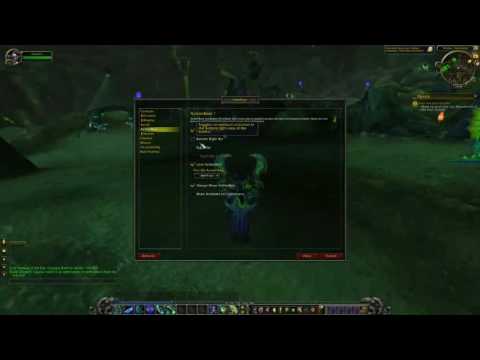
If you find that you're running out of action bars or spaces for abilities, simply watch this video to learn how to solve this problem. Access the Interface option through the Game Menu, then go to Action Bars.
You can add up to four bars, one being in the bottom left, one in the bottom right, and two on the right side. You can add any combination of these bars and do not have to add all at the same time.
By checking the Always Show Action Bars option, you can have the open positions always appear, even if there is no skill currently occupying that slot. Use SHIFT+Left Click to move your abilities to different slots on your action bars. If you decide to not have this option selected, only those action bar slots occupied by an ability will be visible, though you may still have access to add/move actions to those empty slots.
About this tutorial
WoW JNasty published this 1:03 video tutorial on October 25, 2016. It has been watched 64,405 times on YouTube.
- Channel
- WoW JNasty
- Category
- Gaming
- Duration
- 1:03
- Published
- October 25, 2016
- Views
- 64,405
- Likes
- 303
Tags
Share
Further reading
-
Request - multiple saved action bars per spec - General ...
us.forums.blizzard.com
With world PvP talents, and varying builds for different type of content - could you guys consider adding in a couple saved actions bars for each spec I was doing some transmog last night and it was so nice to have save…
-
Action Bar - Wowpedia - Your wiki guide to the World of Warcraft
wow.gamepedia.com
The Action Bar is the left-most part of the Interface Bar at the bottom of the screen, and is used as a ready source for command shortcuts (abilities and spells). Player may drag and drop icons into the Action Bar in or…
-
Action Bar - WoWWiki - Your guide to the World of Warcraft ...
wowwiki.fandom.com
1 Action Bar basics 2 Changes in Battle for Azeroth 3 Prior to Wrath of the Lich King 4 Additional Action Bars 5 Media 5.1 Images 5.2 Videos 6 Notes 7 External links The Action Bar is the left-most part of the Interface…
-
Creating a second action bar. - World of Warcraft Forum (WoW ...
neoseeker.com
» World of Warcraft ... Pretty much any action bar mod has the ability to change bars depending on stance/form/stealth. The default UI allows you to add additional bars by just going to the ...
This tutorial in other languages
- FRWorld of Warcraft Ajout de barres d'action Tutorial
- ESWorld of Warcraft La adición de Acción Tutorial Bares
- PTWorld of Warcraft Adicionando Ação Bares Tutorial
- ITWorld of Warcraft L'aggiunta di Azione Bars Tutorial
- DEWorld of Warcraft Hinzufügen von Aktionsleisten Tutorial
- NLWorld of Warcraft toevoegen Actie Bars Tutorial
- RUМир Warcraft Добавление Действие Bars Учебник
- PLWorld of Warcraft Dodawanie Action Bars Tutorial
- JAWorld of Warcraftのは、アクションがチュートリアルをバーの追加します
- ARالعالم من علب إضافة عمل أشرطة دروس
- HIWarcraft की दुनिया को जोड़ने से कार्रवाई बार्स ट्यूटोरियल
- IDWorld of Warcraft Menambahkan Aksi Bar Tutorial