Playback starts YouTube’s embedded player (privacy-enhanced mode).
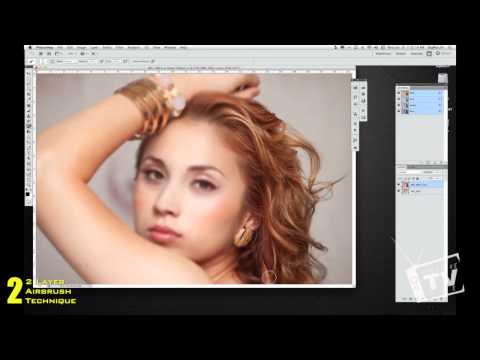
Adobe Photoshop CS5 CS4 Tutorial - How to Airbrush using 2 Photoshop tips and Adobe Camera RAW
ChannelKreativeTechLADescription from the creator
Support this content by Picking up a one-off "Aperture Blade" T-Shirt! kreativetechla.spreadshirt.com/
In this video I walk you through 3 different methods of obtaining smooth skin with airbrushing using Adobe Photoshop CS5/CS4 and Camera RAW. One of the methods of obtaining that airbrush look is using Camera RAW's clarity tool - this is very similar to Adobe's Lightroom Brush Layer tool. Although there are limitations with using the clarity tool in Camera RAW, this can save you time when using it for the right project.
The other 2 methods covered in this Adobe Photoshop CS5/CS4 tutorial, is done by using the blur tool. these are some techniques used by industry professionals when obtaining a very airbrushed look. Watch, Learn and Edit! Please leave me any questions and/or comments. If you have any suggestions on future photoshop tutorial videos, please visit my Facebook page and leave me your suggestions there or in a comment on this video. Thanks again for watching!
KreativeTech:
facebook.com/KreativeTechLA
twitter.com/KreativeTechLA
instagram.com/KreativeTechLA
KreativeTechLA.blogspot.com
Andrea Mendoza from MakeupByAndy
Facebook: facebook.com/AndysFacialCandy
Twitter: twitter.com/#!/MakeupByAndy
YouTube: YouTube.com/DozaAndy80
Tiffany and Demetria from Someday2Runway
Facebook: facebook.com/Someday2Runway
Twitter: twitter.com/#!/Someday2Runway
Website: someday2runway.com
Special Thanks to David Thulin from 3 Studios for providing the tracks you here in this video. If you need customized tracks or an album recorded and/or produced, give 3 Studios a call.
Facebook: facebook.com/pages/3-Studios/114157218607919
Website: 3-studios.com
MySpace: myspace.com/3studios
Phone: 1 (952) 261-4592
Help us caption & translate this video!
amara.org/v/ByDl/
In this video I walk you through 3 different methods of obtaining smooth skin with airbrushing using Adobe Photoshop CS5/CS4 and Camera RAW. One of the methods of obtaining that airbrush look is using Camera RAW's clarity tool - this is very similar to Adobe's Lightroom Brush Layer tool. Although there are limitations with using the clarity tool in Camera RAW, this can save you time when using it for the right project.
The other 2 methods covered in this Adobe Photoshop CS5/CS4 tutorial, is done by using the blur tool. these are some techniques used by industry professionals when obtaining a very airbrushed look. Watch, Learn and Edit! Please leave me any questions and/or comments. If you have any suggestions on future photoshop tutorial videos, please visit my Facebook page and leave me your suggestions there or in a comment on this video. Thanks again for watching!
KreativeTech:
facebook.com/KreativeTechLA
twitter.com/KreativeTechLA
instagram.com/KreativeTechLA
KreativeTechLA.blogspot.com
Andrea Mendoza from MakeupByAndy
Facebook: facebook.com/AndysFacialCandy
Twitter: twitter.com/#!/MakeupByAndy
YouTube: YouTube.com/DozaAndy80
Tiffany and Demetria from Someday2Runway
Facebook: facebook.com/Someday2Runway
Twitter: twitter.com/#!/Someday2Runway
Website: someday2runway.com
Special Thanks to David Thulin from 3 Studios for providing the tracks you here in this video. If you need customized tracks or an album recorded and/or produced, give 3 Studios a call.
Facebook: facebook.com/pages/3-Studios/114157218607919
Website: 3-studios.com
MySpace: myspace.com/3studios
Phone: 1 (952) 261-4592
Help us caption & translate this video!
amara.org/v/ByDl/
About this tutorial
KreativeTechLA published this 13:28 video tutorial on November 9, 2012. It has been watched 14,856 times on YouTube.
- Channel
- KreativeTechLA
- Category
- Howto & Style
- Duration
- 13:28
- Published
- November 9, 2012
- Views
- 14,856
- Likes
- 106
Share
This tutorial in other languages
- FRAdobe Photoshop CS5 CS4 Tutorial - Comment Airbrush en utilisant 2 conseils Photoshop et Adobe Camera RAW
- ESAdobe Photoshop CS5 CS4 Tutorial - Cómo aerógrafo usando 2 consejos de Photoshop y Adobe Camera RAW
- PTAdobe Photoshop CS5 CS4 Tutorial - Como Airbrush com 2 pontas de Photoshop e Adobe Camera RAW
- ITAdobe Photoshop CS5 CS4 Tutorial - Come Airbrush con 2 punte di Photoshop e Adobe Camera RAW
- DEAdobe Photoshop CS5 CS4 Tutorial - Wie Airbrush mit 2 Photoshop Tipps und Adobe Camera RAW
- NLAdobe Photoshop CS5 CS4 Tutorial - Hoe maak je Airbrush met behulp van 2 Photoshop tips en Adobe Camera RAW
- RUAdobe Photoshop CS5 CS4 Учебник - Как Аэрограф с помощью 2 подсказки Photoshop и Adobe Camera RAW
- PLAdobe Photoshop CS5 CS4 Tutorial - Jak aerografu za pomocą 2 wskazówki Photoshop i Adobe Camera RAW
- JAエアブラシに2つのPhotoshopのヒントを使用して、どのようにし、AdobeカメラのRAW - Adobe PhotoshopのCS5 CS4のチュートリアル
- ARأدوبي فوتوشوب CS5 CS4 البرنامج التعليمي - كيفية البخاخة باستخدام 2 نصائح فوتوشوب وأدوبي كاميرا الخام
- HIएडोब फोटोशॉप CS5 CS4 ट्यूटोरियल - एयरब्रश करने के लिए 2 फ़ोटोशॉप युक्तियों का उपयोग और एडोब कैमरा रॉ कैसे
- IDAdobe Photoshop CS5 CS4 Tutorial - Cara Airbrush menggunakan 2 Photoshop tips dan Adobe Camera RAW