Playback starts YouTube’s embedded player (privacy-enhanced mode).
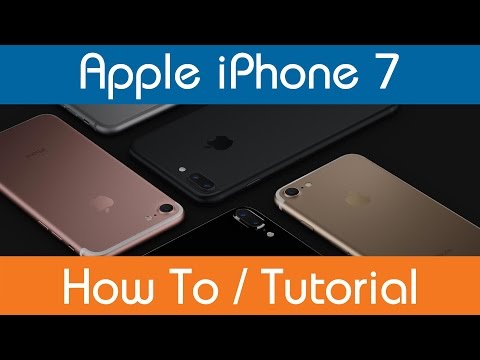
How To Activate Siri - iPhone 7
ChannelMobile How ToDescription from the creator
This video demonstrates how to activate Siri on the iPhone 7.
If you found it helpful, we would be appreciative of a like (thumbs up)
If you want to see more subscribe: tinyurl.com/mhtsubscribe
--------------------------------------------------------
For other very useful how to guides & tutorials visit:
Website: mobilehowto.co.uk
YouTube: youtube.com/mobilehowtocouk
Twitter: twitter.com/#!/mobilehowtocouk
Facebook: facebook.com/mobilehowto
Google+: plus.google.com/+mobilehowtocouk/videos
--------------------------------------------------------
All these videos are created by individuals who wish to help others by providing advice on how to do and complete certain tasks on a smartphone.
Mobile How To is not paid by any smartphone manufacturer or company to produce these videos.
Revenue is raised solely through advertising and goes towards the costs of creating such content, but does not cover all costs!
Did you find this or any other of our videos helpful?
Please also show thanks and consideration by liking, subscribing and sharing the content with others.
--------------------------------------------------------
All videos are made as accurately as possible with UK specification SIM FREE smartphones.
Mobile How To will not be held responsible for any errors/issues or faults that occur as a result of following the guidance within the video.
--------------------------------------------------------
Smartphone supplied by: clove.co.uk
--------------------------------------------------------
If you found it helpful, we would be appreciative of a like (thumbs up)
If you want to see more subscribe: tinyurl.com/mhtsubscribe
--------------------------------------------------------
For other very useful how to guides & tutorials visit:
Website: mobilehowto.co.uk
YouTube: youtube.com/mobilehowtocouk
Twitter: twitter.com/#!/mobilehowtocouk
Facebook: facebook.com/mobilehowto
Google+: plus.google.com/+mobilehowtocouk/videos
--------------------------------------------------------
All these videos are created by individuals who wish to help others by providing advice on how to do and complete certain tasks on a smartphone.
Mobile How To is not paid by any smartphone manufacturer or company to produce these videos.
Revenue is raised solely through advertising and goes towards the costs of creating such content, but does not cover all costs!
Did you find this or any other of our videos helpful?
Please also show thanks and consideration by liking, subscribing and sharing the content with others.
--------------------------------------------------------
All videos are made as accurately as possible with UK specification SIM FREE smartphones.
Mobile How To will not be held responsible for any errors/issues or faults that occur as a result of following the guidance within the video.
--------------------------------------------------------
Smartphone supplied by: clove.co.uk
--------------------------------------------------------
About this tutorial
Mobile How To published this 1:26 video tutorial on October 25, 2016. It has been watched 155,346 times on YouTube.
- Channel
- Mobile How To
- Category
- Howto & Style
- Duration
- 1:26
- Published
- October 25, 2016
- Views
- 155,346
- Likes
- 558
Tags
Share
This tutorial in other languages
- FRComment activer Siri - iPhone 7
- ESCómo activar Siri - 7 iPhone
- PTComo ativar o Siri - iPhone 7
- ITCome attivare Siri - iPhone 7
- DESo aktivieren Sie Siri - iPhone 7
- NLHoe te activeren Siri - iPhone 7
- RUКак активировать Siri - iPhone 7
- PLJak aktywować Siri - iPhone 7
- JAどのようにするには有効シリ - iPhone 7
- ARكيفية تفعيل سيري - فون 7
- HIकैसे करने के लिए सक्रिय सिरी - iPhone 7
- IDCara Aktifkan Siri - iPhone 7