Playback starts YouTube’s embedded player (privacy-enhanced mode).
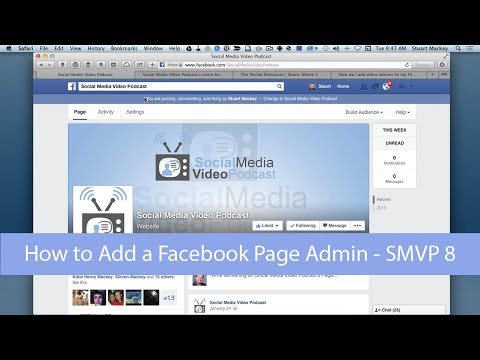
How to Add a Facebook Page Admin | @SocialMVP 008
ChannelSocial Media Video PodcastDescription from the creator
socialmediavideopodcast.com/how-to-add-a-facebo…
In this episode of Social Media Video Podcast, we explain how you can add additional Page Admins to your Facebook Business page, as well as explain the differences in their roles.
Step by step, how to add a Facebook Page Admin
-----
As of the writing of this, Facebook is beginning to roll out a new Page design, so I've tried to make the instructions work for both formats.
1. Click Edit Page or the Settings tab at the top.
2. Select Manage Admin Roles or Admin Roles.
3. If the new page admin is your friend, you can begin typing their name into empty box, or else you can type their email address. This behavior also depends on if you are logged in as yourself, or "as the page."
4. Select the level of admin you want to assign to this person from the drop down under the name/email box.
5. Click Save. You will be asked to enter your Facebook password to confirm.
What are The different kinds of Page Admins?
-----
There are several levels of Page admin on Facebook business pages. Choose the correct level for each person you add, and make sure you trust them. It can be tricky to deduce who may have made a change if someone posts something you haven't approved.
In order of lest control to most control. Each level includes all functions of the levels above.
+ Insights Analyst - This person can only see your page insights (stats). They can not change anything or create posts.
+ Advertiser - In addition to viewing insights, an advertiser has the ability to create ads for your page. This includes sidebar add and promoted posts as well as other kinds of ads.
+ Moderator - A moderator can send messages directly to "fans" and other pages can respond to and delete comments. But they can NOT create new posts.
+ Content Creator - This is the most common level I think you'll wind up assigning others. This level can create and delete posts, edit the page details such as description, profile and cover photos, and add or remove apps to the page.
+ Manager - This person has complete control of all aspects
Related Links: How to add a facebook page admin
------
+ Facebook - How do I add other admins to my Facebook Page?
+ Facebook - Admin roles- facebook.com/help/323502271070625
+ Facebook - What are the different kinds of page admins? - facebook.com/help/289207354498410/
+ Wiki How - How to Give Someone an Admin Role on Your Facebook Page - wikihow.com/Give-Someone-an-Admin-Role-on-Your-…
-----
VISIT SocialMediaVideoPodcast.com FOR TONS MORE VIDEO NEWS & TIPS
socialmediavideopodcast.com
SUBSCRIBE FOR OTHER VIDEO TIPS AND NEWS!
youtube.com/subscription_center?add_user=social…
Social Media Video Podcast
youtube.com/user/socialmediavideocast
SUBSCRIBE TO OUR PODCAST
itunes.apple.com/us/podcast/social-media-video-…
SUBSCRIBE TO OUR EMAIL LIST!
eepurl.com/DNVt5
LET'S CONNECT!
Google+ ► gplus.to/socialmvp
Facebook ► fb.me/socialmediavideopodcast
Twitter ► twitter.com/socialmvp
Social Media Video Podcast ► socialmediavideopodcast.com
OUR HOSTS
Stuart Mackey ► gplus.to/stuartcmackey
Mackey Productions ► mackeyproductions.com/
Stacy Self ► facebook.com/stacy.self.75
In this episode of Social Media Video Podcast, we explain how you can add additional Page Admins to your Facebook Business page, as well as explain the differences in their roles.
Step by step, how to add a Facebook Page Admin
-----
As of the writing of this, Facebook is beginning to roll out a new Page design, so I've tried to make the instructions work for both formats.
1. Click Edit Page or the Settings tab at the top.
2. Select Manage Admin Roles or Admin Roles.
3. If the new page admin is your friend, you can begin typing their name into empty box, or else you can type their email address. This behavior also depends on if you are logged in as yourself, or "as the page."
4. Select the level of admin you want to assign to this person from the drop down under the name/email box.
5. Click Save. You will be asked to enter your Facebook password to confirm.
What are The different kinds of Page Admins?
-----
There are several levels of Page admin on Facebook business pages. Choose the correct level for each person you add, and make sure you trust them. It can be tricky to deduce who may have made a change if someone posts something you haven't approved.
In order of lest control to most control. Each level includes all functions of the levels above.
+ Insights Analyst - This person can only see your page insights (stats). They can not change anything or create posts.
+ Advertiser - In addition to viewing insights, an advertiser has the ability to create ads for your page. This includes sidebar add and promoted posts as well as other kinds of ads.
+ Moderator - A moderator can send messages directly to "fans" and other pages can respond to and delete comments. But they can NOT create new posts.
+ Content Creator - This is the most common level I think you'll wind up assigning others. This level can create and delete posts, edit the page details such as description, profile and cover photos, and add or remove apps to the page.
+ Manager - This person has complete control of all aspects
Related Links: How to add a facebook page admin
------
+ Facebook - How do I add other admins to my Facebook Page?
+ Facebook - Admin roles- facebook.com/help/323502271070625
+ Facebook - What are the different kinds of page admins? - facebook.com/help/289207354498410/
+ Wiki How - How to Give Someone an Admin Role on Your Facebook Page - wikihow.com/Give-Someone-an-Admin-Role-on-Your-…
-----
VISIT SocialMediaVideoPodcast.com FOR TONS MORE VIDEO NEWS & TIPS
socialmediavideopodcast.com
SUBSCRIBE FOR OTHER VIDEO TIPS AND NEWS!
youtube.com/subscription_center?add_user=social…
Social Media Video Podcast
youtube.com/user/socialmediavideocast
SUBSCRIBE TO OUR PODCAST
itunes.apple.com/us/podcast/social-media-video-…
SUBSCRIBE TO OUR EMAIL LIST!
eepurl.com/DNVt5
LET'S CONNECT!
Google+ ► gplus.to/socialmvp
Facebook ► fb.me/socialmediavideopodcast
Twitter ► twitter.com/socialmvp
Social Media Video Podcast ► socialmediavideopodcast.com
OUR HOSTS
Stuart Mackey ► gplus.to/stuartcmackey
Mackey Productions ► mackeyproductions.com/
Stacy Self ► facebook.com/stacy.self.75
About this tutorial
Social Media Video Podcast published this 5:25 video tutorial on November 11, 2014. It has been watched 559 times on YouTube.
- Channel
- Social Media Video Podcast
- Category
- Howto & Style
- Duration
- 5:25
- Published
- November 11, 2014
- Views
- 559
- Likes
- 1
Tags
Share
This tutorial in other languages
- FRComment ajouter une page Facebook Admin | @SocialMVP 008
- ESCómo agregar una página de Facebook Admin | @SocialMVP 008
- PTComo adicionar uma página no Facebook admin | @SocialMVP 008
- ITCome aggiungere una pagina Facebook Admin | @SocialMVP 008
- DEWie eine Facebook-Seite Admin hinzufügen | @SocialMVP 008
- NLHoe om een Facebook-pagina Admin | @SocialMVP 008
- RUКак добавить Facebook страницу Администратор | @SocialMVP 008
- PLJak dodać stronę Facebook Administrator | @SocialMVP 008
- JAFacebookのページ管理者を追加する方法| @SocialMVP 008
- ARكيفية إضافة صفحة الفيسبوك الادارية | SocialMVP 008
- HIकैसे जोड़ें करने के लिए एक फेसबुक पेज व्यवस्थापक | @SocialMVP 008
- IDBagaimana Tambahkan Facebook Page Admin | @SocialMVP 008