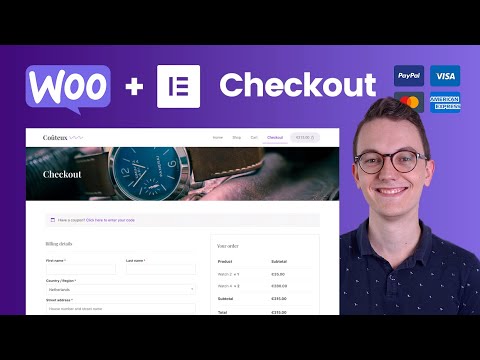
Playback starts YouTube’s embedded player (privacy-enhanced mode).
How to add Payment Methods in Woocommerce & Customize the Checkout Page
ChannelLivingWithPixelsDescription from the creator
Hey guys, in this video I am finalising the simple Woocommerce webshop so that we can start on the more advanced webshop in Woocommerce. In this video I'm connecting a payment provider with a secret key and customizing the checkout page a little bit.
The other episodes of this series: livingwithpixels.com/playlists/woocommerce/
The page with all the links: livingwithpixels.com/links/
→ Software I recommend
Hostinger for affordable webhosting: livingwithpixels.com/hostinger
Siteground for premium webhosting: livingwithpixels.com/siteground
Elementor for no-code web-development: livingwithpixels.com/elementor
Figma for Web Design: livingwithpixels.com/figma
All recommended software & discounts: livingwithpixels.com/software/
→ Starter Guides for Beginners
Elementor Starters Guide: livingwithpixels.com/elementor-guide
Figma Design Starters Guide: livingwithpixels.com/design-guide
→ Full A-Z Courses
Elementor Pro Mastery Course: livingwithpixels.com/elementor-course
Figma Design Mastery Course: livingwithpixels.com/design-course
Business Course: livingwithpixels.com/business-course
→ Social media
Tiktok: tiktok.com/@rinodeboer
Instagram: instagram.com/rinodeboer/
Twitter / X: twitter.com/rinodeboer/
Some of the links above are affiliate links, which means that I earn a commission when you make a purchase via my link. Thanks a lot if you decide to do that! I couldn't make all these videos without it.
The other episodes of this series: livingwithpixels.com/playlists/woocommerce/
The page with all the links: livingwithpixels.com/links/
→ Software I recommend
Hostinger for affordable webhosting: livingwithpixels.com/hostinger
Siteground for premium webhosting: livingwithpixels.com/siteground
Elementor for no-code web-development: livingwithpixels.com/elementor
Figma for Web Design: livingwithpixels.com/figma
All recommended software & discounts: livingwithpixels.com/software/
→ Starter Guides for Beginners
Elementor Starters Guide: livingwithpixels.com/elementor-guide
Figma Design Starters Guide: livingwithpixels.com/design-guide
→ Full A-Z Courses
Elementor Pro Mastery Course: livingwithpixels.com/elementor-course
Figma Design Mastery Course: livingwithpixels.com/design-course
Business Course: livingwithpixels.com/business-course
→ Social media
Tiktok: tiktok.com/@rinodeboer
Instagram: instagram.com/rinodeboer/
Twitter / X: twitter.com/rinodeboer/
Some of the links above are affiliate links, which means that I earn a commission when you make a purchase via my link. Thanks a lot if you decide to do that! I couldn't make all these videos without it.
About this tutorial
LivingWithPixels published this 14:05 video tutorial on November 15, 2020. It has been watched 152,148 times on YouTube.
- Channel
- LivingWithPixels
- Category
- Howto & Style
- Duration
- 14:05
- Published
- November 15, 2020
- Views
- 152,148
- Likes
- 1,936
Tags
Share
This tutorial in other languages
- FRComment ajouter des méthodes de paiement dans WooCommerce & Personnaliser la page de commande
- ESCómo agregar métodos de pago en WooCommerce y personalizar la Página del pago
- PTComo adicionar Pagamento em WooCommerce e personalizar a página Caixa
- ITCome aggiungere metodi di pagamento in Woocommerce e personalizza la pagina di Pagamento
- DEWie zu Zahlungsmethoden in WooCommerce hinzufügen & Anpassen der Checkout-Seite
- NLHoe kan betalingsmethoden toe te voegen in WooCommerce & Pas de Betaalpagina
- RUКак добавить способы оплаты в WooCommerce & Настроить заказ Страница
- PLJak dodać metody płatności w woocommerce & Dostosuj kasie Page
- JAWoocommerceにお支払い方法を追加&チェックアウトページをカスタマイズする方法
- ARكيفية إضافة طرق الدفع في Woocommerce وتخصيص صفحة الخروج
- HIWoocommerce में भुगतान की विधि जोड़ने और चेकआउट पृष्ठ अनुकूलित कैसे
- IDBagaimana menambahkan Metode Pembayaran di Woocommerce & Menyesuaikan Checkout Halaman