Playback starts YouTube’s embedded player (privacy-enhanced mode).
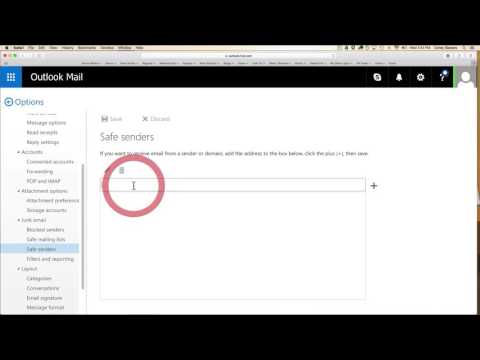
How to add to 'Safe Sender' list - Outlook, Homail, Live
ChannelSavvy Team - Wellness GuidesDescription from the creator
In this video you’ll learn how to add a domain or email to the ‘Safe Sender’ list for Outlook / Hotmail / Live users - so the emails you are subscribed to are more likely to reach your inbox!
About this tutorial
Savvy Team - Wellness Guides published this 2:36 video tutorial on November 9, 2016. It has been watched 28,627 times on YouTube.
- Channel
- Savvy Team - Wellness Guides
- Category
- Howto & Style
- Duration
- 2:36
- Published
- November 9, 2016
- Views
- 28,627
Tags
Share
This tutorial in other languages
- FRComment ajouter à la liste 'Safe Sender' - Outlook, Homail, en direct
- ES¿Cómo añadir a la lista de 'remitentes seguros' - Outlook, Homail, Vivo
- PTComo adicionar à lista 'Remetentes Seguros' - Outlook, Homail, ao vivo
- ITCome aggiungere alla lista 'mittente sicuro' - Outlook, Homail, in diretta
- DEOutlook, Homail, Live - Wie zu ‚sicheren Absender‘ -Liste hinzufügen
- NLHoe toe te voegen aan de lijst 'Safe Sender' - Outlook, Homail, Live
- RUКак добавить в список «надежных отправителей» - Outlook, Homail, Live
- PLJak dodać do "bezpiecznego nadawcy listy - Outlook, Homail, Live
- JAOutlook Liveの、Homail、 - '安全な送信者リストに追加する方法
- ARكيفية إضافة إلى قائمة "المرسل آمن" - توقعات، Homail، يعيش
- HIआउटलुक, Homail, लाइव - 'सुरक्षित भेजने वाले' सूची में शामिल करने के लिए कैसे
- IDBagaimana menambahkan ke daftar 'Sender Aman' - Outlook, Homail, Langsung