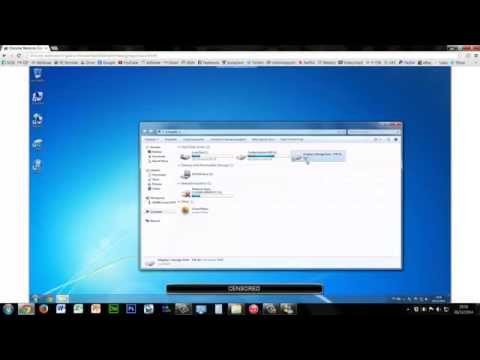
Playback starts YouTube’s embedded player (privacy-enhanced mode).
How to block a hard drive from other local users on a PC
ChannelKingsley's Tech ChannelDescription from the creator
[Description last updated: 31/12/14]
------------------------------------------------------------------------------------------------
It's been a while since I last uploaded but here is my final video of 2014.
HAPPY NEW YEAR!
This is a simple tutorial which many people with somewhat of an experience with PCs can do. Hopefully it helps you out, however if there are any questions please ask and I'll get back to you as soon as possible.
***N.B - On the "SYSTEM" account***
"The system account and the administrator account (Administrators group) have the same file privileges, but they have different functions. The system account is used by the operating system and by services that run under Windows. There are many services and processes within Windows that need the capability to log on internally (for example during a Windows installation). The system account was designed for that purpose; it is an internal account, does not show up in User Manager, cannot be added to any groups, and cannot have user rights assigned to it. On the other hand, the system account does show up on an NTFS volume in File Manager in the Permissions portion of the Security menu. By default, the system account is granted full control to all files on an NTFS volume. Here the system account has the same functional privileges as the administrator account.
NOTE: Granting either account Administrators group file permissions does not implicitly give permission to the system account. The system account's permissions can be removed from a file but it is not recommended." (Microsoft) support.microsoft.com/kb/120929
------------------------------------------------------------------------------------------------
Original intro & outro created by: Raven Design
Finished intro & outro customized by: kingsley15 (myself)
------------------------------------------------------------------------------------------------
It's been a while since I last uploaded but here is my final video of 2014.
HAPPY NEW YEAR!
This is a simple tutorial which many people with somewhat of an experience with PCs can do. Hopefully it helps you out, however if there are any questions please ask and I'll get back to you as soon as possible.
***N.B - On the "SYSTEM" account***
"The system account and the administrator account (Administrators group) have the same file privileges, but they have different functions. The system account is used by the operating system and by services that run under Windows. There are many services and processes within Windows that need the capability to log on internally (for example during a Windows installation). The system account was designed for that purpose; it is an internal account, does not show up in User Manager, cannot be added to any groups, and cannot have user rights assigned to it. On the other hand, the system account does show up on an NTFS volume in File Manager in the Permissions portion of the Security menu. By default, the system account is granted full control to all files on an NTFS volume. Here the system account has the same functional privileges as the administrator account.
NOTE: Granting either account Administrators group file permissions does not implicitly give permission to the system account. The system account's permissions can be removed from a file but it is not recommended." (Microsoft) support.microsoft.com/kb/120929
------------------------------------------------------------------------------------------------
Original intro & outro created by: Raven Design
Finished intro & outro customized by: kingsley15 (myself)
About this tutorial
Kingsley's Tech Channel published this 6:04 video tutorial on November 2, 2015. It has been watched 237,220 times on YouTube.
- Channel
- Kingsley's Tech Channel
- Category
- Howto & Style
- Duration
- 6:04
- Published
- November 2, 2015
- Views
- 237,220
- Likes
- 1,720
Tags
Share
This tutorial in other languages
- FRComment faire pour bloquer un disque dur d'autres utilisateurs locaux sur un PC
- ESCómo bloquear un disco duro de otros usuarios locales en un PC
- PTComo bloquear um disco rígido de outros usuários locais em um PC
- ITCome bloccare un disco rigido da altri utenti locali su un PC
- DEWie eine Festplatte von anderen lokalen Benutzern auf einem PC blockieren
- NLHoe maak je een harde schijf van andere lokale gebruikers op een pc te blokkeren
- RUКак заблокировать жесткий диск от других локальных пользователей на ПК
- PLJak zablokować dysk twardy z innych lokalnych użytkowników na PC
- JAPC上の他のローカルユーザからハードドライブをブロックする方法
- ARكيفية منع والقرص الصلب من المستخدمين المحليين الآخرين على PC
- HIएक पीसी पर अन्य स्थानीय उपयोगकर्ताओं से एक हार्ड ड्राइव ब्लॉक करने के लिए कैसे
- IDBagaimana untuk memblokir hard drive dari pengguna lokal lainnya pada PC