Playback starts YouTube’s embedded player (privacy-enhanced mode).
How to Block Game Websites
ChannelCarmen RodriguezDescription from the creator
computersolutionct.blogspot.com
Although may browser have function that allow you to block website from being visited, it is a headache to administer each different browser setting. Alternatively, you can use your computer's to block sites. This come in handy when you need to prohibit a child or employee from using a computer to visit gaming site and play games online. The best part is that blocking a site on any computer it take 2 minutes.
1. Start menu
2. All programs
3. Accessories "Notepad" make sure you right click and run "Notepad" as Administrator.
4. When "Notepad" open go to
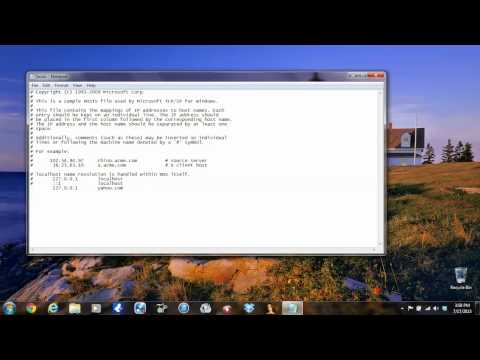
5. File Open C:/Windows/System32/drivers/etc/hosts
6. Find the line that have 127.0.0.1 right under that line create all the sites that you want to block. Make sure you fallow every step if you have any problem contact me
Although may browser have function that allow you to block website from being visited, it is a headache to administer each different browser setting. Alternatively, you can use your computer's to block sites. This come in handy when you need to prohibit a child or employee from using a computer to visit gaming site and play games online. The best part is that blocking a site on any computer it take 2 minutes.
1. Start menu
2. All programs
3. Accessories "Notepad" make sure you right click and run "Notepad" as Administrator.
4. When "Notepad" open go to
5. File Open C:/Windows/System32/drivers/etc/hosts
6. Find the line that have 127.0.0.1 right under that line create all the sites that you want to block. Make sure you fallow every step if you have any problem contact me
About this tutorial
Carmen Rodriguez published this 2:26 video tutorial on November 5, 2013. It has been watched 31,835 times on YouTube.
- Channel
- Carmen Rodriguez
- Category
- Howto & Style
- Duration
- 2:26
- Published
- November 5, 2013
- Views
- 31,835
- Likes
- 115
Tags
Share
This tutorial in other languages
- FRComment bloquer les sites de jeux
- ESCómo bloquear sitios web de juegos
- PTComo bloquear sites de jogos
- ITCome bloccare i siti web di gioco
- DEWie zu Block Game Websites
- NLHoe je Block Game Websites
- RUКак Блок игры сайты
- PLJak strony bloku grze
- JAどのようにブロックゲームのウェブサイトへ
- ARكيفية حجب المواقع لعبة
- HIकैसे ब्लॉक खेल वेबसाइटों के लिए
- IDCara Website Blok Permainan