Playback starts YouTube’s embedded player (privacy-enhanced mode).
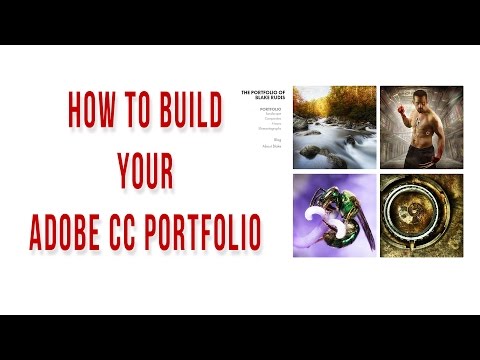
How to Build your Adobe CC Portfolio - Get on the Web!!!!
Channelf64 AcademyDescription from the creator
There is no excuse for poor representation! Get on the web with your Adobe Portfolio!
Recently Adobe Portfolio was announced as an added benefit to those of us high on the Creative Cloud. While you may have overlooked that email, I implore you to take a closer look at how powerful this can be for you as a Photographer and Artist. I am often asked what my best advice is to anyone starting out in the Digital Photography world. My answer is always, "Get on the web!"
Certainly there are many ways you can "Get on the Web" from social media to building your own custom website. All of these have their pros and cons and some are much easier than others, trust me :) With this new addition to your Creative Cloud subscription you can make an excellent and lasting impression with your Adobe Portfolio.
Adobe Portfolio
When I first received the email about the Adobe Portfolio I gaffed it off and put it in the deepest depths of my inbox. As time when on I thought, "I may as well hop on there and at least secure my name". As I was poking around the features I started to get pretty excited. The more I experimented the more I liked it and soon enough I had taken down my old www.blakerudis.com site and attached my Adobe Portfolio to it.
I would say that in total it may take you an hour to build it. You can make it as robust as you'd like with the many features that are available. Some definite pros of Adobe Portfolio:
You will own an attractive looking space on the web.
You can attach any domain to it as long as you own it. However, Adobe will supply you with a www.yourname.myportfolio.com address.
It doesn't take long to build a handsome site, there is only a very slight learning curve.
If you are a Creative Cloud member this service is FREE! Sites that look this good cost a lot of money.
This week I took the opportunity to walk you through the process I took to make my Adobe Portfolio. I will also show you how I bought a custom domain name and attached it via GoDaddy. So here you go, everything you need to get yourself on the web with Adobe Portfolio.... No more excuses!!!
About this tutorial
f64 Academy published this 21:53 video tutorial on October 25, 2016. It has been watched 74,362 times on YouTube.
- Channel
- f64 Academy
- Category
- Howto & Style
- Duration
- 21:53
- Published
- October 25, 2016
- Views
- 74,362
- Likes
- 1,110
Tags
Share
Further reading
-
How to create an online portfolio | Adobe Creative Cloud ...
helpx.adobe.com
As a Creative Cloud member, you can use Adobe Portfolio to create a visual resume in less than 10 minutes. In this tutorial, we show you how to pick a predesigned layout that fits your content, and then customize it wit…
-
How to create a Portfolio website | Adobe Creative Cloud ...
helpx.adobe.com
Open www.myportfolio.com in a web browser and sign in with your Adobe ID and password. Scroll down and click Create Your Portfolio, and then choose a layout from the existing options. Now that your Portfolio is under wa…
-
Adobe Portfolio | Build your own personalized website
portfolio.adobe.com
Quickly and simply build a personalized website to showcase your creative work with Adobe Portfolio. Now included free with any Creative Cloud subscription.
This tutorial in other languages
- FRComment construire votre portefeuille Adobe CC - Obtenez sur le Web !!!!
- ESCómo construir su cartera de Adobe CC - Obtener en la web !!!!
- PTComo construir o seu Adobe CC Portfolio - Get on the Web !!!!
- ITCome costruire il vostro Adobe CC Portfolio - Get on the Web !!!!
- DEWie Sie Ihre Adobe CC Portfolio aufzubauen - Fahren Sie auf die Web !!!!
- NLHoe bouw je Adobe CC Portfolio - Stap op het web !!!!
- RUКак построить свой Adobe CC Портфолио - Получить в Интернете !!!!
- PLJak zbudować swój Adobe CC Portfolio - Get w sieci !!!!
- JAお使いのAdobe CCポートフォリオを構築する方法 - Web上で取得します!!!!
- ARكيفية بناء الخاصة بك أدوبي CC المحفظة - احصل على شبكة الانترنت !!!!
- HIकैसे अपने एडोब सीसी पोर्टफोलियो का निर्माण करने के लिए - वेब पर जाओ !!!!
- IDCara Membangun Adobe CC Portofolio - Dapatkan di Web !!!!