Playback starts YouTube’s embedded player (privacy-enhanced mode).
How to Bypass Websense at School, Work, etc...
ChannelJagStang067Description from the creator
How to Bypass Websense at School, Work, etc...
At school/work/etc...
---------------------------------
1. Download FireFox from www.mozilla.com
2. In FireFox, download SwitchProxy by going to Tools -- Add-ons -- Get extensions.
At home
----------------------------------
3. Go to www.freshproxy.org and write down the latest proxy server in the latest listing (IP:IP:IP:IP:PORT). (Mine was 6-25-2008)
At school/work/etc...
----------------------------------
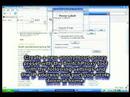
4. In the SwitchProxy add-on in FireFox, create a new proxy preset by clicking "New" -- "Anonymous Proxy". In the dialog box, enter anything as the proxy label. Fill in the Ip address and port box with the Ip adress and port you wrote down at home. (I just copied and pasted it since I was already at home :P...Websense blocks that site.) Enter "9999" where it says "Change proxy server every ____ seconds". Click "Save" at the bottom of the dialog box.
5. In the SwitchProxy add-on, select your new proxy preset from the drop-down box and click "Apply" to start using it.
End result:
Websense got pwned.
Song:
Nirvana - Scentless Apprentice
At school/work/etc...
---------------------------------
1. Download FireFox from www.mozilla.com
2. In FireFox, download SwitchProxy by going to Tools -- Add-ons -- Get extensions.
At home
----------------------------------
3. Go to www.freshproxy.org and write down the latest proxy server in the latest listing (IP:IP:IP:IP:PORT). (Mine was 6-25-2008)
At school/work/etc...
----------------------------------
4. In the SwitchProxy add-on in FireFox, create a new proxy preset by clicking "New" -- "Anonymous Proxy". In the dialog box, enter anything as the proxy label. Fill in the Ip address and port box with the Ip adress and port you wrote down at home. (I just copied and pasted it since I was already at home :P...Websense blocks that site.) Enter "9999" where it says "Change proxy server every ____ seconds". Click "Save" at the bottom of the dialog box.
5. In the SwitchProxy add-on, select your new proxy preset from the drop-down box and click "Apply" to start using it.
End result:
Websense got pwned.
Song:
Nirvana - Scentless Apprentice
About this tutorial
JagStang067 published this 3:35 video tutorial on November 10, 2008. It has been watched 16,187 times on YouTube.
- Channel
- JagStang067
- Category
- Howto & Style
- Duration
- 3:35
- Published
- November 10, 2008
- Views
- 16,187
- Likes
- 9
Tags
Share
This tutorial in other languages
- FRComment contourner à l'école Websense, travail, etc ...
- ESCómo omitir Websense en la escuela, trabajo, etc ...
- PTComo Bypass Websense na escola, trabalho, etc ...
- ITCome Bypass Websense a scuola, il lavoro, ecc ...
- DEWie in dem Bypass Websense in der Schule, Arbeit, etc ...
- NLHoe te Bypass Websense op School, Work, etc ...
- RUКак обойти Websense в школе, на работе, и т.д. ...
- PLJak ominąć Websense w szkole, pracy, itd ...
- JAどのようになど学校でのバイパスのWebsense、仕事、に...
- ARكيفية تجاوز ويب سنس في مدرسة، والعمل، الخ ...
- HIकैसे आदि स्कूल में बाईपास Websense, कार्य, करने के लिए ...
- IDCara Bypass Websense di Sekolah, Kerja, dll ...