Playback starts YouTube’s embedded player (privacy-enhanced mode).
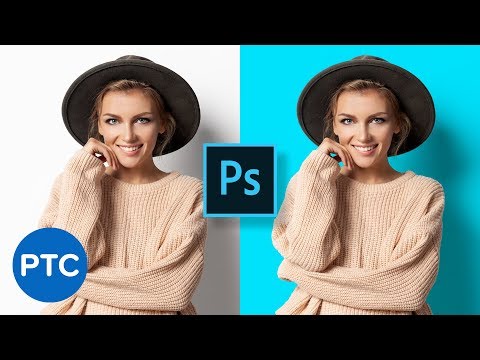
How To Change Background Color in Photoshop (Fast & Easy!)
ChannelPhotoshop Training ChannelIn brief
You’ll quickly change a photo’s background color in Photoshop using a simple selection and masking method—ideal for beginners who want fast, clean results without complex tools.
Questions & answers
Do I need advanced Photoshop skills for this?
No—the tutorial is designed for beginners.
Chapters
Description from the creator
We will use a simple yet powerful technique that anyone could follow along. Even if you are a beginner.
📘 INDEX - Photoshop How to Change Background Color
00:00 - Introduction
00:51 - Make a Selection
01:40 - Refine a Selection with Quick Mask
03:17 - Solid Color Fill To Change Change Background Color
LINKS:
Make White Backgrounds in Photoshop
► youtube.com/watch?v=LwB0-gR2lvE&list=PL3bfN…
Become an Adobe Stock Contributor:
► bit.ly/stock-contributor
PTC Newsletter:
► ptcvids.com/subscribe
Premium Tutorials:
► ptcvids.com/shop
Website:
► photoshoptrainingchannel.com
FOLLOW ME
Instagram:
► instagram.com/jrfromptc
Facebook Group:
► ptcvids.com/group
Twitter:
► twitter.com/JRfromPTC
LinkedIn:
► linkedin.com/in/jesusramirez9
CREDITS
● Stock Images provided by stock.adobe.com
● Photoshop video tutorials by Jesus Ramirez
#PhotoshopTutorial #Photoshop #PTCvids
About this tutorial
Photoshop Training Channel published this 5:23 video tutorial on October 25, 2019. It has been watched 3,557,503 times on YouTube.
- Channel
- Photoshop Training Channel
- Category
- Howto & Style
- Duration
- 5:23
- Published
- October 25, 2019
- Views
- 3,557,503
- Likes
- 60,367
Tags
Share
Further reading
-
How To Change the Background Color in Photoshop (Fast & Easy!)
photoshoptrainingchannel.com
Use a Solid Color Fill Layer to How to Change the Background Color in Photoshop In the Layers panel , click on the New Adjustment Layer icon and select Solid Color . When the Color Picker window pops up, select any colo…
-
How To Change the Background Color in Photoshop (Fast & Easy ...
iphotoshop.org
Use a Solid Color Fill Layer to How to Change the Background Color in Photoshop In the Layers panel , click on the New Adjustment Layer icon and select Solid Color . When the Color Picker window pops up, select any colo…
-
4 Ways to Change the Background Color in Photoshop - wikiHow
wikihow.com
To change the background color of a picture in Photoshop, first, click on the “Quick Selection Tool”, which should look like a paintbrush with a dotted circle around its tip near the top of your tool menu. Then, place y…
This tutorial in other languages
- FRComment faire pour changer la couleur de fond dans Photoshop (rapide et facile!)
- ESCómo cambiar el color de fondo en Photoshop (Rápido y fácil!)
- PTComo mudar a cor do fundo no Photoshop (Fast & Easy!)
- ITCome cambiare il colore di sfondo in Photoshop (Fast & Easy!)
- DEWie Ändern von Hintergrundfarbe in Photoshop (Fast & Easy!)
- NLHow To Change achtergrondkleur in Photoshop (Fast & Easy!)
- RUКак изменить цвет фона в фотошопе (Fast & Easy!)
- PLJak zmienić kolor tła w Photoshopie (Szybkie i proste!)
- JAどのようにPhotoshopのように変更背景色(高速&簡単に!)
- ARكيفية تغيير لون الخلفية في برنامج فوتوشوب (سريع وسهل!)
- HIकैसे में फ़ोटोशॉप के लिए बदलें पृष्ठभूमि रंग (फास्ट और आसान!)
- IDCara Mengubah Background Warna di Photoshop (Cepat & Mudah!)