Playback starts YouTube’s embedded player (privacy-enhanced mode).
How to Change Units in SketchUp | Metric, Feet, Inches, Set Defaults, Precision, & Snapping
ChannelMasterSketchUpDescription from the creator
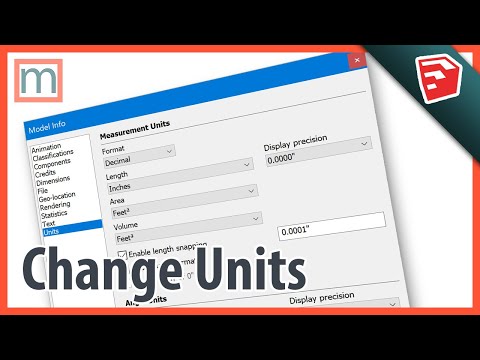
You can change the measurement units in SketchUp by going to Window - Model Info - Units. Choose a preset like Architectural, Engineering, or Fractional. Or if you want to customize your units, choose Decimal to pick any metric or imperial unit for length, area, and volume.
★★★ MY BOOKS ★★★
SketchUp to LayOut 2015- SketchuptoLayout.com
SketchUp & LayOut for Architecture - SketchUpbook.com/
★ SUBSCRIBE TO MY CHANNEL ★
youtube.com/subscription_center?add_user=master…
★ FOLLOW ME ★
Tutorials & Videos - mastersketchup.com
Facebook - facebook.com/mastersketchup
Twitter - twitter.com/mastersketchup
★ MORE SKETCHUP RESOURCES ★
mastersketchup.com/resources
★★★ MY BOOKS ★★★
SketchUp to LayOut 2015- SketchuptoLayout.com
SketchUp & LayOut for Architecture - SketchUpbook.com/
★ SUBSCRIBE TO MY CHANNEL ★
youtube.com/subscription_center?add_user=master…
★ FOLLOW ME ★
Tutorials & Videos - mastersketchup.com
Facebook - facebook.com/mastersketchup
Twitter - twitter.com/mastersketchup
★ MORE SKETCHUP RESOURCES ★
mastersketchup.com/resources
About this tutorial
MasterSketchUp published this 11:16 video tutorial on October 25, 2019. It has been watched 59,450 times on YouTube.
- Channel
- MasterSketchUp
- Category
- Howto & Style
- Duration
- 11:16
- Published
- October 25, 2019
- Views
- 59,450
- Likes
- 252
Tags
Share
This tutorial in other languages
- FRComment pour changer les unités dans SketchUp | Métriques, pieds, pouces, Paramètres par défaut, de précision, et serpentine
- ESCómo Unidades de cambio en SketchUp | Métricas, pies, pulgadas, Definir los valores predeterminados, la precisión, y mordedora
- PTComo alterar as unidades no SketchUp | Métricas, pés, polegadas, a opção Definir padrões, precisão, e de agarramento
- ITCome cambiare disponibilità in SketchUp | Metriche, piedi, pollici, Imposta default, di precisione, & Aggancio
- DEWie Ändern von Einheiten in SketchUp | Metric, Füße, Zoll, Standardeinstellungen, Präzision, und Zuschnappen
- NLHoe te veranderen Units in SketchUp | Metric, Voeten, Inches, Set Defaults, Precision, & Snapping
- RUКак изменить единицы измерения в SketchUp | Метрические, футы, дюймы, Set Defaults, Precision, и Snapping
- PLJak zmienić jednostki w SketchUp | Metrycznych, stopy, cale, ustaw domyślne, precyzyjne, i przyciąganie
- JAどのようにSketchUpで変更ユニットに|メトリック、フィート、インチ、デフォルト値を設定、高精度、およびスナップ
- ARكيفية تغيير وحدات في SketchUp | متري، أقدام، بوصة، الافتراضيات تعيين، الدقة، والعض
- HIकैसे स्केचअप में इकाइयां बदलने के लिए | मीट्रिक, पैर, इंच, सेट चूक, प्रेसिजन, और स्नैपिंग
- IDCara Ganti Unit di SketchUp | Metric, Kaki, Inci, Set Default, Presisi & Gertakan