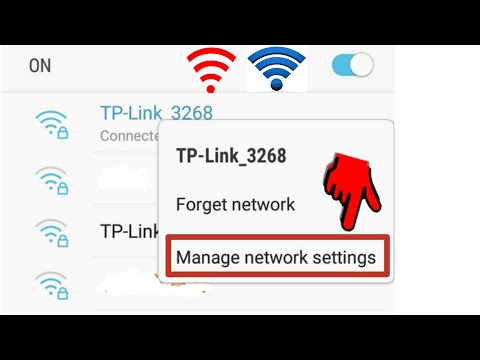
Playback starts YouTube’s embedded player (privacy-enhanced mode).
How to Connect Wifi Without Password Easy & Fast
ChannelRaRe iTechIn brief
If your Wi-Fi router has a WPS push button and you’ve lost the password, this quick method shows how to reconnect your phone without typing it in. It’s only for your own network or with the owner’s permission.
Questions & answers
Does this work on any Wi-Fi network?
No, only on routers with a WPS push button and with permission.
Description from the creator
How to Connect Wifi Without Password. if you have WPS push button in your phone then you can easily connect your wifi network to your phone without password. WPS Push button is Work when you Don't know your wifi password. just push wps push button in your wifi router then go to your phone settings then find WPS push button option in your phone, then click it. and your phone will be connected to the WiFi. Thanks
Disclaimer:
This video is made only for educational and informational purposes.
In this tutorial, we have shown how to connect to a WiFi network using the WPS (Wi-Fi Protected Setup) push button method.
We want to make it clear that:
WiFi can never be connected without a password.
The only exception is when the WPS push button is used, which is an official feature provided by the WiFi router itself.
This process works only on your own WiFi router or with the permission of the WiFi owner.
We do not promote hacking, unauthorized access, or illegal use of any WiFi network.
Always use technology responsibly and connect to WiFi only where you have proper authorization.
Disclaimer:
This video is made only for educational and informational purposes.
In this tutorial, we have shown how to connect to a WiFi network using the WPS (Wi-Fi Protected Setup) push button method.
We want to make it clear that:
WiFi can never be connected without a password.
The only exception is when the WPS push button is used, which is an official feature provided by the WiFi router itself.
This process works only on your own WiFi router or with the permission of the WiFi owner.
We do not promote hacking, unauthorized access, or illegal use of any WiFi network.
Always use technology responsibly and connect to WiFi only where you have proper authorization.
About this tutorial
RaRe iTech published this 2:59 video tutorial on December 29, 2019. It has been watched 6,920,866 times on YouTube.
- Channel
- RaRe iTech
- Category
- Howto & Style
- Duration
- 2:59
- Published
- December 29, 2019
- Views
- 6,920,866
- Likes
- 109,890
Tags
Share
This tutorial in other languages
- FRComment connecter Wifi sans mot de passe facile et rapide
- ESCómo realizar la conexión Wi-Fi sin contraseña fácil y rápido
- PTComo conectar WiFi sem senha fácil e rápido
- ITCome collegare Wifi senza password Facile & Veloce
- DEHow to Connect Wi-Fi ohne Passwort Einfach & Schnell
- NLHoe te Connect Wifi Zonder Wachtwoord Easy & snelle
- RUКак подключить Wi-Fi без пароля Легко и быстро,
- PLJak połączyć Wifi bez hasła Fast & Easy
- JAどのように接続する無線LANへのパスワード簡単&高速なし
- ARكيفية توصيل واي فاي دون كلمة سهلة وسريعة
- HIकैसे कनेक्ट वाईफ़ाई करने के लिए बिना पासवर्ड आसान और तेजी से
- IDCara Connect Wifi Tanpa Kata sandi Mudah & Cepat