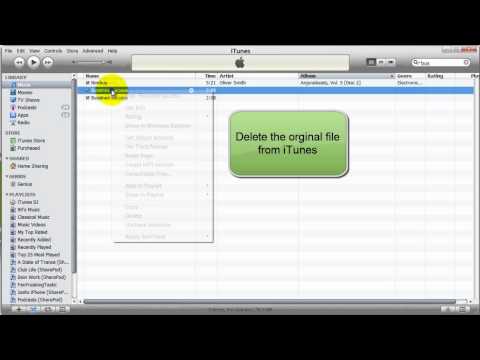
Playback starts YouTube’s embedded player (privacy-enhanced mode).
How to Convert a File to an MP3 with iTunes
ChannelYourComputerTipsDescription from the creator
Everyone has run into the problem where they have a WMA or WAV file that is just HUGE. This video will show you how to use iTunes to convert that song to an MP3 in just a minute.
About this tutorial
YourComputerTips published this 1:43 video tutorial on November 10, 2011. It has been watched 27,541 times on YouTube.
- Channel
- YourComputerTips
- Category
- Howto & Style
- Duration
- 1:43
- Published
- November 10, 2011
- Views
- 27,541
- Likes
- 45
Tags
Share
This tutorial in other languages
- FRComment convertir un fichier à un MP3 avec iTunes
- ESCómo convertir un archivo a un archivo MP3 con iTunes
- PTComo converter um arquivo para um MP3 com o iTunes
- ITCome convertire un file in MP3 con iTunes
- DEWie man eine Datei auf einen MP3-Player mit iTunes konvertieren
- NLHoe een bestand te converteren naar een MP3 met iTunes
- RUКак конвертировать файл в формате MP3 с ITunes
- PLJak przekonwertować plik do formatu MP3 z iTunes
- JAiTunesがMP3にファイルを変換する方法
- ARكيفية تحويل ملف إلى MP3 مع اي تيونز
- HIiTunes के साथ एक एमपी 3 करने के लिए एक फ़ाइल कन्वर्ट करने के लिए कैसे
- IDCara Mengkonversi File untuk MP3 dengan iTunes