Playback starts YouTube’s embedded player (privacy-enhanced mode).
How to Convert Doc to Docx
ChannelExcel, Word and PowerPoint Tutorials from HowtechDescription from the creator
In this video tutorial we will show you how to covert older doc files to the newer docx format.
Don't forget to check out our site howtech.tv/ for more free how-to videos!
youtube.com/ithowtovids - our feed
facebook.com/howtechtv - join us on facebook
plus.google.com/103440382717658277879 - our group in Google+
This tutorial will show you how to convert doc to docx which will bring any old Word documents up to the more modern file standard.
Step # 1 -- Converting with Word
First, you will want to locate the doc file on your computer and open it with Microsoft Word. This has to be a version of Word that is 2007 or later, here we are using 2010. With the doc file open click the "File" menu and click on "Save As". In the new window go to the "Save as type" drop down box and select "Word Document (*.docx)" and click "Save". This document will now have been converted to a docx format. The doc file will still exist and you might choose to delete it to avoid confusion.
Step # 2 -- Converting the File Online
Alternatively, if you don't have a newer version of Word, you can use the internet to convert the file. Open your preferred internet browser and navigate to the website "www.zamzar.com". Click on the "Choose Files" button and locate the doc file on your computer, click "Open". In "Step 2" select "docx" from the drop down menu, enter your email address in "Step 3" and click "Convert".
Step # 3 -- Downloading the Converted File
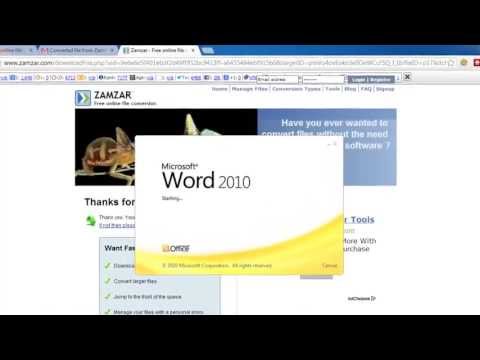
The conversion will complete and you will need to go to your email account to retrieve the file. Open the email from "Zamzar Conversions" and click the long link below the blue text box. On the page that opens click the "Download Now" button. The file will download and click on it to open it, you will see at the top of the Word window that it is now a docx file and that is how to convert doc to docx.
Don't forget to check out our site howtech.tv/ for more free how-to videos!
youtube.com/ithowtovids - our feed
facebook.com/howtechtv - join us on facebook
plus.google.com/103440382717658277879 - our group in Google+
This tutorial will show you how to convert doc to docx which will bring any old Word documents up to the more modern file standard.
Step # 1 -- Converting with Word
First, you will want to locate the doc file on your computer and open it with Microsoft Word. This has to be a version of Word that is 2007 or later, here we are using 2010. With the doc file open click the "File" menu and click on "Save As". In the new window go to the "Save as type" drop down box and select "Word Document (*.docx)" and click "Save". This document will now have been converted to a docx format. The doc file will still exist and you might choose to delete it to avoid confusion.
Step # 2 -- Converting the File Online
Alternatively, if you don't have a newer version of Word, you can use the internet to convert the file. Open your preferred internet browser and navigate to the website "www.zamzar.com". Click on the "Choose Files" button and locate the doc file on your computer, click "Open". In "Step 2" select "docx" from the drop down menu, enter your email address in "Step 3" and click "Convert".
Step # 3 -- Downloading the Converted File
The conversion will complete and you will need to go to your email account to retrieve the file. Open the email from "Zamzar Conversions" and click the long link below the blue text box. On the page that opens click the "Download Now" button. The file will download and click on it to open it, you will see at the top of the Word window that it is now a docx file and that is how to convert doc to docx.
About this tutorial
Excel, Word and PowerPoint Tutorials from Howtech published this 1:44 video tutorial on October 29, 2013. It has been watched 96,905 times on YouTube.
- Category
- Howto & Style
- Duration
- 1:44
- Published
- October 29, 2013
- Views
- 96,905
- Likes
- 181
Tags
Share
This tutorial in other languages
- FRComment convertir Doc à docx
- ESCómo convertir doc a docx
- PTComo converter Doc para Docx
- ITCome convertire Doc Docx
- DEWie Konvertieren von Doc zu docx
- NLHoe te converteren Doc naar Docx
- RUКак конвертировать Doc в Docx
- PLJak konwertować Doc do Docx
- JADOCXへドキュメントを変換する方法
- ARكيفية تحويل الوثيقة إلى دوكإكس
- HIDocx के लिए डॉक्टर कन्वर्ट करने के लिए कैसे
- IDCara Mengkonversi Doc ke Docx