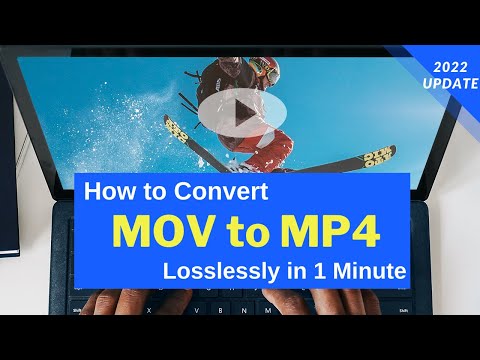
Playback starts YouTube’s embedded player (privacy-enhanced mode).
How to Convert MOV to MP4 in 3 Steps without Losing Quality
ChannelDigiarty - WinXDVDDescription from the creator
MOV to MP4 Converter recommended: bit.ly/winxvideoai
🎉 WinX HD Video Converter Deluxe is now Winxvideo AI, bringing fresh AI Video/Image enhancements and video recording features alongside its existing capabilities to convert, compress, and edit videos.
In this video, we're going to show you guys how to convert MOV to MP4 easily and fast using WinX HD Video Converter Deluxe. You're able to make all done in just 3 steps. Learn more -- winxdvd.com/mov-to-mp4/?ttref=ytboffi-vcd-191212
The MOV file is everywhere. Apple's iPhone iPad is recording MOV videos by default, and photography addicts would like to shoot 4K/HD videos in MOV format (HEVC, H.264, or Prores) with Canon, Nikon, JVC camcorders, or DJI drones for further editing. However, the format incompatibility can still be a problem for many users, making MOV not importing to iMovie, Premiere, Lightroom, freezing or stuttering during playback, failing to upload to YouTube or share with friends and families. That's why you need to convert MOV files to MP4 format.
How to convert MOV to MP4?
Download Link WinX HD Video Converter Deluxe -- bit.ly/winxvideoai
0:55 Step 1 -- Launch this MOV to MP4 converter, and import your MOV video.
1:05 Step 2 -- Select MP4 as the output format.
1:46 Step 3 -- Choose the destination folder and tap "RUN".
Before converting, you're also available to adjust video parameters, trim/crop video, enable Intel or Nvidia hardware acceleration to speed up MOV to MP4 conversion, use the High-Quality engine to enhance the output video quality if necessary.
That's it guys, thanks for watching and don't forget to subscribe!
🎉 WinX HD Video Converter Deluxe is now Winxvideo AI, bringing fresh AI Video/Image enhancements and video recording features alongside its existing capabilities to convert, compress, and edit videos.
In this video, we're going to show you guys how to convert MOV to MP4 easily and fast using WinX HD Video Converter Deluxe. You're able to make all done in just 3 steps. Learn more -- winxdvd.com/mov-to-mp4/?ttref=ytboffi-vcd-191212
The MOV file is everywhere. Apple's iPhone iPad is recording MOV videos by default, and photography addicts would like to shoot 4K/HD videos in MOV format (HEVC, H.264, or Prores) with Canon, Nikon, JVC camcorders, or DJI drones for further editing. However, the format incompatibility can still be a problem for many users, making MOV not importing to iMovie, Premiere, Lightroom, freezing or stuttering during playback, failing to upload to YouTube or share with friends and families. That's why you need to convert MOV files to MP4 format.
How to convert MOV to MP4?
Download Link WinX HD Video Converter Deluxe -- bit.ly/winxvideoai
0:55 Step 1 -- Launch this MOV to MP4 converter, and import your MOV video.
1:05 Step 2 -- Select MP4 as the output format.
1:46 Step 3 -- Choose the destination folder and tap "RUN".
Before converting, you're also available to adjust video parameters, trim/crop video, enable Intel or Nvidia hardware acceleration to speed up MOV to MP4 conversion, use the High-Quality engine to enhance the output video quality if necessary.
That's it guys, thanks for watching and don't forget to subscribe!
About this tutorial
Digiarty - WinXDVD published this 2:19 video tutorial on January 10, 2020. It has been watched 38,554 times on YouTube.
- Channel
- Digiarty - WinXDVD
- Category
- Howto & Style
- Duration
- 2:19
- Published
- January 10, 2020
- Views
- 38,554
- Likes
- 268
Tags
Share
This tutorial in other languages
- FRComment convertir MOV en MP4 en 3 étapes sans perte de qualité
- ESCómo convertir MOV a MP4 en 3 pasos sin perder calidad
- PTComo converter MOV para MP4 em 3 etapas sem perder qualidade
- ITCome convertire MOV in MP4 in 3 passi senza perdita di qualità
- DEWie Konvertieren von MOV in MP4 in 3 Schritten ohne Qualität zu verlieren
- NLHoe te converteren MOV naar MP4 in 3 stappen zonder verlies van kwaliteit
- RUКак конвертировать MOV в MP4 в 3 шага без потери качества
- PLJak przekonwertować MOV, MP4 w 3 krokach bez utraty jakości
- JA品質を失うことなく、3つのステップでMP4にMOVを変換する方法
- ARكيفية تحويل MOV إلى MP4 في 3 خطوات دون فقدان الجودة
- HIगुणवत्ता खोने के बिना 3 कदम में MP4 करने के लिए MOV कन्वर्ट करने के लिए कैसे
- IDCara Mengkonversi MOV ke MP4 di 3 Langkah tanpa Kehilangan Kualitas