Playback starts YouTube’s embedded player (privacy-enhanced mode).
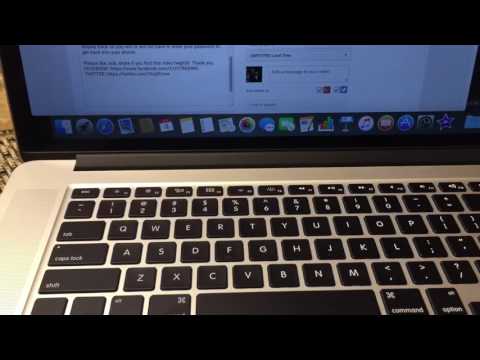
How to Copy / Paste on Macbook or Apple Computer
ChanneliLuvTradingDescription from the creator
You know with a Windows PC to copy and paste via shortcut keys is CTRL C (copy) & CTRL V (paste). Well on a Mac computer it is Command C (copy) & Command V (paste). You can copy and paste almost anything such as words, texts, paragraph, files, documents, photos, videos, music, web addresses, etc.
Please like, sub, share if you find this video helpful! Thank you.
FACEBOOK: facebook.com/ILUVTRADING
TWITTER: twitter.com/VirgilForex
Please like, sub, share if you find this video helpful! Thank you.
FACEBOOK: facebook.com/ILUVTRADING
TWITTER: twitter.com/VirgilForex
About this tutorial
iLuvTrading published this 1:37 video tutorial on October 29, 2016. It has been watched 583,960 times on YouTube.
- Channel
- iLuvTrading
- Category
- Howto & Style
- Duration
- 1:37
- Published
- October 29, 2016
- Views
- 583,960
- Likes
- 1,908
Tags
Share
This tutorial in other languages
- FRComment copier / coller sur MacBook ou Apple Computer
- ESCómo copiar / pegar en Macbook o Apple Computer
- PTComo copiar / colar em Macbook ou Apple Computer
- ITCome copiare / incollare il Macbook o Apple Computer
- DEWie zum Kopieren / Einfügen auf Macbook oder Apple Computer
- NLHoe te kopiëren / plakken op Macbook of Apple Computer
- RUКак копировать / вставить на Macbook или Apple Computer
- PLJak Kopiuj / Wklej na Macbook lub Apple Computer
- JAどのようにコピーするには/ MacBookやアップルコンピュータの上に貼り付け
- ARكيفية نسخ / لصق على ماك بوك أو شركة ابل كمبيوتر
- HIकैसे की प्रतिलिपि करने के लिए / मैकबुक या एप्पल कंप्यूटर पर पेस्ट करें
- IDCara Copy / Paste pada Macbook atau Apple Computer