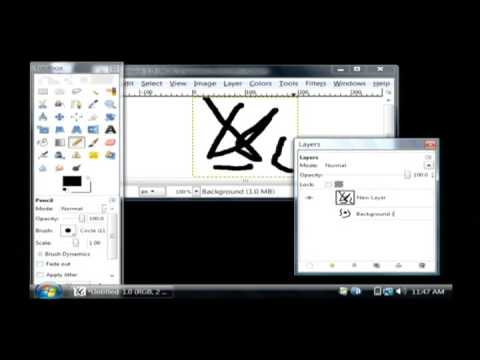
Playback starts YouTube’s embedded player (privacy-enhanced mode).
How to Create an Animated GIF With GIMP
ChanneleHowTechDescription from the creator
To create an animated GIF using GIMP, a free image-editing program, create each frame of animation in a separate layer, adding timing to the title of each layer in parentheses. See simple animation in action with helpful tips from a software developer in this free video on computers.
About this tutorial
eHowTech published this 3:12 video tutorial on November 11, 2009. It has been watched 38,183 times on YouTube.
- Channel
- eHowTech
- Category
- Howto & Style
- Duration
- 3:12
- Published
- November 11, 2009
- Views
- 38,183
- Likes
- 208
Tags

Share
This tutorial in other languages
- FRComment créer un GIF animé avec GIMP
- ESCómo crear un GIF animado con GIMP
- PTComo criar um GIF animado com o GIMP
- ITCome creare una GIF animata con GIMP
- DEWie ein animiertes GIF mit GIMP erstellen
- NLHoe een geanimeerde GIF met GIMP maken
- RUКак создать анимированный GIF С GIMP
- PLJak utworzyć animowany GIF z GIMP
- JAGIMPでアニメーションGIFを作成する方法
- ARكيفية إنشاء الرسوم المتحركة GIF مع الأعرج
- HIकैसे एक एनिमेटेड GIMP के साथ GIF बनाने के लिए
- IDCara Buat Animasi GIF Dengan GIMP