Playback starts YouTube’s embedded player (privacy-enhanced mode).
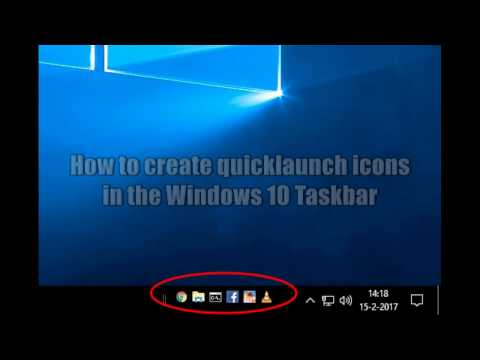
How to create Quicklaunch icons / shortcuts in the taskbar of Windows 10
ChannelgersonnlDescription from the creator
Windows 10 has an option to pin applications to the taskbar, but this is also not what you want.
Pinning icons into the taskbar only allows you to open one instance of that application, because it's not a shortcut.
In this tutorial I'm gonna show you how to put real shortcuts to the taskbar so you can open multiple instances of applications quickly, and all your most used apps are easy reachable.
Music credits: Spinnmeister - Burning the microwaves
About this tutorial
gersonnl published this 3:27 video tutorial on October 26, 2017. It has been watched 31,167 times on YouTube.
- Channel
- gersonnl
- Category
- Howto & Style
- Duration
- 3:27
- Published
- October 26, 2017
- Views
- 31,167
- Likes
- 134
Tags
Share
Further reading
-
How to add or remove an icon on the Windows taskbar
computerhope.com
How to create a Windows shortcut. Adding shortcuts to Quick Launch. Drag-and-drop the shortcut you want to add onto the Quick Launch section of the taskbar. Removing shortcuts from Quick Launch. To remove icons from Qui…
-
How to Bring Back the Quick Launch Bar in Windows 7, 8, or 10
howtogeek.com
In any case, we’ll show you how to add the Quick Launch bar to the Taskbar in Windows 10, but this will also work in Windows 7 and 8. To add the Quick Launch bar back to the Taskbar, right-click on an open area of the T…
-
Add or Remove Quick Launch toolbar in Windows 10 | Tutorials
tenforums.com
You can add shortcuts of items to Quick Launch by using either method below. Drag any shortcut, file, folder, drive over the Quick Launch toolbar on the taskbar until you see either Move to Quick Launch or Create link i…
This tutorial in other languages
- FRComment créer des icônes / raccourcis dans quicklaunch la barre des tâches de Windows 10
- ESCómo crear iconos / atajos inicio rápido en la barra de tareas de Windows 10
- PTComo criar ícones / atalhos Quicklaunch na barra de tarefas do Windows 10
- ITCome creare icone Quicklaunch / tasti di scelta rapida nella barra delle applicazioni di Windows 10
- DEWie Schnellstart Symbole / Verknüpfungen in der Taskleiste von Windows 10 erstellen
- NLHoe te Quicklaunch iconen / snelkoppelingen in de taakbalk van Windows 10
- RUКак создать Быстрого значки / ярлыки на панели задач Windows 10
- PLJak stworzyć QuickLaunch ikon / skrótów na pasku zadań systemu Windows 10
- JAWindowsの10のタスクバーにQuickLaunchをアイコン/ショートカットを作成する方法
- ARكيفية إنشاء الرموز يسهل لك / الاختصارات في شريط المهام ويندوز 10
- HIWindows 10 के टास्कबार में Quicklaunch माउस / शॉर्टकट बनाने के लिए कैसे
- IDCara membuat Quicklaunch ikon / shortcut di taskbar Windows 10