Playback starts YouTube’s embedded player (privacy-enhanced mode).
How to create your own Mosaic Crochet Charts using Google Sheets or Excel
ChannelFiber Fox StudiosDescription from the creator
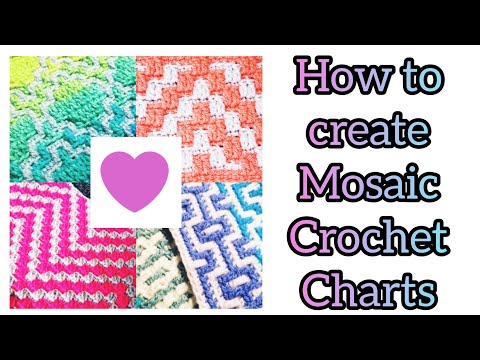
In this episode for Mosaic Monday we are going to use a basic computer program that comes on your computer to create a mosaic chart. I will take you through the steps I take to create charts and hope that you can design your own!
I am using Google Sheets which is just like Microsoft Excel for the purpose we are using it for. You can also use graph paper with a pencil and eraser as you may need to tweak your design as you go. if you are doingvthid by hand with paper make sure you leave lots of extra room on each side so you can add rows as needed.
Stay tuned and on the lookout for my video on combining different mosaics that have various multiples for the starting chain.
Use #fiberfoxstudios when posting pics of your work so I can see!
Check out my Etsy shop and buy 10 or more patterns and get 15% off through July 4th! Enter FIBERFOX15 during checkout. etsy.me/3eHNqkf #etsy #fiberfoxstudios #etsyfinds #etsygifts #etsysale #etsycoupon #shopsmall
Looking for some new yarns? Use my refer a friend link and get $5 off your first order! I earn points. Shipping from this company is super reasonable and I have purchased several time. check out my haul videos for more info!
i.refs.cc/jQr71X4p?smile_ref=eyJzbWlsZV9zb3VyY2…
Email me at [email protected]
I am using Google Sheets which is just like Microsoft Excel for the purpose we are using it for. You can also use graph paper with a pencil and eraser as you may need to tweak your design as you go. if you are doingvthid by hand with paper make sure you leave lots of extra room on each side so you can add rows as needed.
Stay tuned and on the lookout for my video on combining different mosaics that have various multiples for the starting chain.
Use #fiberfoxstudios when posting pics of your work so I can see!
Check out my Etsy shop and buy 10 or more patterns and get 15% off through July 4th! Enter FIBERFOX15 during checkout. etsy.me/3eHNqkf #etsy #fiberfoxstudios #etsyfinds #etsygifts #etsysale #etsycoupon #shopsmall
Looking for some new yarns? Use my refer a friend link and get $5 off your first order! I earn points. Shipping from this company is super reasonable and I have purchased several time. check out my haul videos for more info!
i.refs.cc/jQr71X4p?smile_ref=eyJzbWlsZV9zb3VyY2…
Email me at [email protected]
About this tutorial
Fiber Fox Studios published this 37:44 video tutorial on July 4, 2020. It has been watched 101,557 times on YouTube.
- Channel
- Fiber Fox Studios
- Category
- Howto & Style
- Duration
- 37:44
- Published
- July 4, 2020
- Views
- 101,557
- Likes
- 3,507
Tags
Share
This tutorial in other languages
- FRComment créer vos propres graphiques crochet mosaïque à l'aide de Google Sheets ou Excel
- ESCómo crear sus propias cartas de mosaico ganchillo utilizando Hojas de cálculo Excel o
- PTComo criar seus próprios gráficos Mosaic crochê usando folhas do Google ou Excel
- ITCome creare il proprio Grafici Mosaico Crochet utilizzando Fogli Google o Excel
- DEWie Sie Ihre eigenen Mosaik Crochet Charts mit Google Tabellen oder Excel erstellen
- NLHoe kunt u uw eigen Mosaic Crochet Charts met behulp van Google Spreadsheets of Excel
- RUКак создавать свои собственные мозаики вязания крючком диаграмм с помощью таблиц Google или Excel
- PLJak tworzyć własne wykresy Mozaika Crochet pomocą Arkusze Google lub Excel
- JAGoogleシートまたはExcelを使用して、独自のモザイクかぎ針編みのチャートを作成する方法
- ARكيفية إنشاء الخاصة بك المخططات الفسيفساء الكروشيه باستخدام صفائح جوجل أو إكسل
- HIGoogle शीट या एक्सेल का उपयोग कर अपनी खुद की मोजाइक क्रोशै चार्ट बनाने के लिए कैसे
- IDCara membuat sendiri Charts Mosaic Crochet Anda menggunakan Lembar Google atau Excel