Playback starts YouTube’s embedded player (privacy-enhanced mode).
How to Crimp RJ45 to Cat5e or Cat6 cable
ChannelDIY TelecomDescription from the creator
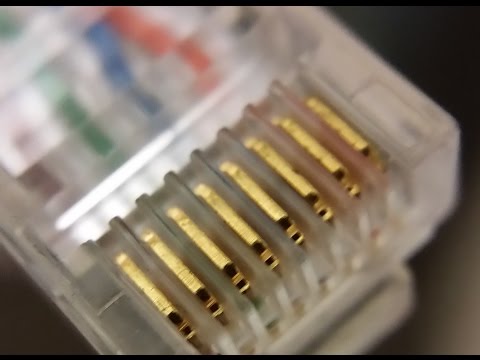
This shows, in great and close-up detail, how to crimp an RJ-45 (aka: 8P8C) connector on to a Catagory 5e or Catagory 6 cable.
Every detail is shown close-up.
The RJ-45 crimp-on end is used to create a plug-able termination point on an Ethernet cable - either Cat5e or Cat6. This is something that is frequently done by telecom field technicians when a short cable is needed.
This connection is formally known as an 8P8C or 8-pin, 8 conductor. However, in the industry it is commonly called an RJ-45 (which is technically, incorrect). And, even less formally called a "network Plug" by the lay-person.
Generally, Rj-45 (8P8C) crimp-on ends are not used to terminate permanent horizontal network infrastructure.
The wire color pattern for the a straight-thru (normal) Ethernet cable terminated in a RJ-45 plug would be:
(as seen from top with gold pins facing up and away from you)
1.White/Orange
2. Orange
3. White/Green
4. Blue
5. White Blue
6. Green
7. White Brown
8. Brown White
Interested in the Crimp tool and Linemans' scissors shown in this video? See them listed here on my website
networkadvisor.net/tools/telecom-tools/
Every detail is shown close-up.
The RJ-45 crimp-on end is used to create a plug-able termination point on an Ethernet cable - either Cat5e or Cat6. This is something that is frequently done by telecom field technicians when a short cable is needed.
This connection is formally known as an 8P8C or 8-pin, 8 conductor. However, in the industry it is commonly called an RJ-45 (which is technically, incorrect). And, even less formally called a "network Plug" by the lay-person.
Generally, Rj-45 (8P8C) crimp-on ends are not used to terminate permanent horizontal network infrastructure.
The wire color pattern for the a straight-thru (normal) Ethernet cable terminated in a RJ-45 plug would be:
(as seen from top with gold pins facing up and away from you)
1.White/Orange
2. Orange
3. White/Green
4. Blue
5. White Blue
6. Green
7. White Brown
8. Brown White
Interested in the Crimp tool and Linemans' scissors shown in this video? See them listed here on my website
networkadvisor.net/tools/telecom-tools/
About this tutorial
DIY Telecom published this 9:09 video tutorial on November 11, 2016. It has been watched 1,043,737 times on YouTube.
- Channel
- DIY Telecom
- Category
- Howto & Style
- Duration
- 9:09
- Published
- November 11, 2016
- Views
- 1,043,737
- Likes
- 2,999
Tags
Share
This tutorial in other languages
- FRComment sertir RJ45 Cat5e ou Cat6
- ESCómo Crimp RJ45 a Cat5e o Cat6
- PTComo Crimp RJ45 para Cat5e ou Cat6
- ITCome crimpare RJ45 per Cat5e o Cat6
- DEWie man Crimp RJ45 Cat5e oder Cat6-Kabel
- NLHoe te Crimp RJ45 naar Cat5e of Cat6 kabel
- RUКак опрессовки RJ45 для Cat5e или Cat6 кабель
- PLJak Zaciskarka RJ45 Cat5e lub kabel Cat6
- JACat5eのか、Cat6のケーブルにRJ45圧着する方法
- ARكيفية تجعيد RJ45 إلى CAT5E أو كابل CAT6
- HICat5e या Cat6 केबल के लिए आरजे 45 समेटना कैसे
- IDCara Crimp RJ45 untuk Cat5e atau kabel Cat6