Playback starts YouTube’s embedded player (privacy-enhanced mode).
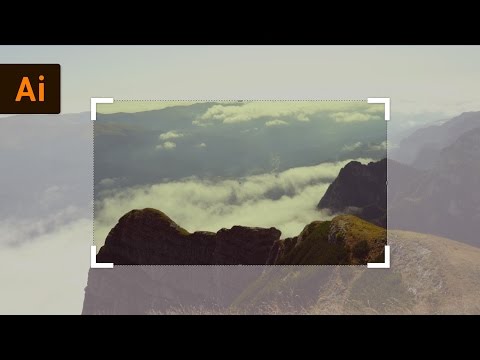
How to Crop a Photo | Illustrator Tutorial
ChannelPixel & BracketDescription from the creator
In this tutorial we learn how to crop a photo with the latest Illustrator CC 2017 feature, Image Crop. I'll also talk about the pros and cons of this new method vs. using clipping masks.
If you have an earlier version, use this tutorial: youtu.be/Ae19tKVdmO8
TUTORIAL CHANNELS //
• Main Channel - bit.ly/PixelAndBracketYT
• Illustrator - bit.ly/PBIllustrator
• Photoshop - bit.ly/PBPhotoshop
• InDesign - bit.ly/PBInDesign
• Premiere Pro - bit.ly/PBPremierePro
• After Effects - bit.ly/PBAfterEffects
TAKE MY CLASSES //
• Illustrator for Beginners: bit.ly/Illustrator5Essentials
• Photoshop for Beginners: bit.ly/Photoshop5Essentials
Download project files and other resources from the Pixel & Bracket Vault on my website: pixelandbracket.com/vault
Get Skillshare Premium for free and learn from myself and thousands of other creators: bit.ly/PBSkillshare
My favorite place to get music for my YouTube videos: bit.ly/PBEpidemicSound
I love using StreamYard for my livestreams, video recording, and podcasts with guests. You can try it for free and get $10 off when you sign up with my link: bit.ly/PBStreamyard
My two favorite YouTube browser plugins and keyword research tools are VidIQ (bit.ly/PBVidIQ) and TubeBuddy (bit.ly/PBTubeBuddy). I use each and HIGHLY recommend them if you want to grow a successful YouTube channel! (btw just pick one, having both is probably overkill... 😅)
MY YOUTUBE GEAR //
• Work Camera - geni.us/Dg20
• Work Camera Lens - geni.us/A06gBf
• Personal Camera - geni.us/lAgB
• Personal Camera Lens - geni.us/JkCngL
• Webcam - geni.us/6BVc
• My Favorite Tripod - geni.us/hwfntp
• Camera Mic - geni.us/mobx
• Desk Mic Bundle - geni.us/5mv8s4o
• Mic Arm - geni.us/TB8zg
• SD Card - geni.us/nURBUAp
• Card Reader - geni.us/CtuA
• Desk Lights - geni.us/KV3yb
• Studio Lights - geni.us/rFZK5
• RGB Lightstrip - geni.us/WLdfn
• RGB Bar Light - geni.us/U1hNTJm
Some of the links above may help support this channel through a small affiliate commission at no extra cost to you!
COME SAY HI //
• twitter.com/pixelandbracket
• instagram.com/pixelandbracket
• facebook.com/pixelandbracket
• pixelandbracket.com
If you have an earlier version, use this tutorial: youtu.be/Ae19tKVdmO8
TUTORIAL CHANNELS //
• Main Channel - bit.ly/PixelAndBracketYT
• Illustrator - bit.ly/PBIllustrator
• Photoshop - bit.ly/PBPhotoshop
• InDesign - bit.ly/PBInDesign
• Premiere Pro - bit.ly/PBPremierePro
• After Effects - bit.ly/PBAfterEffects
TAKE MY CLASSES //
• Illustrator for Beginners: bit.ly/Illustrator5Essentials
• Photoshop for Beginners: bit.ly/Photoshop5Essentials
Download project files and other resources from the Pixel & Bracket Vault on my website: pixelandbracket.com/vault
Get Skillshare Premium for free and learn from myself and thousands of other creators: bit.ly/PBSkillshare
My favorite place to get music for my YouTube videos: bit.ly/PBEpidemicSound
I love using StreamYard for my livestreams, video recording, and podcasts with guests. You can try it for free and get $10 off when you sign up with my link: bit.ly/PBStreamyard
My two favorite YouTube browser plugins and keyword research tools are VidIQ (bit.ly/PBVidIQ) and TubeBuddy (bit.ly/PBTubeBuddy). I use each and HIGHLY recommend them if you want to grow a successful YouTube channel! (btw just pick one, having both is probably overkill... 😅)
MY YOUTUBE GEAR //
• Work Camera - geni.us/Dg20
• Work Camera Lens - geni.us/A06gBf
• Personal Camera - geni.us/lAgB
• Personal Camera Lens - geni.us/JkCngL
• Webcam - geni.us/6BVc
• My Favorite Tripod - geni.us/hwfntp
• Camera Mic - geni.us/mobx
• Desk Mic Bundle - geni.us/5mv8s4o
• Mic Arm - geni.us/TB8zg
• SD Card - geni.us/nURBUAp
• Card Reader - geni.us/CtuA
• Desk Lights - geni.us/KV3yb
• Studio Lights - geni.us/rFZK5
• RGB Lightstrip - geni.us/WLdfn
• RGB Bar Light - geni.us/U1hNTJm
Some of the links above may help support this channel through a small affiliate commission at no extra cost to you!
COME SAY HI //
• twitter.com/pixelandbracket
• instagram.com/pixelandbracket
• facebook.com/pixelandbracket
• pixelandbracket.com
About this tutorial
Pixel & Bracket published this 2:26 video tutorial on November 11, 2017. It has been watched 43,272 times on YouTube.
- Channel
- Pixel & Bracket
- Category
- Howto & Style
- Duration
- 2:26
- Published
- November 11, 2017
- Views
- 43,272
- Likes
- 144
Tags
Share
This tutorial in other languages
- FRComment recadrer une photo | Illustrator Tutorial
- ESCómo recortar una foto | Illustrator Tutorial
- PTComo cortar uma foto | Illustrator Tutorial
- ITCome ritagliare una foto | Tutorial Illustrator
- DEWie man ein Foto zuzuschneiden | Illustrator Tutorial
- NLHoe kan bijsnijden Foto | Illustrator Tutorial
- RUКак обрезать фотографию | Illustrator учебник
- PLJak przyciąć zdjęcie | ilustrator samouczek
- JA写真をトリミングする方法| Illustratorのチュートリアル
- ARكيفية اقتصاص صورة | المصور التعليمي
- HIएक फ़ोटो काटने के लिए कैसे | इलस्ट्रेटर ट्यूटोरियल
- IDCara Memotong Foto | Illustrator Tutorial