Playback starts YouTube’s embedded player (privacy-enhanced mode).
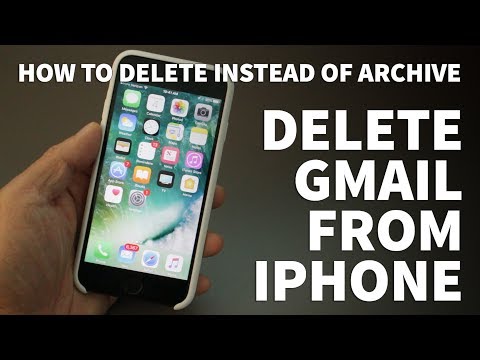
How to Delete Gmail from iPhone – Delete Gmail Instead of Archive on iPhone
ChannelTheRenderQDescription from the creator
It’s annoying that Gmail on the iPhone actually sends emails you want to delete to the Archive. But in this video, I’ll show you how to actually delete unwanted Gmails.
After I make the adjustments on my phone, when I slide the email message to the left, it now says Delete instead of Archive! I hope you found this video helpful and if you did please give me a thumbs up and don’t forget to subscribe to my channel TheRenderQ for more how-to videos and product reviews.
****Equipment I Use For My Videos****
Canon EOS M6: go.magik.ly/ml/his4/
Canon EF-M 22mm f/2 Lens: go.magik.ly/ml/his5/
Tokina 11-16mm Wide Angle Lens: go.magik.ly/ml/hhn5/
Fotodiox EF to EOS M Lens Adapter: go.magik.ly/ml/his9/
Comica CVM-WM300A Wireless Microphones: go.magik.ly/ml/hisf/
Aputure Amaran AL528W LED Light: go.magik.ly/ml/hisj/
Kamerar SD-1 Camera Slider: go.magik.ly/ml/hisp/
Manfrotto Aluminum Tripod: go.magik.ly/ml/hisw/
AVermedia Game Capture Module: go.magik.ly/ml/hitj/
****For business inquires only feel free to contact me here****
Email: [email protected]
Twitter: @harlanyee
After I make the adjustments on my phone, when I slide the email message to the left, it now says Delete instead of Archive! I hope you found this video helpful and if you did please give me a thumbs up and don’t forget to subscribe to my channel TheRenderQ for more how-to videos and product reviews.
****Equipment I Use For My Videos****
Canon EOS M6: go.magik.ly/ml/his4/
Canon EF-M 22mm f/2 Lens: go.magik.ly/ml/his5/
Tokina 11-16mm Wide Angle Lens: go.magik.ly/ml/hhn5/
Fotodiox EF to EOS M Lens Adapter: go.magik.ly/ml/his9/
Comica CVM-WM300A Wireless Microphones: go.magik.ly/ml/hisf/
Aputure Amaran AL528W LED Light: go.magik.ly/ml/hisj/
Kamerar SD-1 Camera Slider: go.magik.ly/ml/hisp/
Manfrotto Aluminum Tripod: go.magik.ly/ml/hisw/
AVermedia Game Capture Module: go.magik.ly/ml/hitj/
****For business inquires only feel free to contact me here****
Email: [email protected]
Twitter: @harlanyee
About this tutorial
TheRenderQ published this 1:30 video tutorial on November 2, 2017. It has been watched 48,627 times on YouTube.
- Channel
- TheRenderQ
- Category
- Howto & Style
- Duration
- 1:30
- Published
- November 2, 2017
- Views
- 48,627
- Likes
- 438
Tags
Share
This tutorial in other languages
- FRComment faire pour supprimer tout le courrier dans la boîte de réception de mon iPhone: Tech Yeah!
- ESCómo eliminar todo el correo en la bandeja de entrada de mi iPhone: Tech Sí!
- PTComo apagar todos os correio na Caixa de Entrada Meu iPhone de: Tech Yeah!
- ITCome eliminare tutta la posta in arrivo il mio iPhone di: Tech Yeah!
- DETech Ja: Wie alle E-Mail in meinem iPhone Posteingang löschen!
- NLHoe kan ik alle van de Mail Verwijder Mijn iPhone Postvak IN: Tech Yeah!
- RUКак удалить все почту в папке Входящие My iPhone в: Tech Yeah!
- PLJak usunąć wszystkie skrzynki odbiorczej poczty w moim iPhone za: TECH Yeah!
- JAどのように私のiPhoneの受信トレイにメールをすべて削除するには、次のTechうん!
- ARكيفية حذف جميع البريد الوارد في بلدي فون: تك نعم!
- HIकैसे मेरे iPhone के इनबॉक्स में मेल को हटाने के लिये: टेक हाँ!
- IDCara Hapus Gmail dari iPhone - Hapus Gmail Alih-alih Arsip pada iPhone