Playback starts YouTube’s embedded player (privacy-enhanced mode).
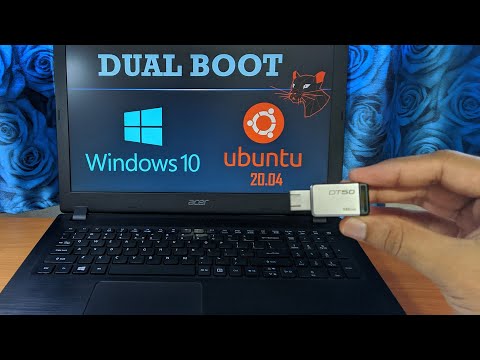
How to Dual Boot Ubuntu with Windows 10 With USB Bootable
ChannelOne SaturnDescription from the creator
Iam Using Ubuntu from last 8 year. So I want to share my knowledge with you.
if you installing for some major work don't go with minimum space. add some more extra storage.
Dual boot - you can run multiple os from single computer. you can choose at startup time.
I tried my best to explain how to install ubuntu with windows 10 or 11
Dual boot is best compared to Virtual Machine. VM consumes lot of ram and it runs slow. so this method is the best one.
I suggests if you are installing first time backup your important data before installing any OS.
Note : Some laptop face shutdown problem with linux (ubuntu)
If you have problem try this Open terminal
type sudo gedit /etc/default/grub/
In that text editor find
GRUB_CMDLINE_LINUX_DEFAULT=”quiet splash”
and replace with this
GRUB_CMDLINE_LINUX_DEFAULT=”quiet splash acpi=force”
then update the grub by
sudo update-grub
if you want to just try ubuntu Virtual Machine is the best way.
Things need for ubuntu dualboot 0:15
How to download ubuntu Image file 0:30
How to shrink patition/disk volume 1:55
Check partition style type scheme, GPT or MBR 2:52
how to check BIOS mode Legacy or UEFI 3:08
How to make bootable USB 3:35
How to enter Boot menu 4:45
Ubuntu installation configure 5:46
Installation type 6:23
Configure Partition 6:52
Update Ubuntu 10:19
if you installing for some major work don't go with minimum space. add some more extra storage.
Dual boot - you can run multiple os from single computer. you can choose at startup time.
I tried my best to explain how to install ubuntu with windows 10 or 11
Dual boot is best compared to Virtual Machine. VM consumes lot of ram and it runs slow. so this method is the best one.
I suggests if you are installing first time backup your important data before installing any OS.
Note : Some laptop face shutdown problem with linux (ubuntu)
If you have problem try this Open terminal
type sudo gedit /etc/default/grub/
In that text editor find
GRUB_CMDLINE_LINUX_DEFAULT=”quiet splash”
and replace with this
GRUB_CMDLINE_LINUX_DEFAULT=”quiet splash acpi=force”
then update the grub by
sudo update-grub
if you want to just try ubuntu Virtual Machine is the best way.
Things need for ubuntu dualboot 0:15
How to download ubuntu Image file 0:30
How to shrink patition/disk volume 1:55
Check partition style type scheme, GPT or MBR 2:52
how to check BIOS mode Legacy or UEFI 3:08
How to make bootable USB 3:35
How to enter Boot menu 4:45
Ubuntu installation configure 5:46
Installation type 6:23
Configure Partition 6:52
Update Ubuntu 10:19
About this tutorial
One Saturn published this 10:44 video tutorial on May 15, 2020. It has been watched 37,931 times on YouTube.
- Channel
- One Saturn
- Category
- Howto & Style
- Duration
- 10:44
- Published
- May 15, 2020
- Views
- 37,931
- Likes
- 427
Tags
Share
This tutorial in other languages
- FRComment Dual Boot Ubuntu avec Windows 10 avec USB bootable
- ESCómo arranque dual Ubuntu con Windows 10 Con USB de arranque
- PTComo Dual Boot Ubuntu com o Windows 10 com USB inicializável
- ITCome eseguire l'avvio di Ubuntu con Windows 10 con USB avviabile
- DEWie zu Dual-Boot Ubuntu unter Windows 10 mit USB-Bootable
- NLHoe kan Dual Boot Ubuntu met Windows 10 met USB Bootable
- RUКак двойная загрузка Ubuntu с Windows 10 С помощью USB Загрузочного
- PLJak Dual Boot Ubuntu z Windows 10 z USB Bootable
- JAどのようにデュアルブートのUbuntuのUSBブート可能でWindows 10で
- ARكيفية المزدوج الحذاء أوبونتو مع ويندوز 10 مع تمهيد USB
- HIकैसे दोहरी बूट Ubuntu करने के लिए Windows 10 यूएसबी बूटेबल के साथ साथ
- IDCara Dual Boot Ubuntu dengan Windows 10 Dengan USB Bootable