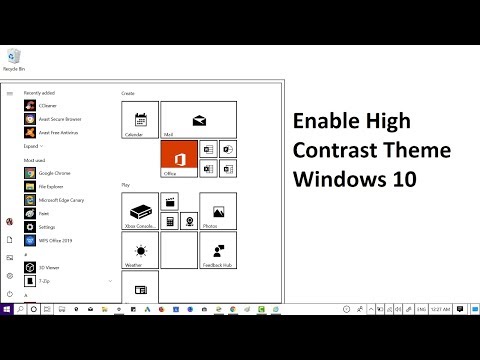
Playback starts YouTube’s embedded player (privacy-enhanced mode).
How to Enable High Contrast Mode in Windows 10 - 2020
ChannelViney DhimanDescription from the creator
#Windows10 #HighContrastMode
In this video, you will learn how to enable high contrast mode in Windows 10 May 2019 version 1903 or above.
Go to Settings, then Ease of Access, then High Contrast, then Turn On High Contrast Theme on the right side.
Follow me on Telegram - t.me/geekermag
Follow me on Twitter: twitter.com/vineydhiman
Follow me on Facebook: facebook.com/cursedbaim
In this video, you will learn how to enable high contrast mode in Windows 10 May 2019 version 1903 or above.
Go to Settings, then Ease of Access, then High Contrast, then Turn On High Contrast Theme on the right side.
Follow me on Telegram - t.me/geekermag
Follow me on Twitter: twitter.com/vineydhiman
Follow me on Facebook: facebook.com/cursedbaim
About this tutorial
Viney Dhiman published this 1:50 video tutorial on October 31, 2019. It has been watched 976 times on YouTube.
- Channel
- Viney Dhiman
- Category
- Howto & Style
- Duration
- 1:50
- Published
- October 31, 2019
- Views
- 976
- Likes
- 10
Tags
Share
This tutorial in other languages
- FRComment faire pour activer le mode de contraste élevé dans Windows 10-2020
- ESCómo habilitar el modo de alta contraste en Windows 10 - 2020
- PTComo ativar o modo de alto contraste no Windows 10-2020
- ITCome attivare la modalità a contrasto elevato in Windows 10-2020
- DESo aktivieren High Contrast-Modus in Windows 10-2020
- NLHoe kan inschakelen High Contrast modus in Windows 10-2020
- RUКак включить режим высокой контрастности в Windows 10 - 2020
- PLJak włączyć tryb High Contrast w systemie Windows 10 - 2020
- JAWindowsの10でハイコントラストモードを有効にする方法 - 2020
- ARكيفية تمكين وضع التباين العالي في ويندوز 10-2020
- HIकैसे Windows 10 में उच्च कंट्रास्ट मोड सक्षम करने के लिए - 2020
- IDCara Aktifkan Kontras Tinggi Mode di Windows 10-2020