Playback starts YouTube’s embedded player (privacy-enhanced mode).
How to Even Out Sound Levels In Your Audio/Video Project With Levelator
ChannelMel AclaroDescription from the creator
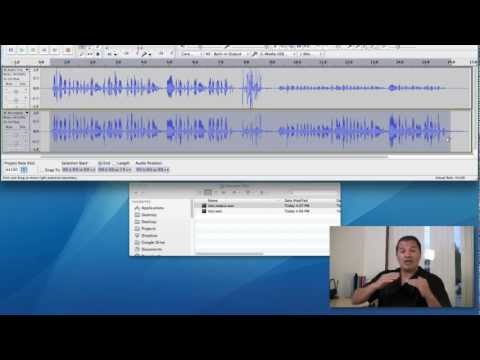
screencastingwizard.com/2012/11/28/levelator/ This video is a demonstration of the free software tool called Levelator.
Sometimes, when you're putting together an e-Learning project or even a simple audio/video blog post, you end up with funky sounding audio levels. Some parts of your clip seem louder, while others sound softer.
One way to fix this problem is to tweak your audio clips with an audio editor by using the Amplify effect to nudge affected sections up (or down) in an attempt to "level out" the entire clip. The thing is, that could be a lot of tweaking depending on the length of your project or the number of variations. That's where a free software tool called Levelator can help do the heavy lifting for you.
OTHER HELPFUL REFERENCES
- Levelator: conversationsnetwork.org/levelator
- Audacity: http://audacity.sourceforge.net/
- How to record video screen recordings from two monitors: melaclaro.com/2012/11/12/how-to-record-and-sync…
- A comparison of the best screencasting software (series): melaclaro.com/category/best-screencast-software…
Sometimes, when you're putting together an e-Learning project or even a simple audio/video blog post, you end up with funky sounding audio levels. Some parts of your clip seem louder, while others sound softer.
One way to fix this problem is to tweak your audio clips with an audio editor by using the Amplify effect to nudge affected sections up (or down) in an attempt to "level out" the entire clip. The thing is, that could be a lot of tweaking depending on the length of your project or the number of variations. That's where a free software tool called Levelator can help do the heavy lifting for you.
OTHER HELPFUL REFERENCES
- Levelator: conversationsnetwork.org/levelator
- Audacity: http://audacity.sourceforge.net/
- How to record video screen recordings from two monitors: melaclaro.com/2012/11/12/how-to-record-and-sync…
- A comparison of the best screencasting software (series): melaclaro.com/category/best-screencast-software…
About this tutorial
Mel Aclaro published this 5:40 video tutorial on November 14, 2013. It has been watched 63,247 times on YouTube.
- Channel
- Mel Aclaro
- Category
- Howto & Style
- Duration
- 5:40
- Published
- November 14, 2013
- Views
- 63,247
- Likes
- 764
Tags
Share
This tutorial in other languages
- FRComment Egalisation du son dans votre Audio / Vidéo du projet avec Levelator
- ESCómo incluso los niveles de salida de sonido en su Audio / Video Project Con Levelator
- PTComo até mesmo os níveis Fora de som em seu áudio / Video Project Com Levelator
- ITCome livelli ancora fuori il suono In Your Audio / Video Project Con Levelator
- DEWie man Out Schallpegeln in Ihren Audio / Video-Projekt mit Levelator geraden Summen
- NLHoe te Out Sound Levels zelfs in je Audio / Video Project Met Levelator
- RUКак даже из уровня шума в аудио / видео проект с Levelator
- PLJak nawet wyrównuje dźwięku w Audio / Video projekt z Levelator
- JAどのようにあなたのオーディオ/ビデオプロジェクトにLevelatorでにでもアウトサウンドレベル
- ARكيفية حتى مستويات خارج الصوت الخاصة بك في الصوت / الفيديو مع مشروع Levelator
- HIआउट ध्वनि स्तर भी कैसे आपका ऑडियो / वीडियो Levelator के साथ परियोजना में
- IDCara bahkan tingkat Out Suara Dalam Audio Anda / Project Video Dengan Levelator