Playback starts YouTube’s embedded player (privacy-enhanced mode).
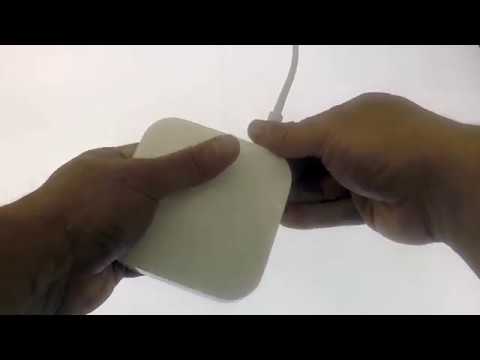
How to Factory Reset an Apple Airport Express
ChannelmydoodadsDescription from the creator
If you found this video useful please like and subscribe to our channel.
Description: Apple Airport products have three Reset options, Soft Reset, Hard Reset and Factory Reset. In this video we look at how you perform a Factory Default Reset on the Apple Airport Express.
---------------------------------
◽Blog Site: mydoodads.com
◽Youtube channel: mydoodads
◽My preferred online shop is Amazon
Products seen in this video:
Apple Airport Express - amzn.to/2D7qDPd
Products used to create this video:
Elgato HD60 - amzn.to/2CzZIY9
Go Pro Hero 5 - amzn.to/2ED10mL
64Gb microSDXC memory card - amzn.to/2sGdHMd
Asus Chromebook - amzn.to/2EHkEhE
Apple iMac - apple.co/2EJkk67
Blue Yeti Microphone - amzn.to/2ogX84H
Microphone Pop Filter - amzn.to/2CcfnRC
Neewer LED Studio Light Kit - amzn.to/2EHKXEa
RPGT Continuous Dual Lighting Kit - amzn.to/2onm7CS
Mini Sun LightPad - amzn.to/2EGu9By
The above Amazon affiliate links were included to make it more convenient for you to purchase items seen in the video. If you choose to click on a link and buy something, I may receive a small commission which will help to support the creation of content for the Mydoodads channel.
---------------------------------
Description: Apple Airport products have three Reset options, Soft Reset, Hard Reset and Factory Reset. In this video we look at how you perform a Factory Default Reset on the Apple Airport Express.
---------------------------------
◽Blog Site: mydoodads.com
◽Youtube channel: mydoodads
◽My preferred online shop is Amazon
Products seen in this video:
Apple Airport Express - amzn.to/2D7qDPd
Products used to create this video:
Elgato HD60 - amzn.to/2CzZIY9
Go Pro Hero 5 - amzn.to/2ED10mL
64Gb microSDXC memory card - amzn.to/2sGdHMd
Asus Chromebook - amzn.to/2EHkEhE
Apple iMac - apple.co/2EJkk67
Blue Yeti Microphone - amzn.to/2ogX84H
Microphone Pop Filter - amzn.to/2CcfnRC
Neewer LED Studio Light Kit - amzn.to/2EHKXEa
RPGT Continuous Dual Lighting Kit - amzn.to/2onm7CS
Mini Sun LightPad - amzn.to/2EGu9By
The above Amazon affiliate links were included to make it more convenient for you to purchase items seen in the video. If you choose to click on a link and buy something, I may receive a small commission which will help to support the creation of content for the Mydoodads channel.
---------------------------------
About this tutorial
mydoodads published this 3:13 video tutorial on October 27, 2018. It has been watched 135,843 times on YouTube.
- Channel
- mydoodads
- Category
- Howto & Style
- Duration
- 3:13
- Published
- October 27, 2018
- Views
- 135,843
- Likes
- 365
Tags
Share
This tutorial in other languages
- FRComment réinitialiser une usine Airport Express d'Apple
- ESCómo reiniciar una fábrica Airport Express de Apple
- PTComo Factory Reset um Apple Airport Express
- ITCome Factory Reset un Apple Airport Express
- DEWie man Factory Reset ein Apple Airport Express
- NLHoe kan Factory Reset een Apple Airport Express
- RUКак Factory Reset Яблочный Airport Express
- PLJak Fabryki Wyczyść Apple Airport Express
- JAどのように工場出荷時にAppleのAirMac Expressをリセット
- ARكيفية مصنع إعادة تعيين تفاحة المطار السريع
- HIकैसे फैक्टरी के लिए एक एप्पल एयरपोर्ट एक्सप्रेस रीसेट
- IDCara Factory Reset Apple Airport Express