Playback starts YouTube’s embedded player (privacy-enhanced mode).
How to fix a Liquid Damaged and Battery Acid Damaged TI-84 Plus Silver Edition
ChannelThe LifeDescription from the creator
Read for step-by-step instructions:
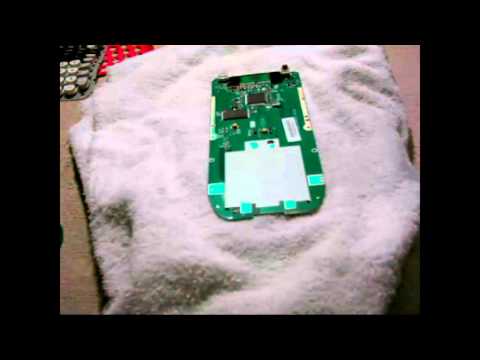
To repair a liquid damaged and battery acid damage TI-84 Plus Silver Edition you need 91% rubbing alcohol, a soft bristle tooth brush, a Philips head screw driver, a t6 torx, and a towel. Take apart the calculator and clean the residue from the liquid off of the motherboard of the calculator with the rubbing alcohol and let it evaporate. Clean all the non-electrical parts of the calculator with soap and water. Pop the battery contacts out of the calculator case with your fingernails or a flat head screw driver and clean them with the tooth brush and rubbing alcohol. If they are corroded use steal-wool to remove the corrosion and rub dielectric grease on the contacts to prevent future corrosion. Let the calculator parts you washed dry and let the rubbing alcohol evaporate and put the calculator back together.
To repair a liquid damaged and battery acid damage TI-84 Plus Silver Edition you need 91% rubbing alcohol, a soft bristle tooth brush, a Philips head screw driver, a t6 torx, and a towel. Take apart the calculator and clean the residue from the liquid off of the motherboard of the calculator with the rubbing alcohol and let it evaporate. Clean all the non-electrical parts of the calculator with soap and water. Pop the battery contacts out of the calculator case with your fingernails or a flat head screw driver and clean them with the tooth brush and rubbing alcohol. If they are corroded use steal-wool to remove the corrosion and rub dielectric grease on the contacts to prevent future corrosion. Let the calculator parts you washed dry and let the rubbing alcohol evaporate and put the calculator back together.
About this tutorial
The Life published this 16:55 video tutorial on November 14, 2016. It has been watched 12,400 times on YouTube.
- Channel
- The Life
- Category
- Howto & Style
- Duration
- 16:55
- Published
- November 14, 2016
- Views
- 12,400
- Likes
- 60
Tags
Share
This tutorial in other languages
- FRTutoriel TI 84 Plus Silver Edition C Ajout d'images à Grap
- ESTutorial TI 84 Plus Silver Edition C Agregar imágenes a Gan
- PTTutorial TI 84 Plus Silver Edition C Adicionando imagens para Grap
- ITTutorial TI 84 Plus Silver Edition C Aggiunta di immagini a Grap
- DETutorial von TI 84 Plus C Silver Edition Hinzufügen von Bildern zum Grap
- NLTutorial TI 84 Plus C Silver Edition Afbeeldingen toevoegen aan Grap
- RUРуководство TI 84 Plus C Серебряное издание Добавление изображений в GRAP
- PLTutorial TI 84 Plus Silver Edition C Dodawanie zdjęć do Grap
- JAチュートリアルTI 84プラスCシルバーEditionはGRAPへのイメージの追加します
- ARالبرنامج التعليمي TI 84 زائد C فضية الطبعة إضافة الصور إلى العنب
- HIट्यूटोरियल TI 84 प्लस सी रजत संस्करण ग्रैप में चित्र जोड़ना
- IDCara memperbaiki Liquid Rusak dan Acid Battery Rusak TI-84 Ditambah Perak Edition