Playback starts YouTube’s embedded player (privacy-enhanced mode).
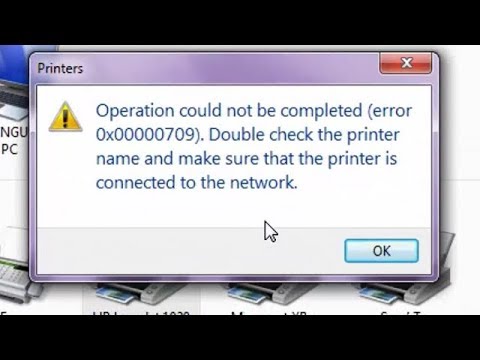
How to Fix cannot Set Default Printer With Error : 0x00000709
ChannelWhat's HowDescription from the creator
Hello Friends,
New updated video:- youtu.be/qntZo5bumlY
Please subscribe this channels :- rb.gy/tnf8j0
I will show you how to Fix Cannot set default printer error: 0x00000709
Subscribe:-
1. Press Win+R key to open RUN Type regedit.
2. go to HKEY_CURRENT_USER
3. Select Software
4. Select Microsoft
5. Select Windows NT
6. Select Current version
7. Select Windows & Right Click It
8. Go to Permission add everyone full control, Apply ok Exit.
Now try to set your printer default Hope it fixed now.
Thanks for Watching.
Subscribe : youtube.com/c/whatshow
Google Plus : plus.google.com/u/0/115689513187714302656
Follow : twitter.com/WhatsHow_
All videos : youtube.com/channel/UCkdA0sdFZIMbqslxdH52fAg/vi…
New updated video:- youtu.be/qntZo5bumlY
Please subscribe this channels :- rb.gy/tnf8j0
I will show you how to Fix Cannot set default printer error: 0x00000709
Subscribe:-
1. Press Win+R key to open RUN Type regedit.
2. go to HKEY_CURRENT_USER
3. Select Software
4. Select Microsoft
5. Select Windows NT
6. Select Current version
7. Select Windows & Right Click It
8. Go to Permission add everyone full control, Apply ok Exit.
Now try to set your printer default Hope it fixed now.
Thanks for Watching.
Subscribe : youtube.com/c/whatshow
Google Plus : plus.google.com/u/0/115689513187714302656
Follow : twitter.com/WhatsHow_
All videos : youtube.com/channel/UCkdA0sdFZIMbqslxdH52fAg/vi…
About this tutorial
What's How published this 5:12 video tutorial on November 9, 2018. It has been watched 946,466 times on YouTube.
- Channel
- What's How
- Category
- Howto & Style
- Duration
- 5:12
- Published
- November 9, 2018
- Views
- 946,466
- Likes
- 2,457
Tags
Share
This tutorial in other languages
- FRComment réparer ne peut pas définir l'imprimante par défaut avec l'erreur: 0x00000709
- ESCómo arreglar No se puede establecer impresora predeterminada con error: 0x00000709
- PTComo Fix Não é possível definir impressora padrão com erro: 0x00000709
- ITCome Fix Non è possibile impostare stampante predefinita con l'errore: 0x00000709
- DEWie man Fix kann nicht Standarddrucker mit Fehlern Set: 0x00000709
- NLHoe kan ik Fix kan niet Standaardprinter Met Fout: 0x00000709
- RUКак исправить не указан принтер по умолчанию с ошибкой 0x00000709
- PLJak naprawić nie można ustawić domyślną drukarkę z powodu błędu: 0x00000709
- JAどのように修正するにはエラーでデフォルトプリンタを設定することはできません:0x00000709
- ARكيفية فيكس لا يمكن تعيين الطابعة الافتراضية مع الخطأ: 0x00000709
- HIकैसे फिक्स करने के लिए त्रुटि के साथ डिफ़ॉल्ट प्रिंटर सेट नहीं कर सकते हैं: 0x00000709
- IDCara Fix tidak bisa Set Default Printer Dengan Kesalahan: 0x00000709