Playback starts YouTube’s embedded player (privacy-enhanced mode).
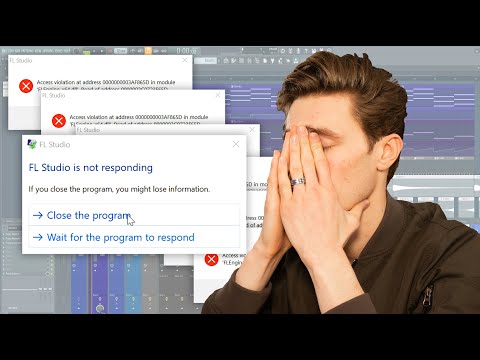
How To Fix FL Studio Crashes
ChannelIn The MixChapters
Description from the creator
FL Studio is a truly amazing software which in my experience is mostly stable and professional. Unfortunately for some this just isn't the case, with daily crashes and errors. These crashes are frustrating but often very simple to fix if you follow some best practices and look through the knowledge base on the loop talk forum.
Fix and prevent FL Studio Crashes by following these tips:
0:00 - Intro
1:45 - Let projects load without clicking anything
2:15 - Watch the CPU Meter!
2:45 - Set a Project Folder for each new track or song
3:55 - Save zipped backups every day
4:30 - Clear your drives
5:40 - Disable mastering effects
6:15 - Prioritise your Channel rack
6:45 - More audio and fewer plugins
9:08 - Use stock plugins and troubleshoot 3rd party plugins
10:40 - Fixing buggy plugins
11:25 - Sound card settings
12:50 - Stop playback before loading anything
13:18 - Join LoopTalk forum (official FL Studio Forum): forum.image-line.com
▶Get My Sound Bank Here (On sale for one more week only!): bit.ly/inthemixstore
▶Join My Discord Server: discord.gg/sBbsE6e
▶My Equipment
Headphones: Beyerdynamic DT 1990 Pro (I exclusively use Beyerdynamic and recommend the whole DT Pro Range - Made in Germany)
Fix and prevent FL Studio Crashes by following these tips:
0:00 - Intro
1:45 - Let projects load without clicking anything
2:15 - Watch the CPU Meter!
2:45 - Set a Project Folder for each new track or song
3:55 - Save zipped backups every day
4:30 - Clear your drives
5:40 - Disable mastering effects
6:15 - Prioritise your Channel rack
6:45 - More audio and fewer plugins
9:08 - Use stock plugins and troubleshoot 3rd party plugins
10:40 - Fixing buggy plugins
11:25 - Sound card settings
12:50 - Stop playback before loading anything
13:18 - Join LoopTalk forum (official FL Studio Forum): forum.image-line.com
▶Get My Sound Bank Here (On sale for one more week only!): bit.ly/inthemixstore
▶Join My Discord Server: discord.gg/sBbsE6e
▶My Equipment
Headphones: Beyerdynamic DT 1990 Pro (I exclusively use Beyerdynamic and recommend the whole DT Pro Range - Made in Germany)
About this tutorial
In The Mix published this 14:27 video tutorial on December 9, 2019. It has been watched 252,002 times on YouTube.
- Channel
- In The Mix
- Category
- Howto & Style
- Duration
- 14:27
- Published
- December 9, 2019
- Views
- 252,002
- Likes
- 6,878
Tags
Share
This tutorial in other languages
- FRComment réparer Crashes FL Studio
- ESCómo corregir FL Studio se bloquea
- PTComo corrigir FL Studio Crashes
- ITCome risolvere FL Studio si blocca
- DEHow To Fix FL Studio stürzt ab
- NLHow To Fix FL Studio Crashes
- RUКак исправить FL Studio Сбои
- PLJak ustalić FL Studio awarie
- JAFL Studioのクラッシュを修正する方法
- ARكيفية إصلاح FL ستوديو تحطم
- HIठीक करने के लिए कैसे FL स्टूडियो क्रैश
- IDBagaimana Untuk Perbaiki FL Studio Crashes