Playback starts YouTube’s embedded player (privacy-enhanced mode).
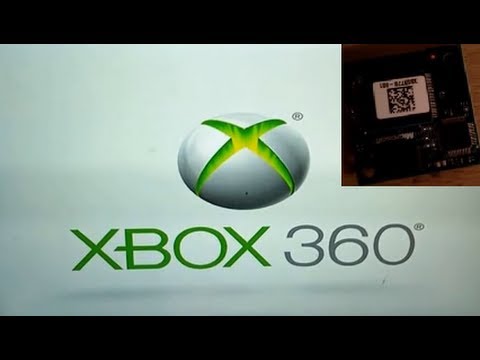
How to fix Xbox 360 4gb slim loading screen freeze
ChannelD TDescription from the creator
Best watched on PC due to annotations.
This seems to be a fairly common problem with the 4gb version of this console.
Just follow the video, if you have the same problem, this is more than likely the fix.
You will need either a new 4gb chip (to replace the faulty one to be removed) or a HDD to be able to apply updates and downloads (including game profiles), as these are stored on this memory chip and will all be lost once the chip is removed.
Unfortunately, unless you have backed up your games saves via cloud or a HDD, these will be lost. Accounts and previous downloads are all recoverable.
Please DO NOT do this if you are not comfortable doing so, or have a valid warranty as this will invalidate it. Microsoft will look down upon this and may refuse to repair your console once the warranty stickers have been removed, even if you are paying...
This is not a guaranteed fix, although if you are getting this error, it is more than likely going to be the cause and solution.
There are many other videos regarding the dismantling of the console if you are not familiar with this.
Please rate like subscribe and check out my channel, let me know what you'd like to see on it.
Game Site: Run-E-Scape.com
This seems to be a fairly common problem with the 4gb version of this console.
Just follow the video, if you have the same problem, this is more than likely the fix.
You will need either a new 4gb chip (to replace the faulty one to be removed) or a HDD to be able to apply updates and downloads (including game profiles), as these are stored on this memory chip and will all be lost once the chip is removed.
Unfortunately, unless you have backed up your games saves via cloud or a HDD, these will be lost. Accounts and previous downloads are all recoverable.
Please DO NOT do this if you are not comfortable doing so, or have a valid warranty as this will invalidate it. Microsoft will look down upon this and may refuse to repair your console once the warranty stickers have been removed, even if you are paying...
This is not a guaranteed fix, although if you are getting this error, it is more than likely going to be the cause and solution.
There are many other videos regarding the dismantling of the console if you are not familiar with this.
Please rate like subscribe and check out my channel, let me know what you'd like to see on it.
Game Site: Run-E-Scape.com
About this tutorial
D T published this 4:46 video tutorial on November 3, 2014. It has been watched 80,813 times on YouTube.
- Channel
- D T
- Category
- Howto & Style
- Duration
- 4:46
- Published
- November 3, 2014
- Views
- 80,813
- Likes
- 282
Tags
Share
This tutorial in other languages
- FRComment fixer Xbox 360 Slim 4gb gel de l'écran de chargement
- ESCómo corregir Xbox 360 4gb delgada congelación pantalla de carga
- PTComo corrigir Xbox 360 4GB congelamento tela de carregamento magro
- ITCome risolvere Xbox 360 4GB dimagriscono congelamento schermata di caricamento
- DEWie zu beheben Xbox 360 4 GB schlanke Ladebildschirm freeze
- NLHoe maak je Xbox 360 te repareren 4gb slanke laadscherm bevriezen
- RUКак исправить Xbox 360 4gb тонкий экран загрузки замораживанию
- PLJak naprawić Xbox 360 4GB smukłej zamrożenia ekranu ładowania
- JAスリムなロード画面がフリーズ4GBのXbox 360を修復する方法
- ARكيفية إصلاح أجهزة إكس بوكس 360 4GB ضئيلة تجميد الشاشة تحميل
- HI360 ठीक करने के लिए कैसे स्लिम लोड हो रहा है स्क्रीन फ्रीज 4GB
- IDCara untuk memperbaiki Xbox 360 4gb slim layar loading freeze