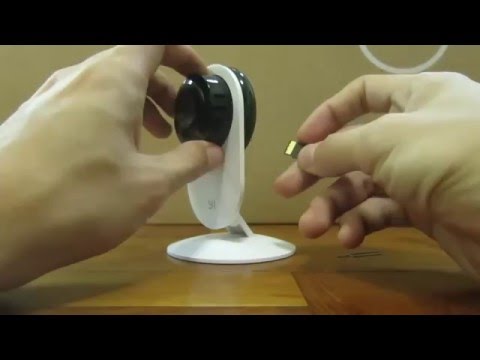
Playback starts YouTube’s embedded player (privacy-enhanced mode).
How to fix Xiaoyi "This Camera can only be used within China" English instructions
ChannelMomoDescription from the creator
Steps to fix it.
1. Turn on the camera and hold down the reset button for 6-8 seconds
2. Turn off the camera
3. Insert the memory card
4. Turn on the camera and wait for about 5 minutes
(will flash orange, then turn orange, then speak Chinese and then will flash orange)
5. Connect the camera via the camera app
Memory card
1. format the sd in FAT32
2. extract and copy the firmware file (a file called 'home') to the memory card root folder
Firmware used in this example 1.8.5.1K_201508311131 (Download at xiaoyi.querex.be/1.8.5.1K_201508311131.rar)
If your camera is unable to be flashed to 1.8.5.1K, you might need to flash to an older version and flash it back up to the last available working version. (so you will need to flash it twice)
Download and flash the two firmwares in the following order.
Updated: 28 April 2017
1.8.5.1B (mediafire.com/file/bhi9699q1zg1zr5/1.8.5.1B_201…)
1.8.6.1B (sites.google.com/a/mobileai.tw/download/file/1.…?)
When pairing with your WiFi, please do not connect to a 5GHz WiFi Band as older versions of the camera does not support it. You will get a password error message when you try to connect to 5GHz Band
1. Turn on the camera and hold down the reset button for 6-8 seconds
2. Turn off the camera
3. Insert the memory card
4. Turn on the camera and wait for about 5 minutes
(will flash orange, then turn orange, then speak Chinese and then will flash orange)
5. Connect the camera via the camera app
Memory card
1. format the sd in FAT32
2. extract and copy the firmware file (a file called 'home') to the memory card root folder
Firmware used in this example 1.8.5.1K_201508311131 (Download at xiaoyi.querex.be/1.8.5.1K_201508311131.rar)
If your camera is unable to be flashed to 1.8.5.1K, you might need to flash to an older version and flash it back up to the last available working version. (so you will need to flash it twice)
Download and flash the two firmwares in the following order.
Updated: 28 April 2017
1.8.5.1B (mediafire.com/file/bhi9699q1zg1zr5/1.8.5.1B_201…)
1.8.6.1B (sites.google.com/a/mobileai.tw/download/file/1.…?)
When pairing with your WiFi, please do not connect to a 5GHz WiFi Band as older versions of the camera does not support it. You will get a password error message when you try to connect to 5GHz Band
About this tutorial
Momo published this 4:49 video tutorial on November 9, 2016. It has been watched 226,443 times on YouTube.
- Channel
- Momo
- Category
- Howto & Style
- Duration
- 4:49
- Published
- November 9, 2016
- Views
- 226,443
- Likes
- 677
Tags
Share
This tutorial in other languages
- FRComment fixer Xiaoyi « Cette caméra ne peut être utilisé en Chine » instructions en anglais
- ESCómo solucionar Xiaoyi "Esta cámara se puede utilizar solamente dentro de China" instrucciones en inglés
- PTComo corrigir Xiaoyi "Esta câmara só pode ser usado dentro da China" instruções em inglês
- ITCome risolvere Xiaoyi "Questa fotocamera può essere utilizzata solo all'interno della Cina" istruzioni in inglese
- DEWie Xiaoyi zu beheben englischen Anweisungen „Diese Kamera kann nur innerhalb von China verwendet werden“
- NLHoe te Xiaoyi fix "Deze camera kan alleen worden gebruikt binnen China" Engels instructies
- RUКак исправить Xiaoyi «Эта камера может быть использована только в Китае» английские инструкции
- PLJak naprawić Xiaoyi „Ten aparat może być używany tylko w Chinach” instrukcji angielskim
- JAXiaoyiを修正するためにどのように英語の説明書「このカメラは、唯一の中国内で使用することができます」
- ARكيفية إصلاح شياو يى "هذه الكاميرا يمكن أن تستخدم إلا في الصين" تعليمات الإنجليزية
- HIXiaoyi ठीक करने के लिए कैसे अंग्रेजी निर्देश "यह कैमरा ही चीन के भीतर इस्तेमाल किया जा सकता"
- IDCara untuk memperbaiki Xiaoyi "Kamera ini hanya dapat digunakan di China" petunjuk Inggris