Playback starts YouTube’s embedded player (privacy-enhanced mode).
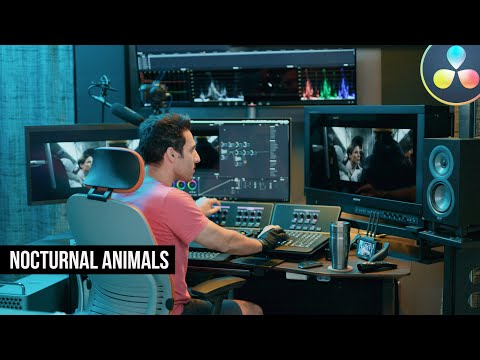
How to get the NOCTURNAL ANIMALS look | DaVinci Resolve 16 Tutorial
ChannelWaqas QaziChapters
Description from the creator
FREE Color Grading Training: bit.ly/2wdU3Kb
0:00 Look Breakdown
0:38 BRAND NEW Training
1:11 Tut | Beginning
1:29 Tut | Analyzing the reference still
3:19 Tut | Node Tree build-out
25:54 Tut | Look Recap
26:45 Final Look
26:53 Conclusion
Must follow me on Instagram for 🔥content everyday instagram.com/theqazman/
Merch:
Don't Be A LUT B*tch (Shirt) bit.ly/2wayjOF
Get Obsessed. Get Possessed. (Shirt) bit.ly/2wiExfL
In this video, I will show you how to get The Revenant look. I will be sharing industry secrets to achieving this look.
My name is QAZI, I am a professional commercial colorist in LA. I run a virtual post-studio called THE POST VILLAGE. Check out our recent WORK thepostvillage.com
DaVinci Resolve 16 is available as a free download from the Blackmagic Design website goo.gl/DrOS9V
The standard version of DaVinci is available as a free download and the paid 'Studio' version is only $299. Feel free to leave a comment below if you have any questions or suggestions for the kind of content you would like to see on this channel. And be sure to like and subscribe to see more tutorials like this one!
Equipment used:
Canon C500 mkii
Canon C200
Canon 24mm 1.4 ii
Sigma 50mm 1.4
Rode NTG3
Nanlite Pavotubes
Resolve Advanced Panel
Sony BVM-HX310
Apple XDR Display
Eizo CG279x
Waqas Qazi
Instagram: instagram.com/theqazman/
0:00 Look Breakdown
0:38 BRAND NEW Training
1:11 Tut | Beginning
1:29 Tut | Analyzing the reference still
3:19 Tut | Node Tree build-out
25:54 Tut | Look Recap
26:45 Final Look
26:53 Conclusion
Must follow me on Instagram for 🔥content everyday instagram.com/theqazman/
Merch:
Don't Be A LUT B*tch (Shirt) bit.ly/2wayjOF
Get Obsessed. Get Possessed. (Shirt) bit.ly/2wiExfL
In this video, I will show you how to get The Revenant look. I will be sharing industry secrets to achieving this look.
My name is QAZI, I am a professional commercial colorist in LA. I run a virtual post-studio called THE POST VILLAGE. Check out our recent WORK thepostvillage.com
DaVinci Resolve 16 is available as a free download from the Blackmagic Design website goo.gl/DrOS9V
The standard version of DaVinci is available as a free download and the paid 'Studio' version is only $299. Feel free to leave a comment below if you have any questions or suggestions for the kind of content you would like to see on this channel. And be sure to like and subscribe to see more tutorials like this one!
Equipment used:
Canon C500 mkii
Canon C200
Canon 24mm 1.4 ii
Sigma 50mm 1.4
Rode NTG3
Nanlite Pavotubes
Resolve Advanced Panel
Sony BVM-HX310
Apple XDR Display
Eizo CG279x
Waqas Qazi
Instagram: instagram.com/theqazman/
About this tutorial
Waqas Qazi published this 27:35 video tutorial on October 21, 2020. It has been watched 25,737 times on YouTube.
- Channel
- Waqas Qazi
- Category
- Howto & Style
- Duration
- 27:35
- Published
- October 21, 2020
- Views
- 25,737
- Likes
- 841
Tags
Share
This tutorial in other languages
- FRComment obtenir les regarder NOCTURNES ANIMAUX | DaVinci Resolve 16 Tutoriel
- ESComo llegar a los animales nocturnos se ven | DaVinci Resolve 16 Tutorial
- PTComo chegar os animais noturnos olhar | DaVinci Resolve 16 Tutorial
- ITCome ottenere gli animali notturni guardano | DaVinci Resolve 16 Tutorial
- DEWie kommt man die nachtaktiven Tiere aussehen | DaVinci Resolve 16 Tutorial
- NLHoe komt u de nachtdieren kijken | DaVinci Resolve 16 Tutorial
- RUКак получить NOCTURNAL ЖИВОТНЫХ искать | DaVinci Resolve 16 Учебное пособие
- PLJak uzyskać zwierząt nocnych wyglądać | DaVinci Resolve 16 Tutorial
- JANOCTURNAL ANIMALSの外観を取得する方法|ダヴィンチの解決16チュートリアル
- ARكيفية الحصول على حيوانات ليلية تبدو | دافينشي حل 16 دروس
- HIकैसे निशाचर जानवरों लग पाने के लिए | DaVinci संकल्प 16 ट्यूटोरियल
- IDCara mendapatkan HEWAN Nocturnal terlihat | DaVinci Resolve 16 Tutorial