Playback starts YouTube’s embedded player (privacy-enhanced mode).
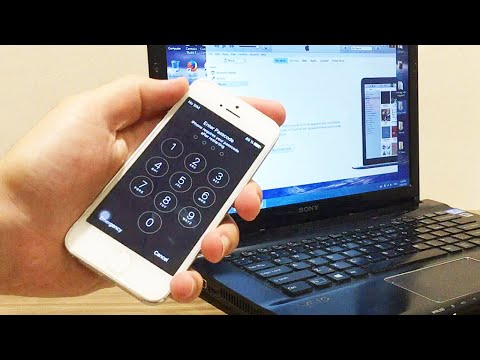
How to Hard Reset iPhone to Factory Settings
ChannelSafaa Al-HayaliIn brief
You’ll restore an iPhone (models 6S+, 6S, 6, SE, 5S, 5C, 5, 4S), iPad, or Apple Watch to factory settings using a hard reset—useful for troubleshooting or bypassing a disabled/password-locked device. The creator demonstrates the process for specific models, including iPhones 6S/6 Plus, 5S, 5C, 5, and 4S, as well as iPads and iPods.
Questions & answers
Which iPhone models does this method support?
iPhone 6S+, 6S, 6, SE, 5S, 5C, 5, and 4S, plus iPad and Apple Watch.
Description from the creator
beside,with this method you can remove/reset any disabled or Password locked iPhones 6S & 6 Plus/5s/5c/5/4s/4/iPad or iPod
----------------------------------------------------------------------------------------------------
DISCLAIMER: This Channel DOES NOT Promote or encourage Any illegal activities ,
all contents provided by This Channel is meant for EDUCATIONAL PURPOSE only .
Copyright Disclaimer Under Section 107 of the Copyright Act 1976, allowance is made for "fair use"
for purposes such as criticism, comment, news reporting, teaching, scholarship, and research. Fair use is a use permitted
by copyright statute that might otherwise be infringing.
Non-profit, educational or personal use tips the balance in favor of fair use.
Subscribe for more:
---------------------------------------
goo.gl/oL45FT
SWE.Safaa Al-Hayali - saf3al2a
TAGS: #
----------------------------------------------------------------------------
About this tutorial
Safaa Al-Hayali published this 4:26 video tutorial on October 25, 2016. It has been watched 2,602,928 times on YouTube.
- Channel
- Safaa Al-Hayali
- Category
- Howto & Style
- Duration
- 4:26
- Published
- October 25, 2016
- Views
- 2,602,928
- Likes
- 11,814
Tags
Share
Further reading
-
Restore your iPhone, iPad, or iPod to factory settings ...
support.apple.com
A factory restore erases the information and settings on your iPhone, iPad, or iPod and installs the latest version of iOS, iPadOS, or iPod software. Get your device ready Make sure your Mac or PC is updated.
-
Hard Reset iPhone: A Guide to Set iPhone to Factory Settings
techwelkin.com
Hard reset, on the other hand, is a more drastic step as erases all the data from your phone and set everything back to factory settings. So, obviously, you should first try soft reset and if problem does not get solved…
-
How to Factory Reset an iPhone (All Models)
lifewire.com
A factory reset returns your iPhone to the condition it was in when it originally left the factory. If you're selling your iPhone or sending it in for repairs, a factory reset protects your personal data and photos from…
This tutorial in other languages
- FRComment réinitialiser iPhone dur aux réglages par défaut
- ESCómo Hard Reset iPhone a los ajustes de fábrica
- PTComo Hard Reset iPhone para as configurações de fábrica
- ITCome hard reset delle impostazioni di fabbrica iPhone
- DEWie man Hard Reset iPhone auf die Werkseinstellungen
- NLHoe een harde reset iPhone naar fabrieksinstellingen
- RUКак Hard Reset iPhone к заводским настройкам
- PLJak twardy reset telefonu iPhone do ustawień fabrycznych
- JAどのようにハードに工場出荷時設定にiPhoneをリセット
- ARكيفية الصعب إعادة فون لإعدادات المصنع
- HIकैसे हार्ड करने के लिए फैक्टरी सेटिंग्स करने के लिए iPhone रीसेट
- IDCara Hard Reset iPhone ke Pengaturan Pabrik