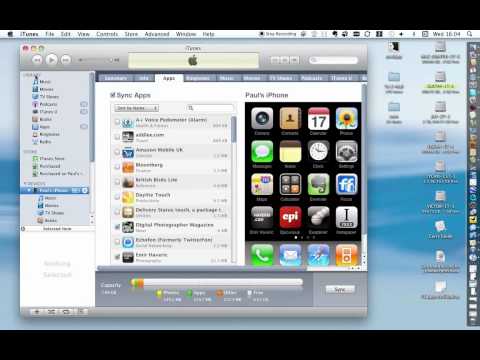
Playback starts YouTube’s embedded player (privacy-enhanced mode).
How to install a beta or ad-hoc app on an iPhone or iPad
ChannelPaul FreemanDescription from the creator
Beta testers of apps for the iPhone or the iPad need to install the apps in a different way to the normal app store purchase process. In this brief movie, Paul Freeman, Photographer and designer/creator of exciting iPad and iPhone apps shows how to install a beta app on an iPhone or an iPad.
About this tutorial
Paul Freeman published this 2:37 video tutorial on October 26, 2010. It has been watched 14,182 times on YouTube.
- Channel
- Paul Freeman
- Category
- Howto & Style
- Duration
- 2:37
- Published
- October 26, 2010
- Views
- 14,182
- Likes
- 23
Tags
Share
This tutorial in other languages
- FRComment installer une version bêta ou ad hoc application sur un iPhone ou iPad
- ESComo instalar una versión beta o ad-hoc aplicación en un iPhone o iPad
- PTComo instalar uma versão beta ou ad-hoc aplicativo em um iPhone ou iPad
- ITCome installare una beta o ad-hoc app su un iPhone o iPad
- DEWie eine Beta oder Ad-hoc-App auf einem iPhone oder iPad installieren
- NLHoe maak je een beta of ad-hoc-app op een iPhone of iPad te installeren
- RUКак установить бета-версию или одноранговая приложение на iPhone или с IPad
- PLJak zainstalować beta lub ad-hoc aplikacji na iPhone lub iPad
- JAiPhoneやiPad上のベータまたはアドホックアプリをインストールする方法
- ARكيفية تثبيت بيتا أو مخصصة التطبيق على اي فون أو آي باد
- HIकैसे एक iPhone या iPad पर एक बीटा या तदर्थ ऐप को इंस्टॉल करने
- IDCara menginstal beta atau ad-hoc aplikasi pada iPhone atau iPad