Playback starts YouTube’s embedded player (privacy-enhanced mode).
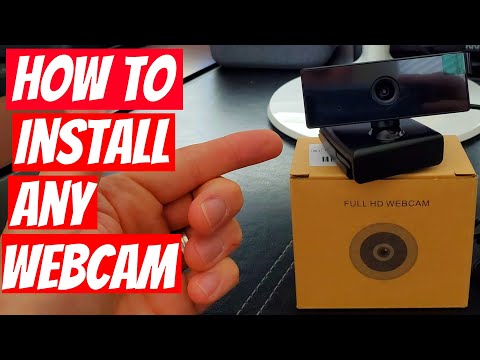
HOW TO INSTALL ANY WEBCAM - QUICK & EASY!
ChannelUltimate Tech HubDescription from the creator
Top Deals On Webcams:
Logitech Brio 101 Full HD 1080p Webcam amzn.to/3DEPQBB
Insta360 Link 2 - PTZ 4K Webcam for PC/Mac amzn.to/3W9csAj
Philips 1080p Webcam with Microphone for PC Streaming amzn.to/40mt3Di
Webcam HD 1080p ,Live Streaming Web Camera with Microphone amzn.to/4fKBGvR
Top 4K Webcams:
Logitech Brio 4K HD Webcam with Microphone amzn.to/42Q0hZM
Lumina 4K Webcam: Studio-Quality Webcam Powered by AI amzn.to/3XfcfuE
NexiGo 4K Webcam, Onboard Flash Memory, Al-Powered amzn.to/3NA6ZPe
My Amazon Store ( My Favorite Tech! ) a.co/d/0dOzp8yE
Support the Channel! youtube.com/channel/UChCs6TB5FoGFOYUfhtR0nRA/jo… 🚀
Best Deal's of the Day!
Ubiquiti Networks UDR7 UniFi Dream Router 7, 10G Gateway amzn.to/4tweVCJ
ASUS ROG Rapture GT-BE98 PRO Quad-Band Wi-Fi 7 Router amzn.to/49HYAoi
NETGEAR Nighthawk Tri-Band Wi-Fi 7 Router (RS500) amzn.to/4oxcYo5
TP-Link Tri-Band BE19000 Wi-Fi 7 Gaming Router amzn.to/4dsD7jo
Ubiquiti Cloud Gateway Ultra amzn.to/4dmmqaR
NETGEAR 5-Port Gigabit Ethernet Unmanaged Switch (GS305) amzn.to/4uRmyF2
UGREEN 2.5Gb Switch, 6-Port Switch, 5 x 2.5Gb, 10Gb SFP+ amzn.to/4nPaL6i
TP-Link TL-SX105 | 5 Port 10G/Multi-Gig Unmanaged Switch amzn.to/3R7jciJ
Legrand - On-Q 30 Inch Media Enclosure, Wi-Fi Electrical Box amzn.to/3Pjj675
Sysracks 42U Network Server Rack Cabinet 32" Deep amzn.to/4dwEwFL
As an Amazon Associate I earn from Qualified Purchases.
💻 Become an Ultimate Tech Hub Member Today!
Get 1 tech support question answered each month + automatic entry into all free gear giveaways. Join now and level up your tech game! 🚀 youtube.com/channel/UChCs6TB5FoGFOYUfhtR0nRA/jo…
A hot cup of coffee is a Fantastic Way to Help Support our Channel!☕buymeacoffee.com/ultimatetechhub
Or You Can support us on Patreon! 🙂 Thank you!
patreon.com/UltimateTechHub
For all business inquiries, sponsorship opportunities, product promotions, collaborations, or if you would like Ultimate Tech Hub to review or test your product or service, please contact us at: [email protected] or visit: www.ultimatetechhub.com
We're proud to support, The Veterans Treatment Court. We support local chapters of the Veterans Treatment Court; 100% of the funds raised support the VTCs. The Veterans Treatment Court is a comprehensive treatment program for United States veterans who are struggling with alcohol addiction or substance abuse. With high success rates, the Veterans Treatment Court works to give troubled vets the treatment and care they need to once again live as productive citizens.
If you'd like to join us in making a difference, you can learn more or donate here: lalondecharityopen.com/
ultimatetechhub.com/
About this tutorial
Ultimate Tech Hub published this 3:50 video tutorial on September 25, 2020. It has been watched 850,704 times on YouTube.
- Channel
- Ultimate Tech Hub
- Category
- Howto & Style
- Duration
- 3:50
- Published
- September 25, 2020
- Views
- 850,704
- Likes
- 6,059
Tags
Share
Further reading
-
Connecting a USB Webcam to Your PC - Lifewire
lifewire.com
Clip Your Webcam to Your Monitor . Depending on the style and model of the webcam, it may or may not have an adjustable clip to attach it to the monitor. Clipping your webcam to the monitor is helpful when recording a w…
-
3 Ways to Install a Logitech Webcam - wikiHow
wikihow.com
Install the Logitech Capture software (optional). If you're using one of Logitech's more recent basic webcam models (1080P PRO, C920, C920s, C922, C922X, Streamcam, Streamcam Plus, BRIO Stream, Brio 4K Pro), and have Wi…
-
How to Set up a Webcam: 10 Steps (with Pictures) - wikiHow
wikihow.com
Test the webcam's sound. While speaking into the webcam, look for spikes in activity next to the "Audio" (or similarly titled) section in the webcam's window. If you don't see any activity here, your webcam's microphone…
This tutorial in other languages
- FRCOMMENT INSTALLER TOUT WEBCAM - rapide et facile!
- ESCOMO INSTALAR cualquier webcam - RÁPIDO Y FÁCIL!
- PTCOMO INSTALAR qualquer webcam - rápido e fácil!
- ITCOME INSTALLARE qualsiasi webcam - Quick & Easy!
- DEHOW TO ANY WEBCAM INSTALL - QUICK & EASY!
- NLHoe een WEBCAM INSTALLEREN - off!
- RUКАК УСТАНОВИТЬ вебкамеры - QUICK & ЛЕГКО!
- PLJak instalować żadnego Kamera - Szybkie i proste!
- JAQUICK&EASY - 任意のウェブカメラをインストールする方法!
- ARHOW TO تثبيت أي WEBCAM - QUICK & EASY!
- HIकि किसी भी वेब कैमरा स्थापित करने के लिए - त्वरित और आसान!
- IDCARA INSTALL WEBCAM APAPUN - QUICK & MUDAH!